Goals
At the core of the Success plan widget is a success track. The success track represents key areas where businesses can improve their digital performance.
Sana Commerce Cloud provides the following goals in the success track:
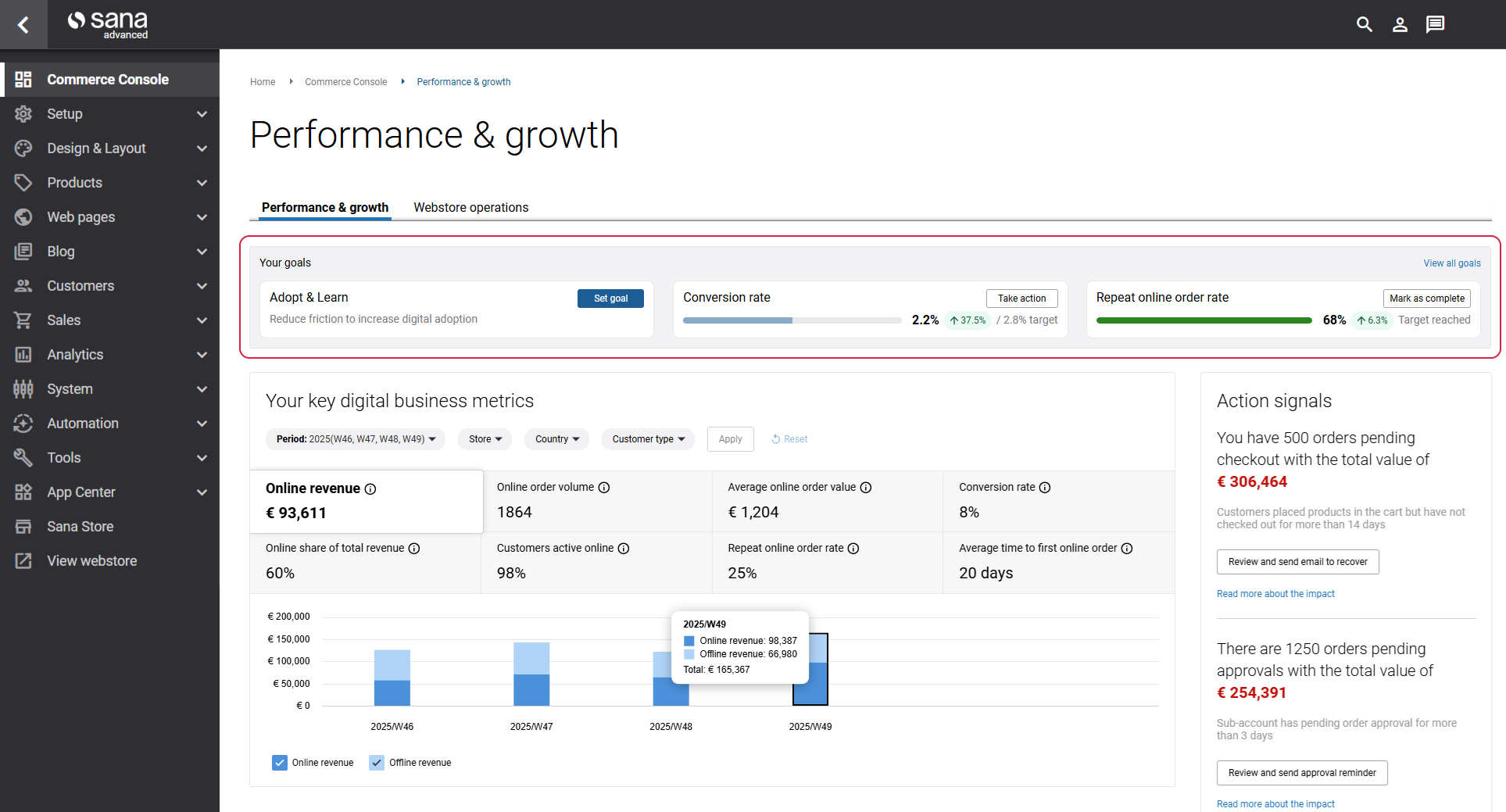
Only one tracking KPI can be active per goal at a time. Once completed, you can set up another tracking KPI. The completed tracking KPIs are sorted in the order in which they were completed.
Goals are time-bound and tied to specific key performance indicators (KPIs). Customer success managers (CSMs) help define these goals and ensure they align with meaningful business improvement areas in Sana Commerce Cloud.
Each goal allows you to translate high-level business objectives into measurable outcomes. When you set a goal in the Success plan widget, customers can see recommended actions and Sana Commerce Cloud features to reach their target.
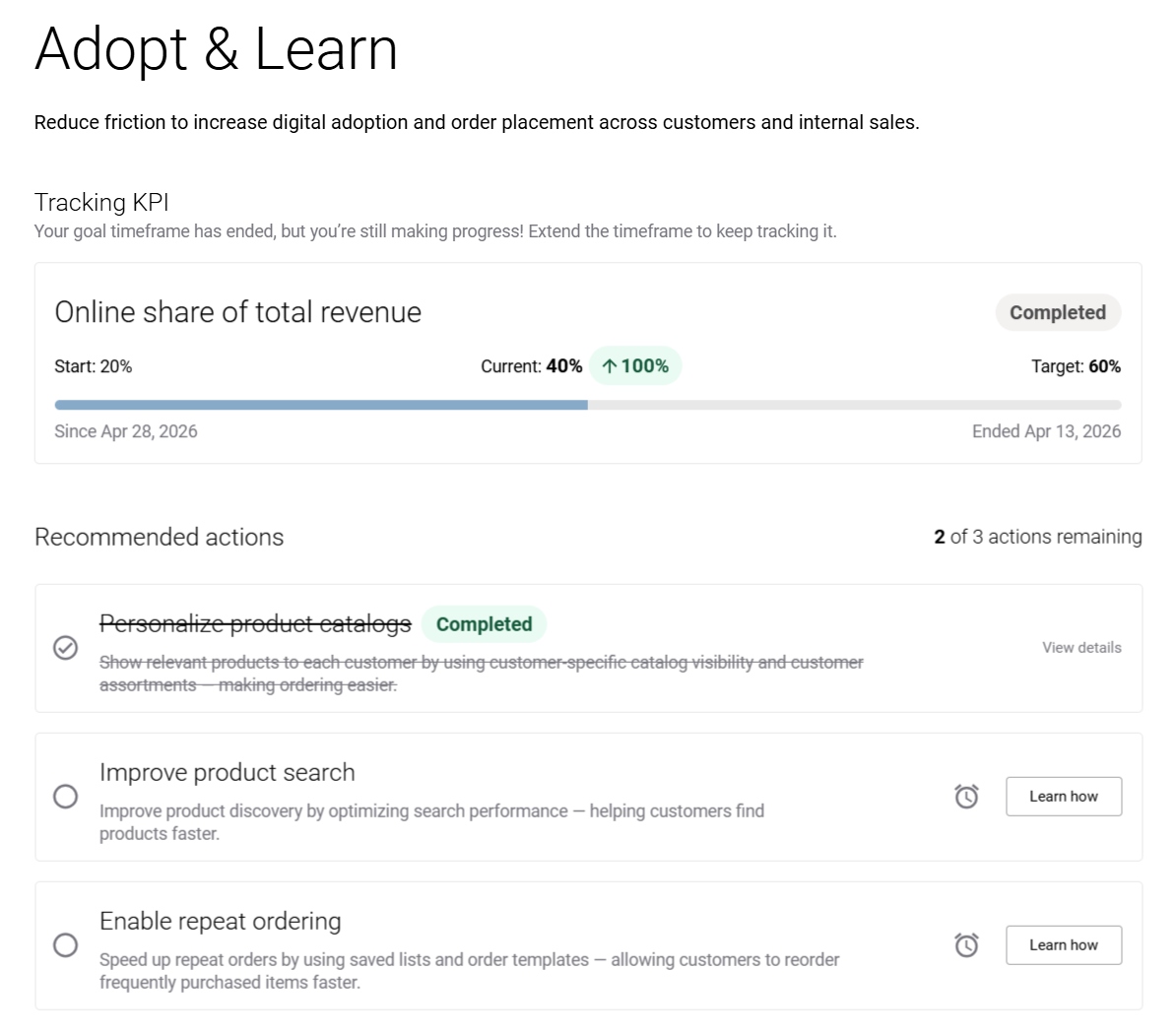
Each goal includes three predefined recommended actions designed to help you achieve your goal. These recommendations are consistent across all KPIs within a goal and are not dependent on the selected KPI. You can:
- Mark recommended actions as Completed.
- Postpone recommended actions using the clock icon for later follow-up.
- Restart postponed actions.
Business priorities can change, and the Success plan widget supports flexibility. You can adjust your target values or timelines as needed to stay aligned with evolving objectives.
Customers can check what goals are completed.
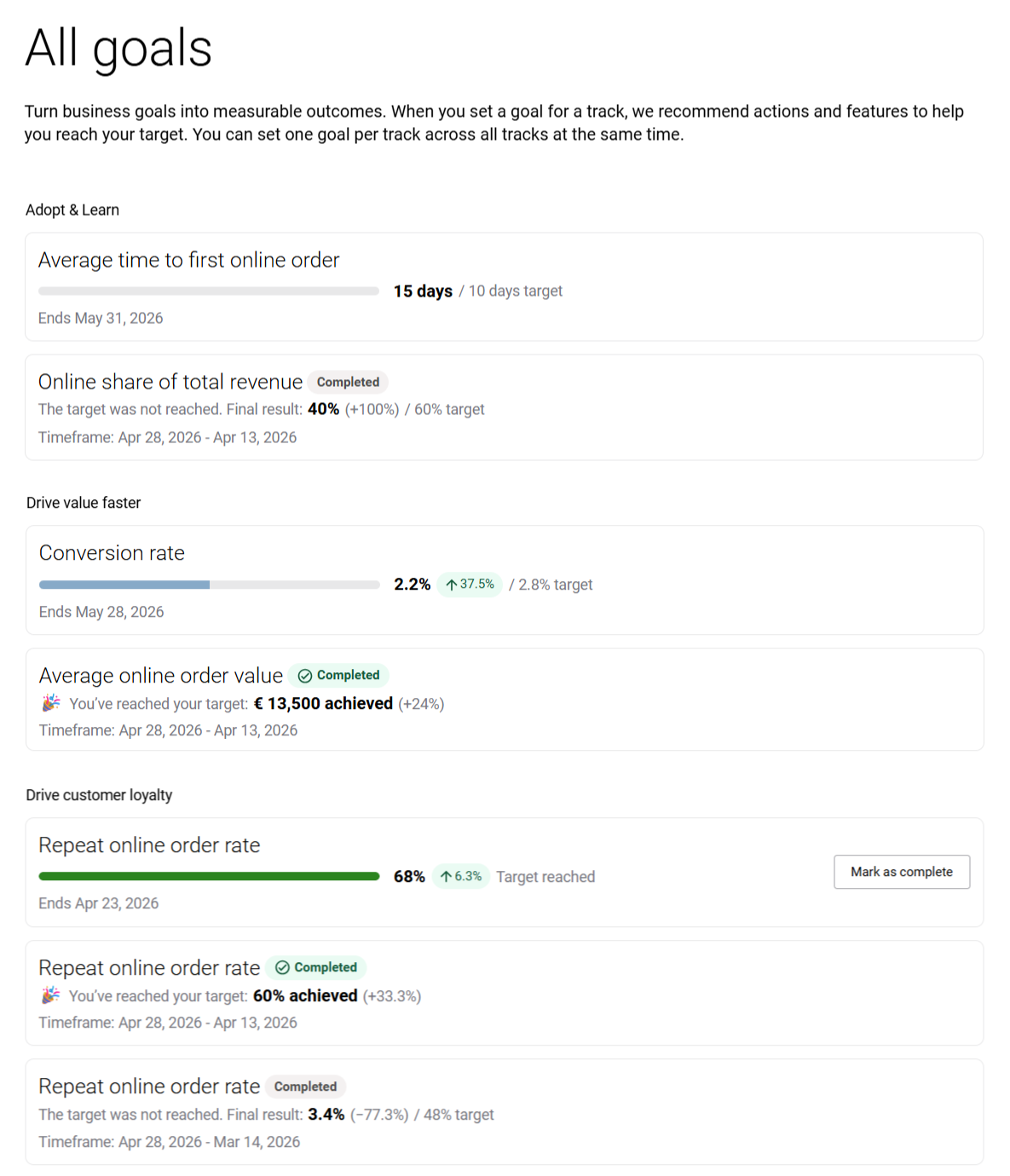
Using the View all goals link, you can check all your goals and track their progress.
Goal Order and Prioritization
Goals are displayed in a specific order on the success track. Active goals appear first, followed by completed goals and then goals that have not yet been configured.
You can prioritize specific goals from the All goals page by clicking Pin goal next to the goal you want to prioritize. When at least one goal is pinned, the Pinned goals section appears at the top of the list. You can unpin goals at any time.
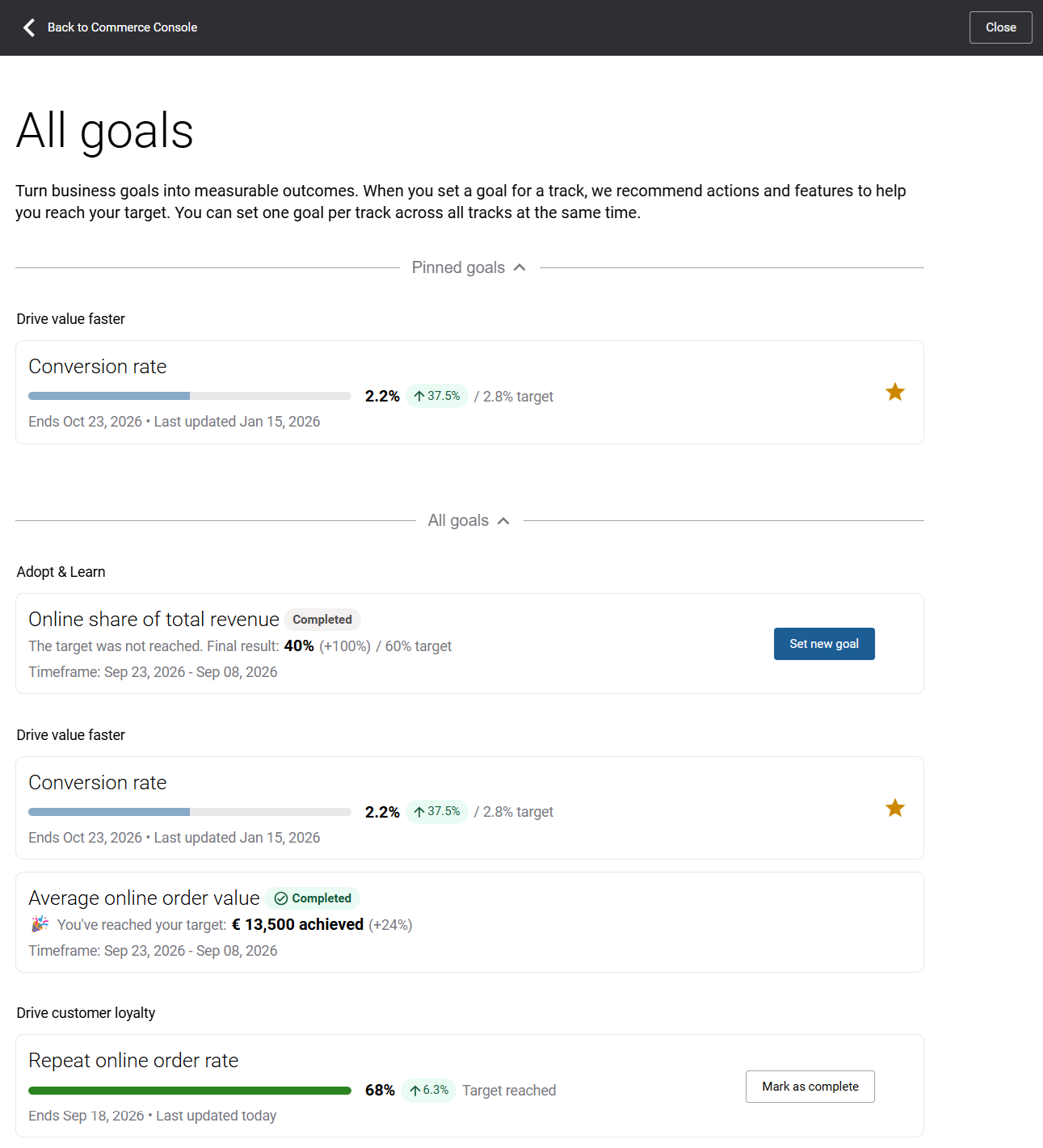
Pinned goals are also displayed first on the success track, in the same order as they appear in the Pinned goals section on the All goals page. This allows you to keep the goals that matter most to your business easily accessible.


