Sana Commerce Cloud 1.134
Release date: November 26, 2025
Learn about improvements and bug fixes in this release.
What’s New?
Commerce Console
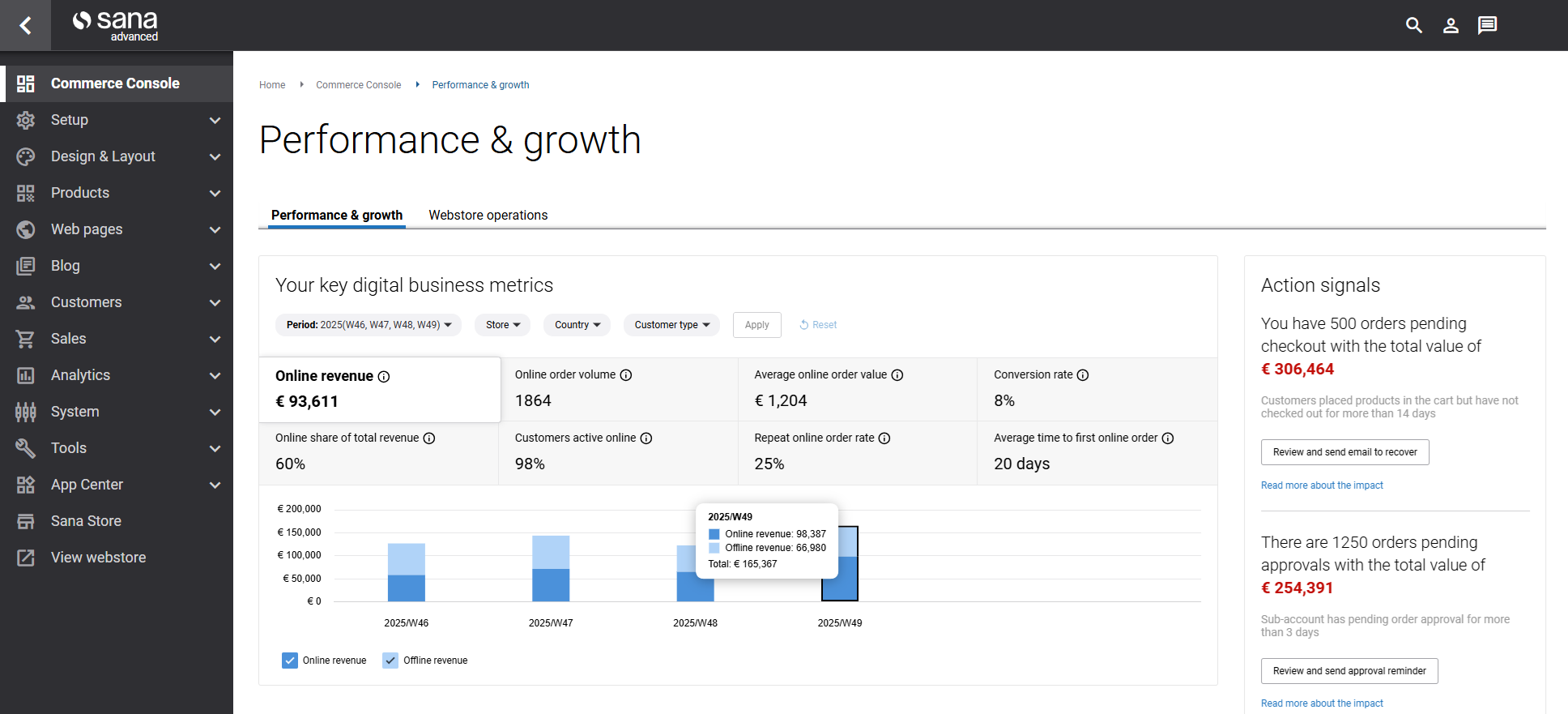
We’re excited to introduce the Commerce Console - a new workspace in Sana Admin designed to give e-commerce managers the clarity and insights they need to drive digital growth and strengthen buyer relationships.
The Commerce Console brings together key performance data and actionable insights in one place, replacing the need to navigate multiple reports and dashboards. Built on a flexible, widget-based framework, it connects online and offline data to show how your Sana webstore contributes to total business growth and where to focus your efforts next.
The new Performance & Growth tab provides e-commerce managers with a comprehensive view of digital business performance through two powerful widgets:
-
Key digital business metrics: track essential metrics that matter most to your digital business, all in one place, such as revenue, order volume, conversion rate, customer activity, and more.
-
Action signals: Know where to focus your attention with intelligent signals that highlight opportunities and risks. Each signal shows the total monetary value at stake and includes a direct link to take action, helping you recover potential revenue from abandoned carts and prevent delays in your approval process.
Buyer Widgets
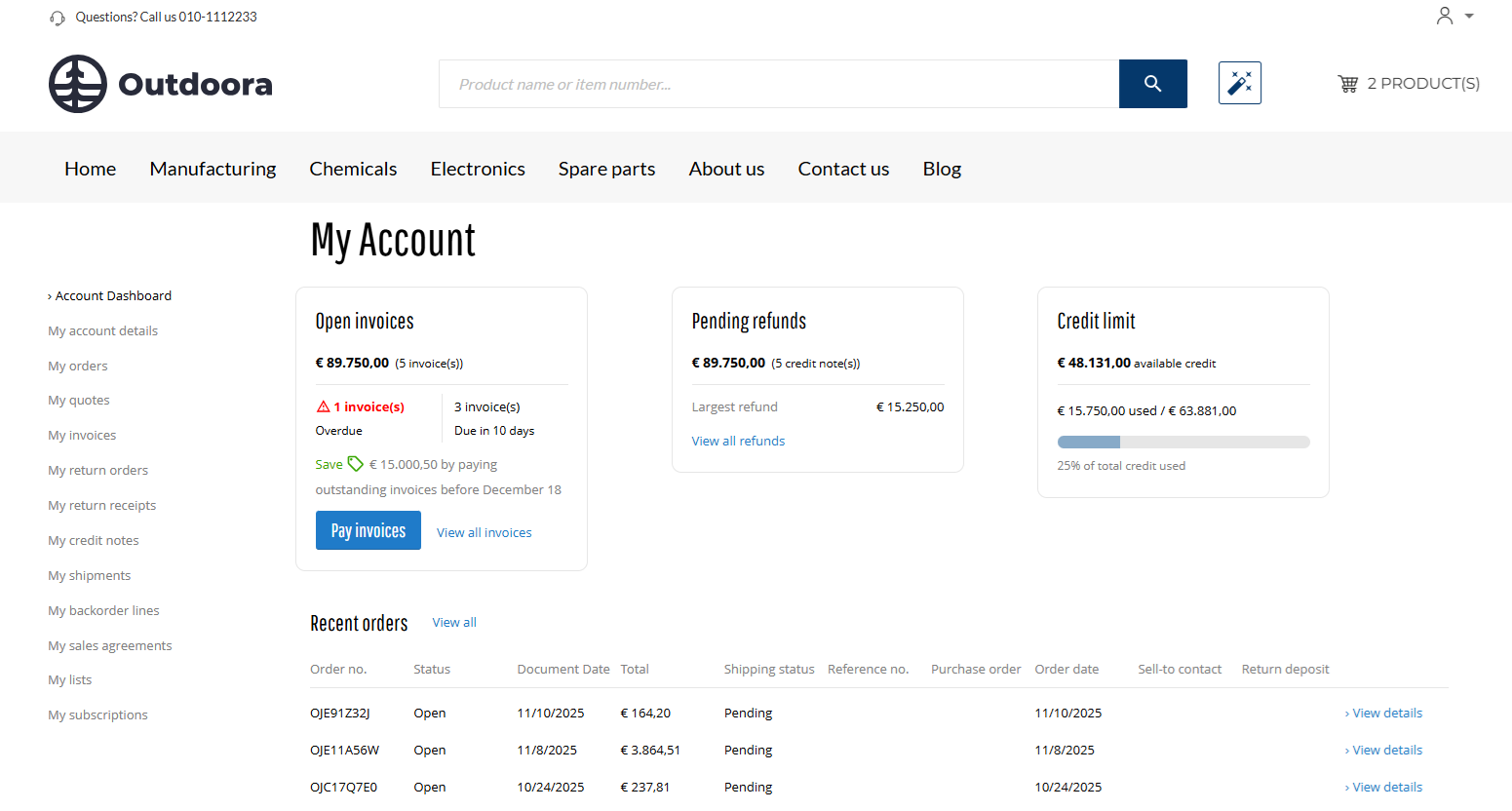
With this Sana Commerce Cloud release, we are happy to introduce Buyer Widgets. They are designed to give buyers a clear, convenient overview of their financial information directly in the Sana webstore. They help sellers strengthen relationships with buyers by making account data transparent, accessible, and easy to understand. With instant visibility into key details like credit limits, open invoices, and pending refunds, buyers gain confidence in every transaction – and sellers build trust at each step of the buying journey.
Sana Commerce Cloud provides the following buyer widgets:
By bringing essential financial information together in one place, the widgets reduce uncertainty and eliminate the need for calls or follow-up e-mails. Buyers can check their available credit, review unpaid invoices, and track the status of their pending refunds at any time. Sellers can personalize the page layout by adding, removing, or rearranging widgets to focus buyers' attention on what matters most to them. They can also decide which widgets are available for each customer segment, ensuring that every customer sees only the information that is relevant to them.
Pending Revenue
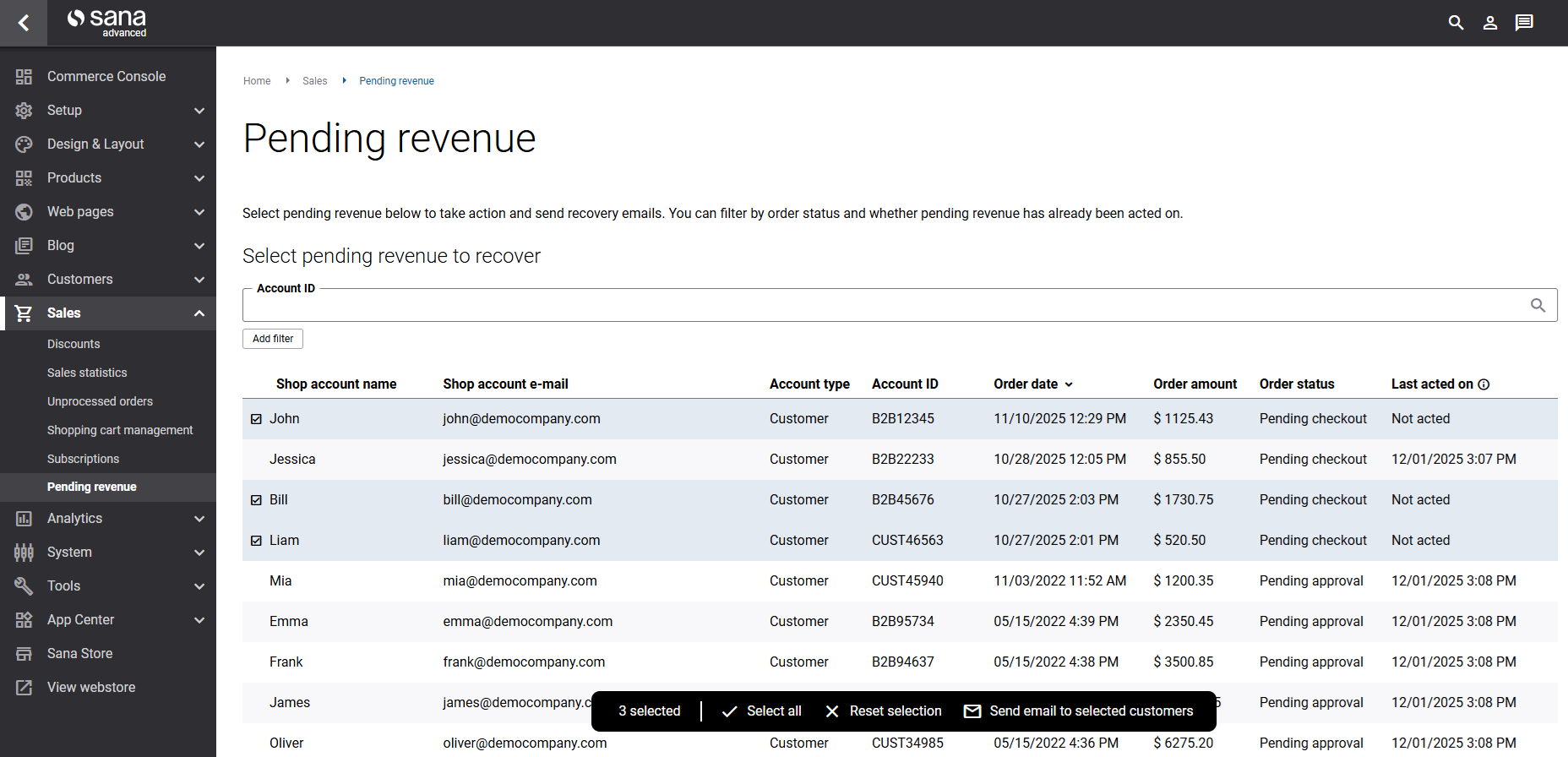
The Pending Revenue page in Sana Admin shows orders that are at risk of being lost due to cart abandonment or delayed approvals. From here, e-commerce managers can quickly follow up with customers by sending reminder e-mails to recover potential income.
Consent Management
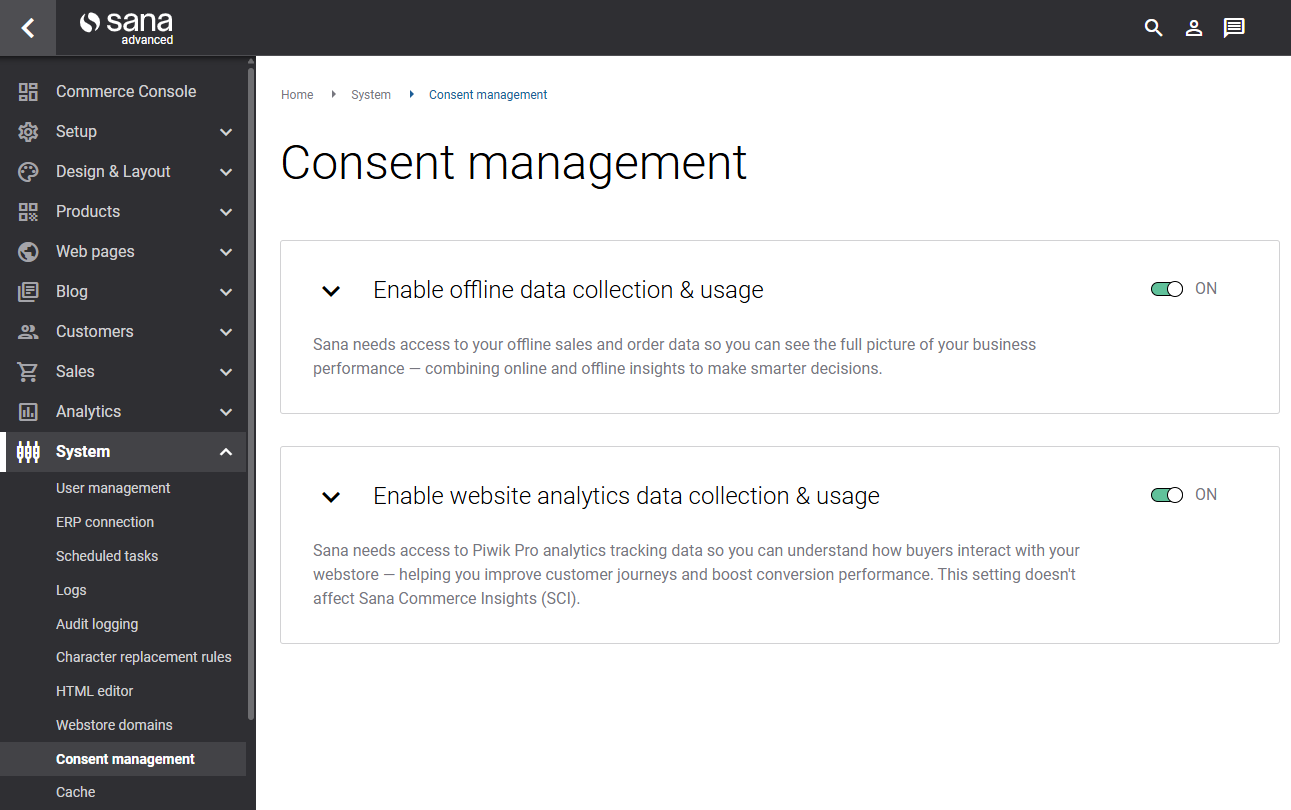
The Consent Management page in Sana Admin centralizes all data permissions needed for full reporting accuracy. System administrators can enable or restrict access to offline ERP data and web analytics data, which directly affects what appears in the Commerce Console metrics and buyer widgets.
Edit Shopping Cart Lines With a Visual Designer
We’ve made a major update to the Shopping cart system page in Sana Admin: you can now edit shopping cart lines using the visual designer.
This update lets you customize not only the overall shopping cart layout but also the design and content of the shopping cart lines, so you can better meet your business needs, highlight product details, and create a more engaging shopping experience.
A new shopping cart lines editor is now available in the Shopping cart overview content element, allowing you to control how the shopping cart lines appear in your webstore, including the placement of thumbnails, prices, discounts, UOM, and more.
To ensure a smooth transition, please note that this update also introduces changes to your current shopping cart page and to the HTML structure and CSS class names. We strongly recommend reviewing your shopping cart page to ensure everything is running smoothly and that the changes have no impact on you or your HTML injections.
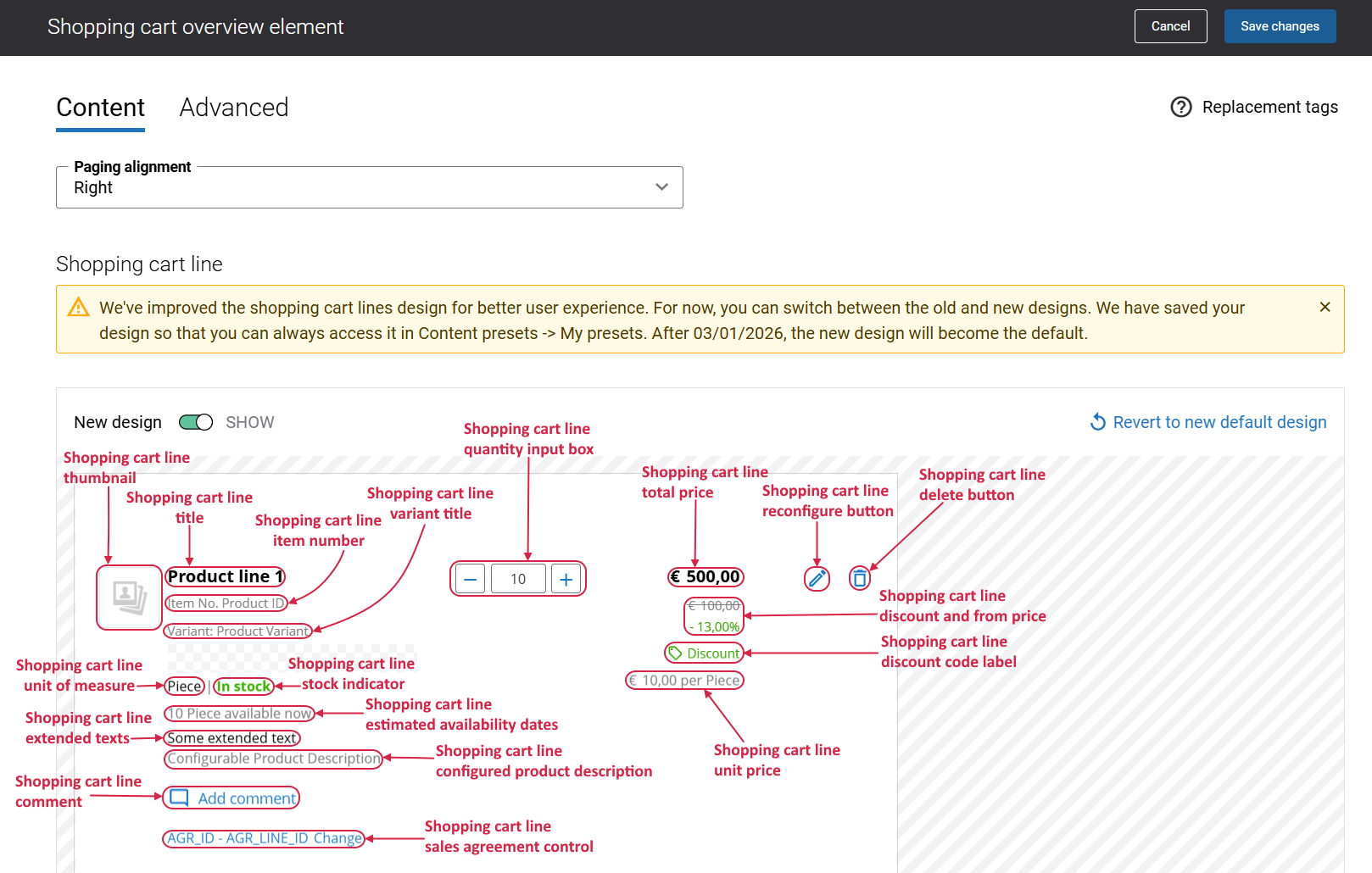
New vs. Old Shopping Cart Design
-
Fresh Sana installation: New Sana Commerce Cloud installations use the new shopping cart design by default. The old version is not available.
-
Upgrade: If you are upgrading from an older Sana Commerce Cloud version, you will see a toggle New design that lets you switch between the old shopping cart design and the new one at any time.
Each design can be customized separately. Any changes you make in one will not impact the other, giving you full flexibility to experiment and transition smoothly to the new design.
Additional Improvements
- Enhanced shopping cart overview: Improved the overall design of the shopping cart lines in the webstore for a cleaner and more modern look optimized for B2B buyers.
- Reworked price presentation settings: Removed the Total price presentation settings from the Basket overview content element.
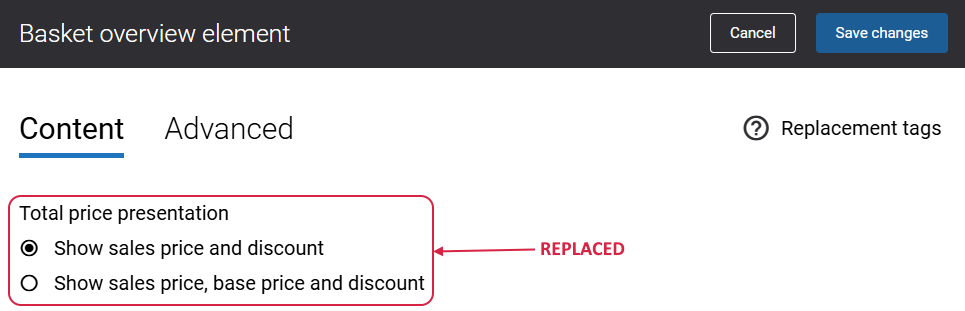
The Total price presentation settings have been replaced by the following new, more flexible content elements within the shopping cart line area:Shopping cart line discount and from price
Shopping cart line unit price
Shopping cart line discount
-
New content elements on the shopping cart system page:
-
The Warning lines content element is used to show a message in the shopping cart informing a customer that a product discount cannot be applied when a sales agreement is in effect for a product.
-
The Shopping cart validation messages content element displays a notification in the shopping cart to inform the customer that their shopping cart is invalid and providing the reason for the issue.
-
-
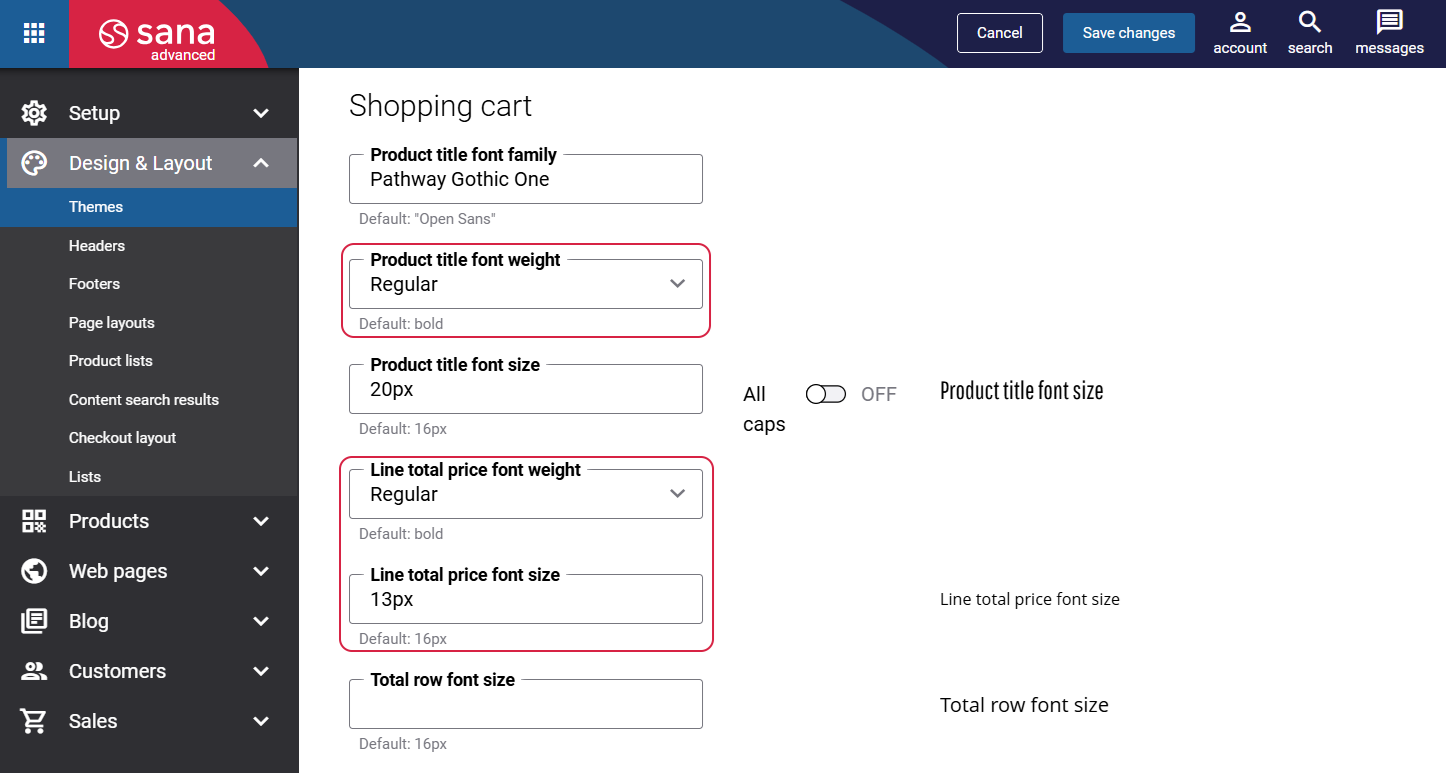
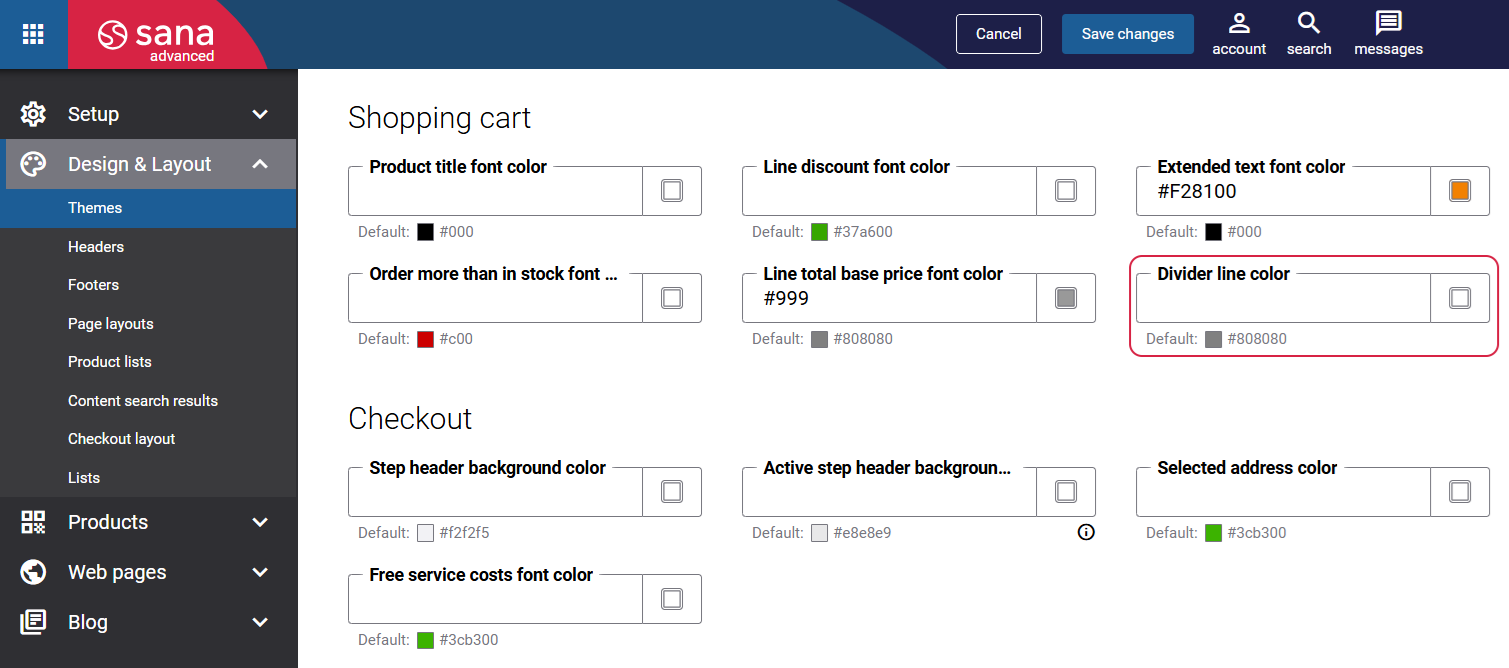
Theme and styling enhancements: Added new settings to Themes for the Shopping cart page, allowing greater control over design and typography.
-
New settings on the Typography tab in the Shopping cart section.
-
New setting on the Page specific tab in the Shopping cart section.
-
-
Terminology update: To create a more unified experience, we standardized terminology in Sana Admin by replacing basket with shopping cart everywhere it appears.
Example:-
Basket system page => Shopping cart system page.
-
All content elements on the Shopping cart system page were updated to reflect this terminology change: Basket overview content element => Shopping cart overview content element.
-
Lowest Group Price Visibility in Product Sets
We previously introduced the Price visibility for a group setting, allowing you to show or hide the lowest price of items within a product group on the product list and search results pages in the Sana webstore.
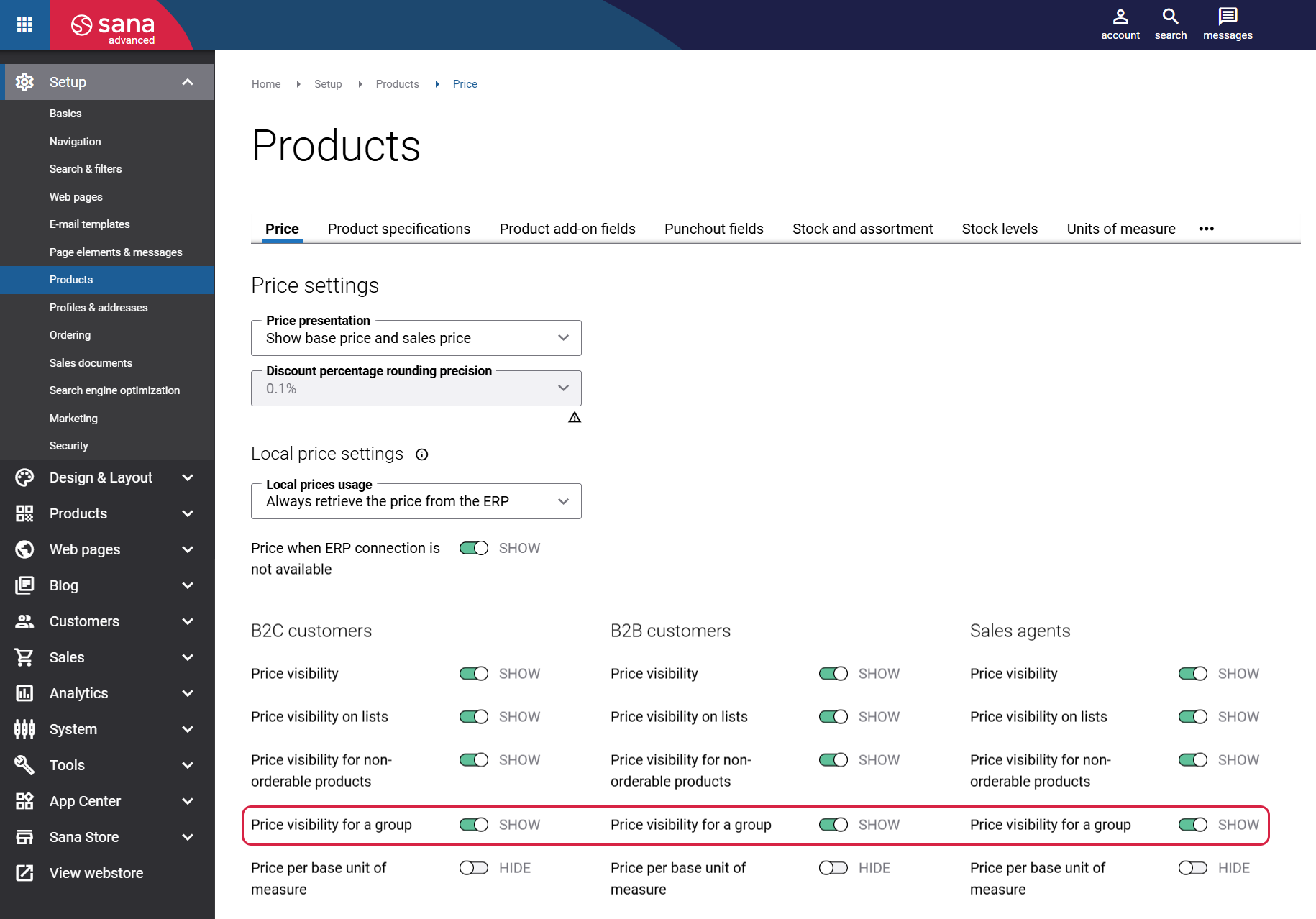
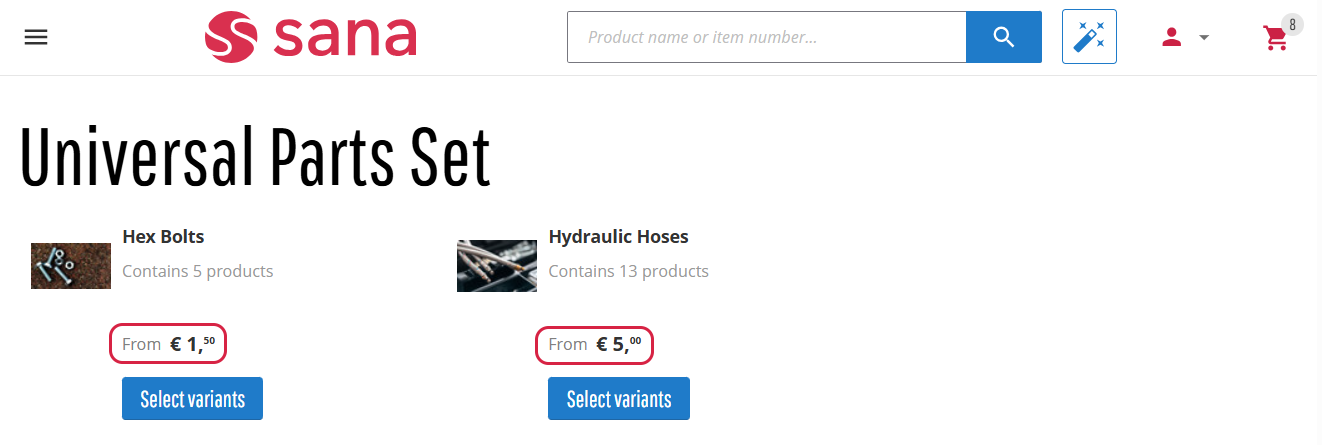
With this release, we’ve expanded this functionality so the same setting also applies to product groups displayed in product sets. This enhancement ensures consistent price visibility behavior across all areas of the Sana webstore, simplifies configuration, and gives you clearer control over how pricing is presented to customers.
Bug Fixes
One of the benefits of the minor releases on a regular basis is that you constantly receive bug fixes. Below you can see the list of some bugs that we fixed in this release. We do not add all bug fixes, but only the most important ones, since there are many technical fixes, minor design fixes, or performance-related fixes that we do not add to the release notes.
- Fixed an issue that prevented the contents of a customer segment from being exported successfully.
- Fixed an issue where item categories cannot be deleted after import on the Item categories page in Sana Admin.
- Fixed an issue where editing the default layout on product list pages triggered incorrect redirect behavior.
- Fixed an issue where the Account ID and the Account Email fields are empty after exporting a shopping cart from Sana Admin to the CSV file.
- Fixed an issue that prevents the in-site editor from loading when a sales agent represents a customer in the webstore.
- Fixed an issue where user selections on the User management page in Sana Admin are not cleared when a filter is applied or when switching pages.
- Fixed an issue where the product quantity in the shopping cart increases when attempting to apply a sales agreement term to the product line.
- Fixed an issue where the billing address is available for selection on the Shipping information checkout step even though billing address selection is disabled in Sana Admin.
- Fixed an issue where the header is not displayed on the sales document details page in the webstore when the Sales agreement link field is added to the sales document header in Sana Admin.
- Fixed an issue where, after running the Sitemap export scheduled task, the sitemap file incorrectly uses the default domain for all links instead of the correct links for each configured domain.
- Fixed an issue where the shop account import fails when the CSV file contains shop account records that already exist in Sana Admin.
- Fixed an issue where products are incorrectly sorted by title on product list pages in the webstore when a non-default language is selected and product grouping is enabled in Sana Admin.
- Fixed an issue where the date field value in product specifications on the webstore’s product details page displays in the server culture instead of the selected language culture.


