Action Signals
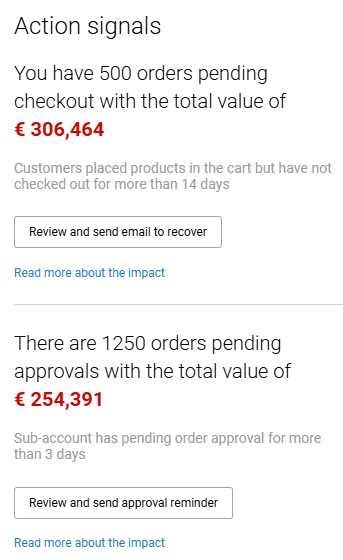
The Action signals widget identifies moments where e-commerce managers may need to take immediate action to prevent lost revenue or slow response times. Instead of searching through multiple screens for issues, action signals proactively highlight situations that require attention.
Each signal includes a short explanation and shows the total order amount affected.
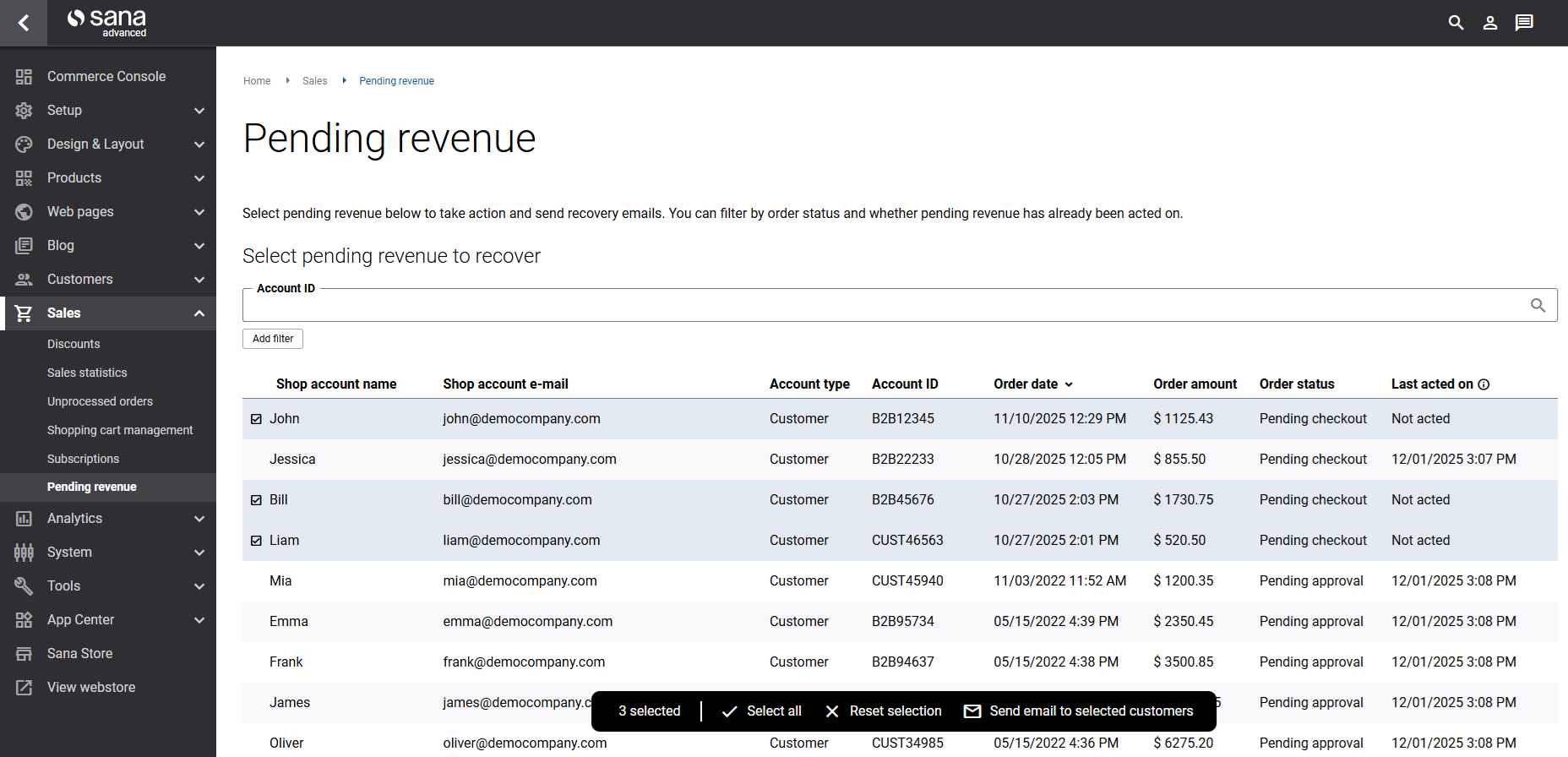
Clicking the action button takes you directly to the Pending revenue page with preselected filters based on the signal you came from.
Orders Pending Checkout
Customers have added items to their shopping cart but have not completed the checkout for more than 14 days.
Clicking on the Review and send email to recover button will take you to the Pending revenue page, where you can:
- View all affected orders.
- Select customers and send an e-mail reminder about items waiting in their shopping cart.
The widget displays the total monetary value of all orders pending checkout and helps recover potential revenue that may otherwise be lost due to cart abandonment.
Orders Pending Approval
Sub-accounts have placed orders that require approval from an account manager and have been waiting for more than 3 days.
Clicking on the Review and send approval reminder button will take you to the Pending revenue page, where you can:
- View all pending approvals.
- Select the relevant customer accounts and send reminder e-mails to prompt timely approval.
The widget shows the total monetary value of all orders pending approval and helps prevent processing delays, ensuring customers receive their orders without unnecessary waiting.
For more information, see Shop Account Roles.
These proactive reminders provide e-commerce managers with a centralized way to monitor and act on critical buyer activity, allowing them to recover potentially lost revenue and keep their sales process moving smoothly, strengthening relationships with their customers.
For more information, see Performance & Growth.


