Consent Management
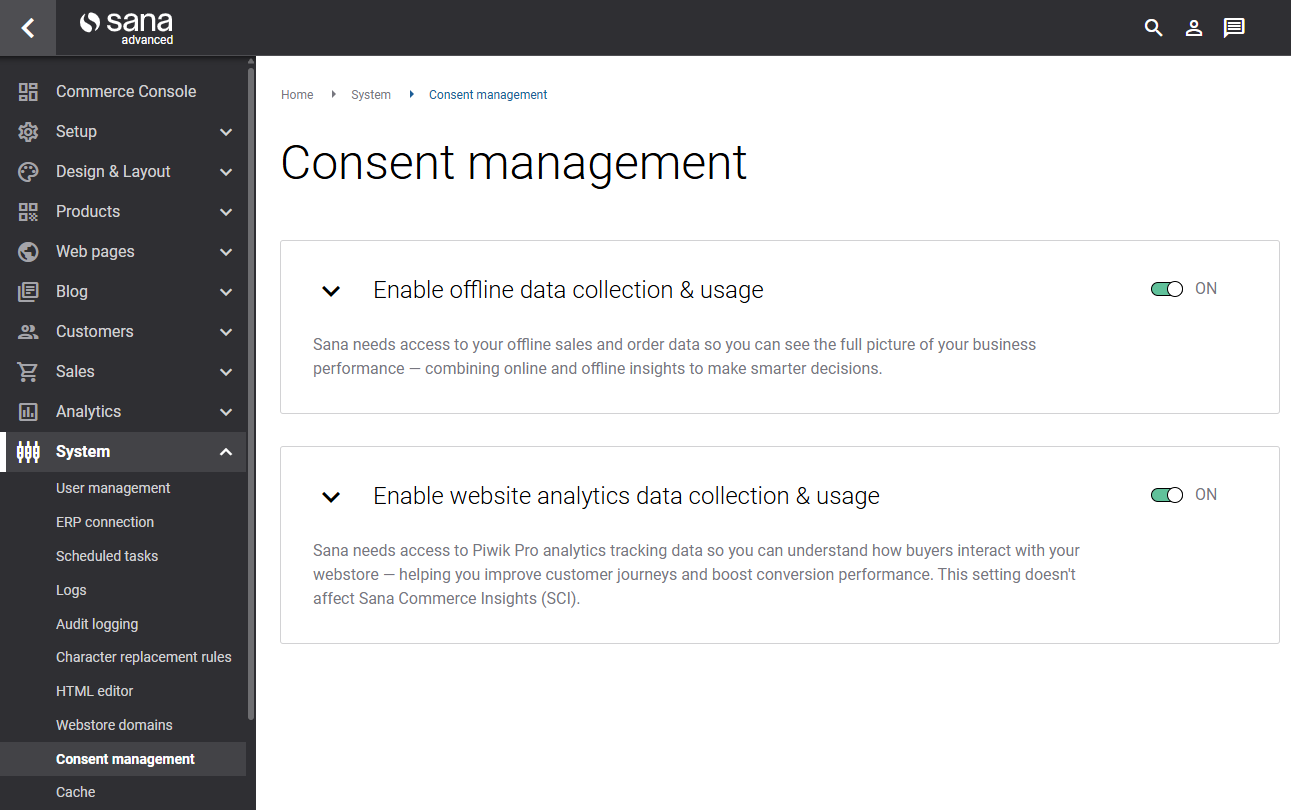
The Consent management page in Sana Admin is a centralized preference center where system administrators can control which types of data Sana Commerce Cloud is allowed to access and use. This page brings all data permissions together in a single location, helping Sana Commerce stay compliant with privacy regulations. Access to the necessary data ensures that Sana Commerce Cloud can provide accurate, meaningful insights across both the webstore and Sana Admin.
To open this page, in Sana Admin click: System > Consent management.
Why Consent Matters
Many widgets and metrics in the Commerce Console of Sana Admin and buyer widgets in the Sana webstore rely on access to specific types of customer, order, and behavior data. If certain permissions are disabled, the Commerce Console in Sana Admin and buyer widgets in the Sana webstore may not be able to show complete or accurate information.
For example:
- E-commerce managers may see missing or incomplete metrics in the Commerce Console in Sana Admin.
- Offline data may not appear in comparisons.
- Certain buyer widgets in the Sana webstore may be hidden.
- Some behavioral insights, such as online activity, may not be calculated.
Sana Commerce Cloud needs access to both online and offline data to display comprehensive metrics and insights throughout the platform.
To ensure everything works at full capacity, the webstore administrator must enable the necessary permissions on this page.
By default, all permissions are enabled. However, the system administrator may revoke specific permissions when necessary.
Available Permissions
On the Consent management page, webstore administrators can enable or disable the following permissions:
Offline Data Collection & Usage
Sana Commerce Cloud needs access to your offline sales and order data so you can see the complete picture of your business performance. By combining online and offline insights, you can make smarter, more informed decisions about your digital strategy.
Impact on the Commerce Console in Sana Admin
Enabling this permission is necessary to display:
-
Offline data in the key digital business metrics widget, including:
-
Offline revenue
-
Offline order volume
-
Average offline order value
-
Offline share of total revenue
Without this permission, you will not be able to compare your online webstore performance with other offline sales channels and make better data-driven decisions.
-
-
Current performance against KPI goals and track progress in the Success plan widget.
-
Sales agreements at-risk in the Sales agreements widget.
Impact on Buyer Widgets in the Sana Webstore
This permission is also necessary to display the following buyer widgets in the Sana webstore:
- Open invoices
- Pending refunds
These widgets help customers manage their financial interactions with your business more easily, improving their self-service experience.
Website Analytics Data Collection & Usage
Sana Commerce Cloud needs access to Piwik PRO analytics tracking data so e-commerce managers can understand how customers interact with your webstore. This insight helps webstore administrators improve customer journeys, identify friction points, and boost conversion performance.
This setting does not affect Sana Commerce Insights (SCI), which operates independently.
Impact on the Commerce Console in Sana Admin
Enabling this permission is necessary to display the following metrics in the key digital business metrics widget:
- Conversion rate
- Customers active online
Without this permission, you will not be able to see how effectively your webstore converts visitors into buyers or track customer engagement levels.
Enabling this permission is also necessary to display current performance against KPI goals and track progress in the Success plan widget.
Why Some Data May Not Be Shown
Data may be missing from the Commerce Console in Sana Admin or buyer widgets in the Sana webstore for two reasons:
Insufficient Permissions
If certain consents are disabled, Sana Commerce Cloud will be unable to access the required data. For example:
-
Offline metrics will not be shown if offline data collection & usage is turned off.
-
Conversion rate or customers active online will not be shown if website analytics data collection & usage is disabled.
-
Metrics based on limited data might be incomplete or unavailable. Granting or revoking consent to collect data only affects the data offloading process. If you give consent and later withdraw it, Sana Commerce Cloud will stop collecting new data. However, Sana may still use the data that has already been collected. This means that if certain data has already been displayed and you disable specific permissions, the old data will still appear, but no new data will be collected. As a result, some of the information you see might be outdated or incorrect.
Data Is Not Available
Even when all permissions are enabled, some data may not appear because:
- The selected store or customer type does not have transactions for the chosen period.
- The chosen filter combination results in no matching data.
- Certain analytics data has not yet been accumulated.
In these cases, the Commerce Console cannot display values because there is nothing to show for the specific filters.
Both scenarios are normal. Missing data does not always indicate a system issue - it may simply reflect filters, settings, or the nature of your dataset.


