Data Sources
To build an analytics solution, the most important component is the data that goes into it. Sana Commerce Insights, the performance & growth widgets of the Commerce Console in Sana Admin, and the buyer widgets in the Sana webstore combine three key data sources.
Understanding How Data Is Collected and Displayed
ERP Data
The ERP system is the beating heart of your company and contains everything you would like to know about the commercial performance of the company. It does not just contain data about all of the orders that go through your webstore, it includes every order that your company has processed.
Because Sana Commerce Cloud integrates with the ERP systems, we have a unique opportunity to extract the order data through our existing connection to give you a full picture of your commercial performance including orders placed by any customer type, or any other channel, not just your webstore performance.
Further ensuring, as ERP is a single source of truth of your company, that the important commercial data we are reporting on is accurate.
Piwik PRO Web Analytics Data
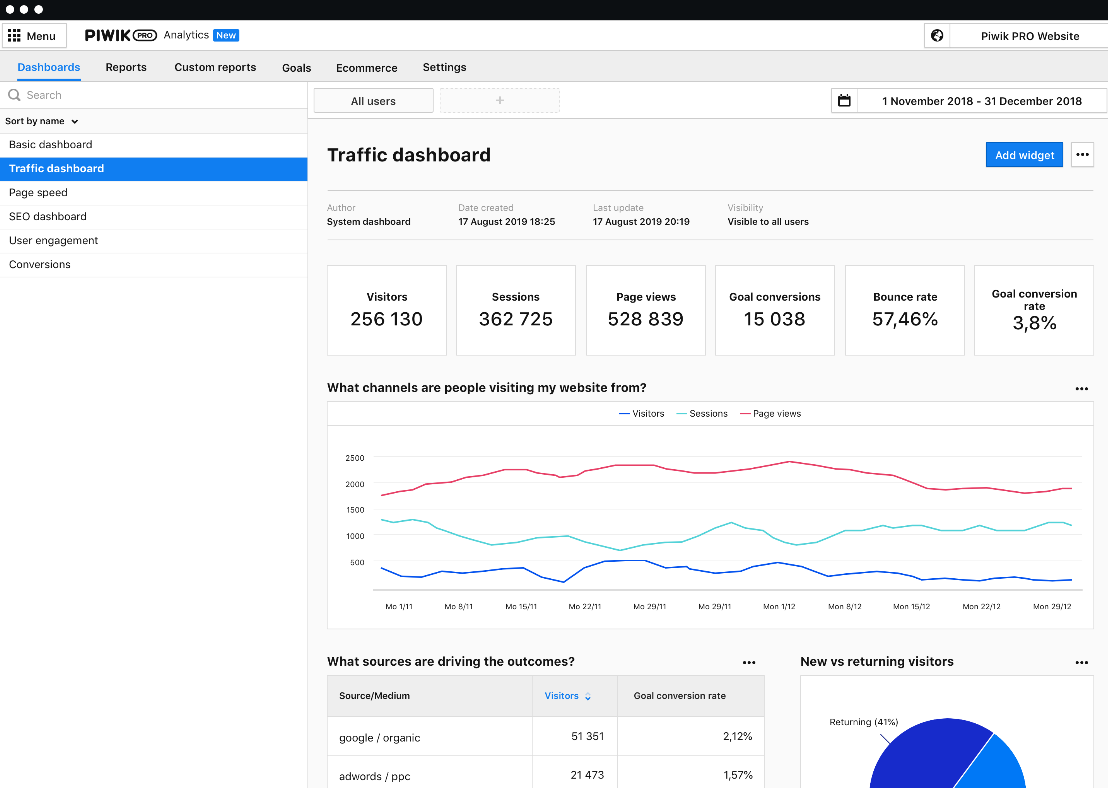
To effectively optimize your webstore, it is crucial to know what your visitors are doing on the webstore. For instance, you want to know which pages they visit, which products they add to their baskets, and how they ended up on the webstore - directly typing in the address, through an ad, or for instance, an e-mail campaign.
This is web analytics or clickstream data. The name clickstream comes from the fact that every click on the website leads to a data point, which could potentially be a whole stream of data points if a website has many visitors.
With Piwik PRO, we have access to each and every data point that we capture through your webstore, without being aggregated. This gives us complete flexibility in how we use the data.
Lastly, Piwik PRO allows us to track the unique identification number of each shop account (the registered account that webstore visitors use to access and place orders in the webstore) for every data point that comes in. This allows us to track the behavior of individual customers of the webstore.
This is of course only possible if the webstore visitors are logged in to the webstore with their accounts.
Sana Webstore Data
The last key data source we use in Sana Commerce Insights, the performance & growth widgets of the Commerce Console in Sana Admin, and the buyer widgets in the Sana webstore is the Sana database. It contains detailed records of online activity, including transactions placed through the webstore, login events, and all registered shop accounts.
The Sana database acts as the crucial link between clickstream data and ERP data. Using the shop accounts table, we can match each Piwik PRO data point to the corresponding ERP customer, enabling customer-level insights across both online and offline channels.
In addition, the Sana database provides essential context about customers and products connected to your webstore, allowing for richer, more actionable reporting.
Why Data May Sometimes Differ Between Sana Widgets and Other Reports
You might notice some discrepancies in the data shown across different widgets, metrics, and your own reports. This is normal and happens for several technical reasons related to how we collect, process, and optimize data delivery.
Each widget uses a different combination of data sources. Because data updates occur on different schedules, it is normal to see some differences in the numbers displayed across Sana Commerce Insights, performance & growth widgets of the Commerce Console in Sana Admin, buyer widgets in the Sana webstore, and your own reports generated either in the ERP system or by some other means. Below are the most common reasons:
Data Processing Schedules
To avoid unnecessary load on your ERP system, we retrieve ERP data once every 24 hours, typically outside regular working hours, at night in your region, or during low-traffic periods.
This means that very recent orders, invoices, or other changes made in your ERP system during the current day will not appear in the ERP-based metrics until the next scheduled update.
Data Availability for Specific Periods
Different metrics look back at different time periods depending on what’s most relevant for that particular insight. For example:
- For invoices, with each scheduled update, we look back up to 30 days to capture those that may have been added with a backdate.
- We display the invoice information from the last 12 months.
- Each widget is optimized to show the most relevant timeframe for its specific purpose.
Data Offloading for Performance Reasons
To improve performance and stability, we offload multiple sets of data and process it separately.
This helps keep the system fast and responsive, but it can also mean that some widgets update at slightly different times.
We apply data-processing limits and safeguards to ensure that all customers have stable and reliable access to the necessary data.
These limits help prevent service disruptions caused by excessive requests, protect the system from overload, and ensure consistent and predictable performance across Sana Commerce Cloud.


