Optimize Your Sana Webstore for SEO and AI Search
This article will help you make your Sana webstore easy for AI-driven search tools to find, understand, and recommend.
More buyers now begin their research with AI assistants such as ChatGPT, Claude, Google Gemini, Microsoft Copilot, or Perplexity. These tools generate concise answers by reading web pages and often link to their sources. If your webstore is included, buyers see your products and brand directly in response.
You don’t need a separate strategy for AI search. AI tools use the same foundation as traditional search engines: crawlable pages, clear and complete content, and accurate product data. Sana Commerce Cloud provides most of the necessary tools. This article explains how to use them.
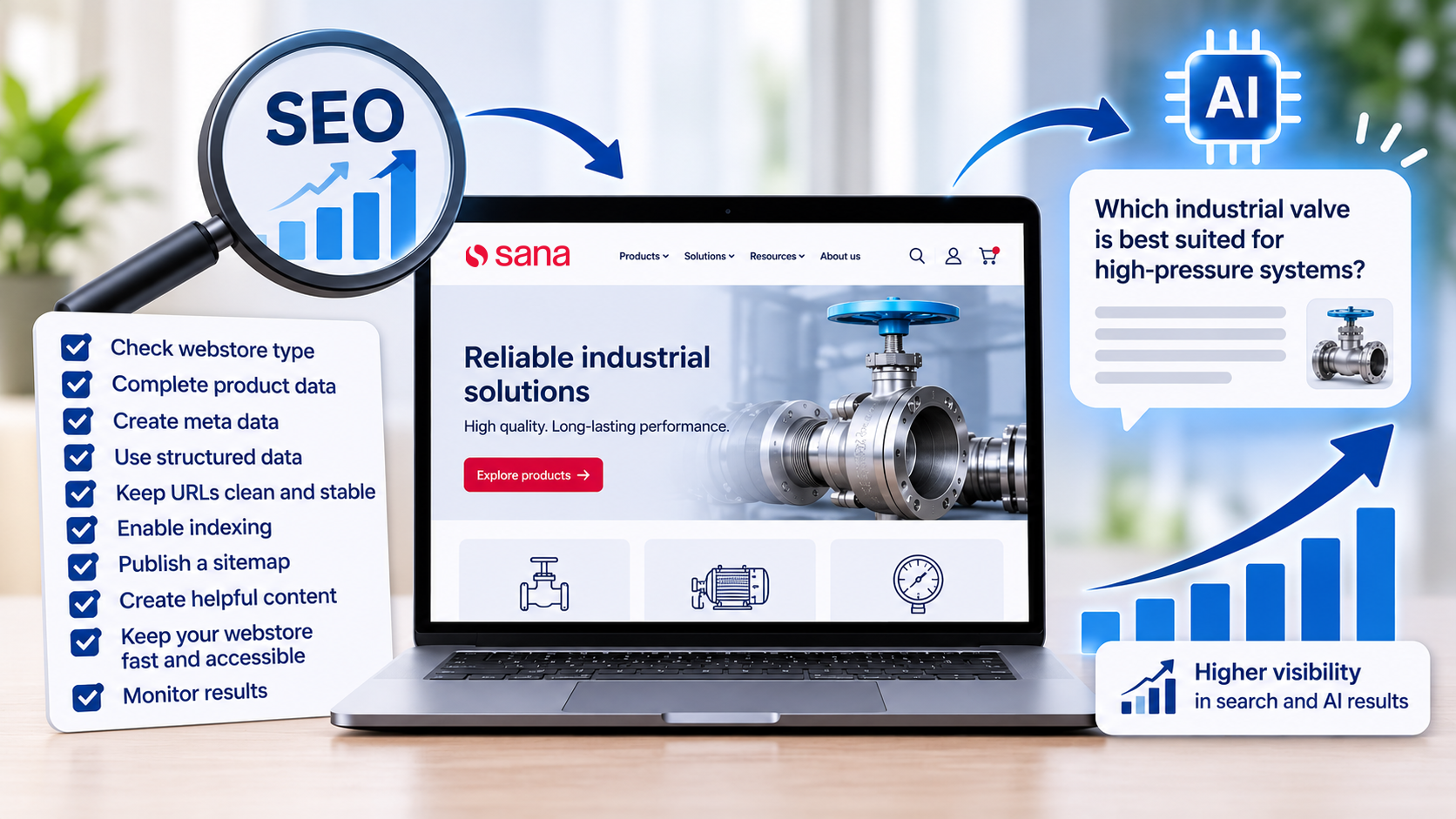
How AI Search Uses Your Webstore
AI search tools can only recommend what they can access and understand. In most cases, the process looks like this:
- Crawling: A search engine or AI crawler visits your webstore and reads its pages.
- Indexing: The tool stores the content it found, such as product names, descriptions, specifications, and prices.
- Retrieval: When a buyer asks a question, the AI tool looks for pages that answer it best.
- Answering: The AI tool writes a summary and links to the pages it used as sources.
If a step fails, such as when crawlers cannot access your pages or key product information is missing, your webstore is less likely to appear in relevant search results or AI-generated answers. Each section below helps you strengthen these steps.
Google states that there are no extra technical requirements to appear in AI Overviews or AI Mode. A page must be indexed and eligible to show in Google Search with a snippet. Standard SEO best practices still apply. For more information, see AI features and your website.
Check Your Webstore Type and Access Mode
Determine what search engines and AI tools can see in your webstore before optimizing. Automated crawlers generally access your webstore without logging in, so they can only retrieve content that is publicly accessible to anonymous visitors. Their access depends on two settings in Sana Admin:
- Webstore type: Determines which parts of the webstore are publicly accessible.
- Access mode: Determines whether the webstore is accessible to external visitors.
To check it, in Sana Admin, click: Setup > Basics > Store information.
Access Mode
The access mode controls whether your webstore is open to the outside world at all.
| Access mode | What search engines and AI tools can see |
|---|---|
| Production | The webstore is open to all visitors and can be indexed, if Indexing is enabled. |
| Limited | Nothing. Visitors see only a page saying that the webstore is temporarily unavailable, and search engines never index it. |
Use the Limited mode while you set up or test your webstore. Switch to Production before go-live. The recommendations for your webstore’s public pages won’t take effect until the webstore is publicly accessible.
For more information, see Webstore Access Mode.
Webstore Type
The webstore type controls which pages are available without logging in.
| Webstore type | What search engines and AI tools can see |
|---|---|
| Public | The full catalog and all content pages. This is a typical setup for B2C webstores. |
| Private | Navigation, content pages, FAQ, news, and the Contact us page. The catalog is available only after login. Products added to content pages stay hidden until login, but the rest of the page is visible. This setup is common for B2B and B2X webstores. |
| Closed | Only the login and password recovery pages. The whole webstore is available only after login. This setup is common for B2B webstores. |
For more information, see Types of Webstore.
The advice in this article applies to every webstore type, but how much of it you can use depends on what’s public.
- Public webstore: You can use all recommendations in this article. Pay special attention to product content, structured data, and reviews, because AI tools can read and recommend your products directly.
- Private webstore: AI tools can’t see your products, prices, or stock. Focus on what’s public: content pages, FAQs, buying guides, and descriptions of your product range. Describe your product categories, brands, and the industries you serve in text, so that AI tools can still connect your company to the right buyer questions. Make it clear how new buyers can register or contact you.
- Closed webstore: AI tools can see almost nothing in the webstore, so optimizing it for AI search has little effect. Your corporate website, if you have one, is what AI tools use to learn about you. Make sure it describes your product range and links to the webstore login page. If your business allows it, consider switching to a private webstore, so that you can publish public content pages that AI tools can find.
Let Search Engines and AI Crawlers Access Your Webstore
Make sure search engines and AI crawlers are allowed to visit your webstore. This is the most important step: if crawlers are blocked, nothing else in this article has any effect.
Enable Indexing
By default, indexing is disabled in Sana Admin, and the robots.txt file blocks all robots from the entire webstore. This is useful while you build the webstore, but you must enable indexing before you go live.
- In Sana Admin, click Setup > Search engine optimization > Basics.
- Enable the Indexing option.
- Save the changes.
When indexing is on, Sana Commerce Cloud allows crawling of all pages except Sana Admin and pages that should never appear in search results, such as the shopping cart, checkout, and customer profile.
For more information, see Robots.
Decide Which AI Crawlers to Allow
AI companies use different crawlers for different purposes. Some crawlers collect content for AI search answers, while others collect content to train AI models. You can allow or block each crawler separately. You can see below a few examples of such crawlers.
| Crawler | Purpose |
|---|---|
| Googlebot |
Indexes pages for Google Search, including AI Overviews and AI Mode.
For more information, see Googlebot. |
| Google-Extended |
Controls whether Google can use your content to train and ground its Gemini models. Blocking it doesn't affect Google Search.
It is not a separate crawler or HTTP user agent. It is a robots.txt control token. For more information, see List of Google's common crawlers. |
| OAI-SearchBot |
Indexes pages for ChatGPT search. If you block it, your webstore doesn't appear in ChatGPT search answers.
For more information, see Overview of OpenAI Crawlers. |
| GPTBot |
Collects content that may be used to train OpenAI models.
For more information, see Overview of OpenAI Crawlers. |
| ChatGPT-User |
Visits a page when a ChatGPT user asks about it.
For more information, see Overview of OpenAI Crawlers. |
| Claude-SearchBot |
Indexes pages to improve search results in Claude.
For more information, see Does Anthropic crawl data from the web, and how can site owners block the crawler?. |
| ClaudeBot |
Collects content that may be used to train Anthropic models.
For more information, see Does Anthropic crawl data from the web, and how can site owners block the crawler?. |
| Claude-User |
Visits a page when a Claude user asks about it.
For more information, see Does Anthropic crawl data from the web, and how can site owners block the crawler?. |
| PerplexityBot |
Indexes pages for Perplexity search answers.
For more information, see Perplexity Crawlers. |
| Bingbot |
Indexes pages for Bing, which also powers Microsoft Copilot answers.
For more information, see Overview of Bing crawlers (user agents). |
To stay visible in AI search, allow crawlers such as Googlebot, Bingbot, OAI-SearchBot, Claude-SearchBot, and PerplexityBot. Whether you allow training crawlers, such as GPTBot and ClaudeBot, is a business decision. Blocking them doesn’t remove your webstore from AI search answers.
By default, Sana Commerce Cloud doesn’t block any of these crawlers when indexing is on. To block a specific crawler, add your own rules in the Custom robots.txt text field on the Basics tab. For example, to allow ChatGPT search but block training:
User-agent: GPTBot
Disallow: /- Changes to robots.txt and new content don’t show up in search results and AI answers right away. Crawlers may need from a few days to several weeks to revisit your pages.
- Robots.txt controls crawler behavior. It does not secure your webstore content. Never use it to protect confidential product information, prices, or customer data. Use the appropriate Sana webstore type and access controls instead.
- If you use custom robots.txt rules, review them. Custom rules can override the default crawling behavior and prevent search engines or AI crawlers from accessing important pages.
Publish a Sitemap
A sitemap lists all pages that crawlers can index and when each page was last updated. It helps crawlers find new and changed products faster.
- In Sana Admin, click: System > Scheduled tasks.
- Open the Sitemap export task and make sure the providers for the pages you want to include are enabled, for example, product, product group, product list, content, FAQ, and blog pages.
- Enable Run on schedule and set how often the task should run, so that the sitemap stays up to date.
- Run the task.
- Open your sitemap URL in a browser to verify that the sitemap has been generated and is accessible. Check that it contains the page types and languages you want search engines to discover.
- In Sana Admin, click: Setup > Search engine optimization > Basics and enable Sitemap in robots.txt. This adds the sitemap URL to robots.txt, so all crawlers can find it. Enabling the Sitemap in robots.txt does not create the sitemap. The Sitemap export task must generate it first.
After that, you can also submit the sitemap in Google Search Console and Bing Webmaster Tools. Submitting the sitemap to Google Search Console and Bing Webmaster Tools is not required, but it is recommended to help search engines discover your webstore pages.
For more information, see the following resources: Sitemap Export (Sana), Build and submit a sitemap (Google), and Sitemaps (Bing).
Create Content That AI Can Understand
Write Complete Product Details
Give every product a clear, complete, and specific description. AI tools answer questions such as “Which stainless steel valve works at 200°C?” or “What’s a food-safe alternative to product X?” They can only recommend your product if the answer is written on your product page.
Sana shows the product data that comes from your ERP system, and you can enrich it with extra descriptions, specifications, images, and attachments. Use the following tips when you create or update product content:
- Use full, descriptive product titles: A title like Ball valve, stainless steel 316, 1/2 inch, PN40 is much more useful than an internal code like BV-316-12.
- Answer real buyer questions: Describe what the product is, what it’s used for, who it’s for, and how it compares to similar products.
- Include the facts AI tools look for: Add dimensions, materials, compatibility, certifications, standards, and units of measure.
- Write in plain language: Use short sentences and the terms your buyers use when they search. Spell out internal abbreviations.
- Keep important information in text: AI tools read text much more reliably than images or PDF files. If key specifications are only in a product image or a datasheet, add them to the page as text too.
- Product attachments:
- Attachments should be publicly accessible if they are intended for search engines. In Sana Admin, click: Setup > Search engine optimization > Basics. There you can enable Indexing of product attachments.
- Indexing attachments does not guarantee that their content will appear in AI-generated answers.
- Critical product specifications should also be available as text on the product page.
- Product specifications:
- Populate relevant product attributes in your ERP system.
- Use consistent attribute names and units.
- Avoid using different terminology for the same specification.
- Make important attributes visible on product pages.
- Provide explanations for technical abbreviations where necessary.
- Avoid duplicate content: If many products share the same description, add details that make each product unique.
- Translate your content: If your webstore supports several languages, provide descriptions in each language, so that AI tools can recommend your products to buyers in every market you serve.
Below is an example of information that will best answer questions about your product, thereby increasing the likelihood that search engines or AI will find it:
- Manufacturer and brand
- Manufacturer part number and product identifier
- Materials and technical specifications
- Operating conditions, such as pressure and temperature ranges
- Industry standards and certifications
- Compatible equipment, components, and accessories
- Intended applications and limitations
- Units of measurement and their meaning
Add Helpful Content Pages and FAQs
Create content that answers the questions your buyers ask before they buy. AI tools can more easily retrieve and cite pages that provide direct, clear answers.
- FAQ pages: Collect real questions from your sales and customer service teams, for example, about delivery times, shipping and payment methods, minimum order quantities, returns, warranty, and ordering on account. Put the question and give a short, direct answer right below it.
- Buying guides and blog articles: Explain how to choose the right product, how products compare, and how to use them. Link to the relevant product and category pages.
- Category pages: Add a short introduction to important product groups and product lists, so that the page explains what the category contains and who it’s for.
- Company information: Make sure your webstore clearly shows who you are, where you are located, which markets you serve, and how buyers can contact you. This builds trust with buyers and AI tools alike. Provide the following information:
- Company legal name and business identity.
- Manufacturing or distribution capabilities.
- Industries and markets served.
- Main product categories and brands represented.
- Certifications and industry memberships, where applicable.
- Geographic coverage and distribution locations.
- Links to the corporate website and other authoritative company profiles.
Use internal links between content pages, categories, and products. Links help crawlers discover your pages and understand how they relate to each other.
Write one topic per page and start each section with the answer. For example, start with "We ship within 2 business days in the EU" instead of a long introduction.
Optimize Product Data and Structured Data
Use Structured Data
Keep your product data complete, so that Sana Commerce Cloud can pass it on to search engines as structured data. Structured data is machine-readable information that tells search engines exactly what a page is about, for example, the product name, its price, and whether it's in stock.
Sana Commerce Cloud adds structured data to product detail pages automatically. You don't need to configure anything, but the structured data is only as good as the product data behind it. Sana includes the following information:
| Data | Where it comes from |
|---|---|
| Product name, ID, and description | Your ERP system and product content in Sana Admin. |
| Canonical URL | The main navigation item of the product. |
| Product image | The product image URL. |
| Price and availability | Your ERP system. |
| Category | The product category. |
| Rating and reviews | Approved product ratings and reviews. |
| Related products | Related products assigned to the product. |
Structured data must match what visitors see on the page. For example, if prices are shown only to logged-in customers, they are not visible to crawlers either. Decide which information you want to show to anonymous visitors, because that’s all that AI tools can see.
For more information, see Structured Data.
Collect Product Ratings and Reviews
Ratings and reviews add trust signals and real-world language to your product pages. They are also included in the structured data.
- In Sana Admin, click Setup > Marketing and enable Ratings & Reviews.
- Add the Ratings & reviews list and form and Ratings & reviews score content elements to the product details page.
- Review new ratings under Products > Ratings & Reviews and approve them. Only approved reviews appear in the webstore.
For more information, see Ratings & Reviews.
Encourage customers to write reviews that describe actual product usage, including:
- The application or industry in which the product is used.
- Performance under specific operating conditions.
- Compatibility with other equipment.
- Installation or maintenance experience.
For example, a review saying “Works well” provides little context. A review saying “Used in a high-pressure industrial water system. The stainless steel construction has performed well under continuous operation” is much more informative.
Create Quality Meta Data and Clean URLs
Use descriptive meta titles, meta descriptions, and clean URLs to help search engines understand your pages and present them in search results. Although these elements are primarily traditional SEO tools, they also help establish clear and consistent information about your webstore content.
Search engines may generate their own snippets instead of using your meta descriptions. Therefore, make sure that the actual page content clearly describes the product or topic.
Create Meta Data Templates
Templates let you add meta titles and descriptions to all pages of the same type at once, so that no page is left without them.
- In Sana Admin, click Setup > Search engine optimization > Meta data.
- Enter the Meta title template and Meta description template for product details, product list, product group, and blog article pages. Use replacement tags, such as [PageTitle] and [StoreName], to add dynamic values.
- If your webstore supports several languages, add translations.
These are global meta data templates. You can add page-specific meta data to override the one from the templates.
For more information, see Meta Data.
Override Meta Data for Important Pages
For key products and categories, write a page-specific meta title and description. Page-specific values override the templates.
Example: Stainless Steel Ball Valve 316 | Manufacturer Name
- Open the page in Sana Admin and click Page settings in the toolbar.
- On the SEO tab, enter the Meta title and Meta description.
- Make sure Indexing is turned on for the page.
- For products, select the Main navigation item. Sana Commerce Cloud uses it to build the breadcrumb and the canonical URL, which tells search engines which URL is the main one when a product belongs to several categories.
For more information, see SEO settings of the product details pages, product list pages, product group pages, and blog articles.
| Field | Best practice |
|---|---|
| Meta title | Keep it short and unique. Put the most important words first, for example, the product name and its main property. |
| Meta description | Summarize the page in one or two sentences. Say what the product is and who it’s for. |
Keep URLs Clean and Stable
Sana Commerce Cloud creates SEO-friendly URLs automatically, and you can enter custom URLs for pages. Keep the URLs stable so that search engines and AI tools don’t send buyers to a broken link.
- Use descriptive URLs where custom URLs are supported.
- Avoid changing existing URLs unnecessarily.
- Avoid creating multiple URLs for identical content.
For more information, see URL Structure.
Keep Your Webstore Fast and Accessible
Make sure crawlers can load your pages quickly and read their content without logging in. Slow-loading pages can affect user experience and make crawling less efficient. Optimize your webstore performance to help visitors and crawlers access important content reliably.
- Check what anonymous visitors see: Crawlers browse your webstore like a visitor who isn’t logged in. If your catalog, prices, or stock information are visible only to logged-in customers, AI tools can’t use it. Review which pages and data you show to anonymous visitors and make your catalog public where it fits your business.
- Check that content is in the page text: Not all search engines and AI crawlers process JavaScript in the same way. Some may not render JavaScript-generated content or may not wait for it to load. Make sure that important product information, such as product names, descriptions, and specifications, is available in the page HTML and not dependent entirely on client-side rendering. You can test your product pages using Google’s URL Inspection tool to check what Googlebot can access and render.
- Optimize images: Use reasonably sized images for pages to load fast. Large images slow down your webstore for both visitors and crawlers.
- No broken links: Make sure there are no broken links in your webstore.
- Keep product data up to date: Make sure prices, stock levels, and product information in the webstore are up to date, so that AI tools don’t show outdated information to buyers.
- Decide about attachments: If your product datasheets and manuals are useful to buyers, on the Search engine optimization page, on the Basics tab, enable Indexing of product attachments, so that search engines can index them.
For more information, see Tips for Content Creation and Tips for Content Optimization and Webstore Performance.
Monitor Your AI Visibility
Check regularly how your webstore performs in AI search and adjust your content based on what you find.
- Google Search Console and Bing Webmaster Tools: You can verify that important webstore pages are indexed by Google and Bing using Google Search Console and Bing Webmaster Tools, and investigate any crawling or indexing issues. This helps ensure that your content is discoverable by search engines and provides a foundation for visibility in AI-powered search.
- Web analytics: In Google Analytics, look for visits referred by AI tools, such as chatgpt.com, perplexity.ai, copilot.microsoft.com, and claude.ai.
- Test it yourself: Ask AI assistants the questions your buyers would ask, for example, "Where can I buy [product] for [use case]?" See whether your webstore appears, which pages are used as sources, and whether the information is correct.
Related Articles
Optimizing your website for generative AI features on Google Search


