Materials and Customers Synchronization
Sana Commerce Cloud is the ERP-integrated e-commerce solution. Thus, it uses a single source of data - your ERP system. All materials, customers, and orders are stored and managed in SAP ECC.
Sana Commerce Cloud uses scheduled tasks to synchronize data with SAP ECC and to apply any changes made in SAP ECC to your webstore.
-
The Product import task retrieves all materials from SAP ECC to build the catalog for your webstore. It also updates material data shown in the webstore if something has been changed in SAP ECC.
-
The Customer import task retrieves all customers, contacts, and sales agents from SAP ECC. Those customers and sales agents who have shop accounts can purchase online using the Sana webstore. It also updates customer, contact, and sales agent data used in the webstore if something has been changed in SAP ECC.
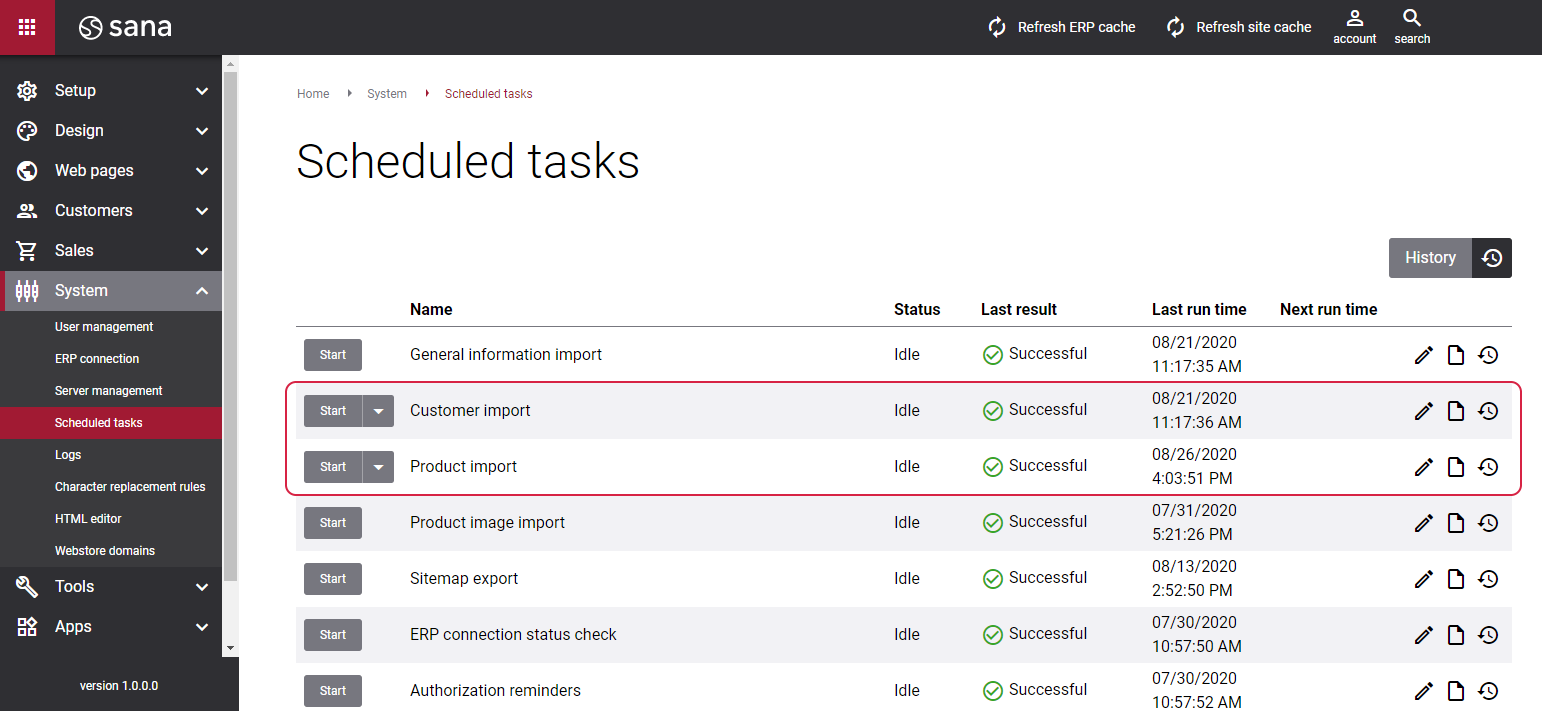
When you change material, customer, contact, or sales agent data in SAP ECC, the value of the Last Date/Time Modified field will be updated with the current date and time. Based on this, when you run the Product import or Customer import task, Sana will check whether some material or customer data has been changed since the last indexing, then it will update the index and apply the changes to the webstore.
The Webstore Catalog Overview window displays the last modified date for materials, while the Webstore Customers Overview window shows when customer data was last updated.
When to Update vs. Rebuild the Index
Use update index for standard SAP master data changes. Use rebuild index for setup changes that affect the full indexed scope, such as webstore filters, validation rules, product hierarchy additions, default currency changes, company assignments, upgrades, BOM component changes, and material listing/exclusion changes. For SAP ECC customer assortments, update index is sufficient, as creating, modifying, or deleting an assortment rule automatically refreshes the last modified date of all affected items.
The customers, contacts, and sales agents imported by Sana are determined by sales area, customer account group mapping, and optionally partner functions. These configurations define which records are indexed for the webstore. Since changes to these configurations affect the overall setup, they should be treated as rebuild-style synchronization scenarios rather than regular master data updates.
The list below presents all Sana related data in SAP ECC influenced by the Last Date/Time Modified field.
Materials
When you manage the following catalog data in SAP ECC, the value of the Last Date/Time Modified field is updated, and the Product import task should be used to synchronize the changes:
-
Material data used by the webstore, including general material changes that affect the indexed product record.
-
Material visibility in the webstore, including making a material visible or invisible in the Webstore Catalog Overview window.
-
Material visibility by date, controlled through the Visible From/Visible To fields.
-
Customer assortment rules that add, edit, or delete visibility rules for materials or product hierarchies. When a rule is changed, SAP ECC automatically updates the last modified date of all affected items.
Customers
When you manage the following customer data in SAP ECC, the value of the Last Date/Time Modified field is updated, and the Customer import task should be used to synchronize the changes:
-
Create, edit, or delete a customer record.
-
Change customer master data, such as name or address.
-
Make changes in the Customer Overview, such as enabling or disabling the Price Including Tax or B2C Customer, or other configuration settings.
Contacts
-
Create, edit, or delete a contact.
Sales Agents
-
Create, edit, or delete a sales agent.


