Open Invoices
The Open invoices widget allows customers to quickly review their outstanding invoices from the ERP system directly in the Sana webstore. It consolidates all unpaid invoices into a single, easy-to-read overview, helping customers stay informed and plan payments more effectively. This improves transparency and reduces the need for manual communication with the sales or finance team.
Adding the Widget
To add the Open invoices widget to any page of the Sana webstore, use the Open invoices content element in Sana Admin. You can add this widget to any page. However, we recommend placing it on the My Account page or on any other dedicated page.
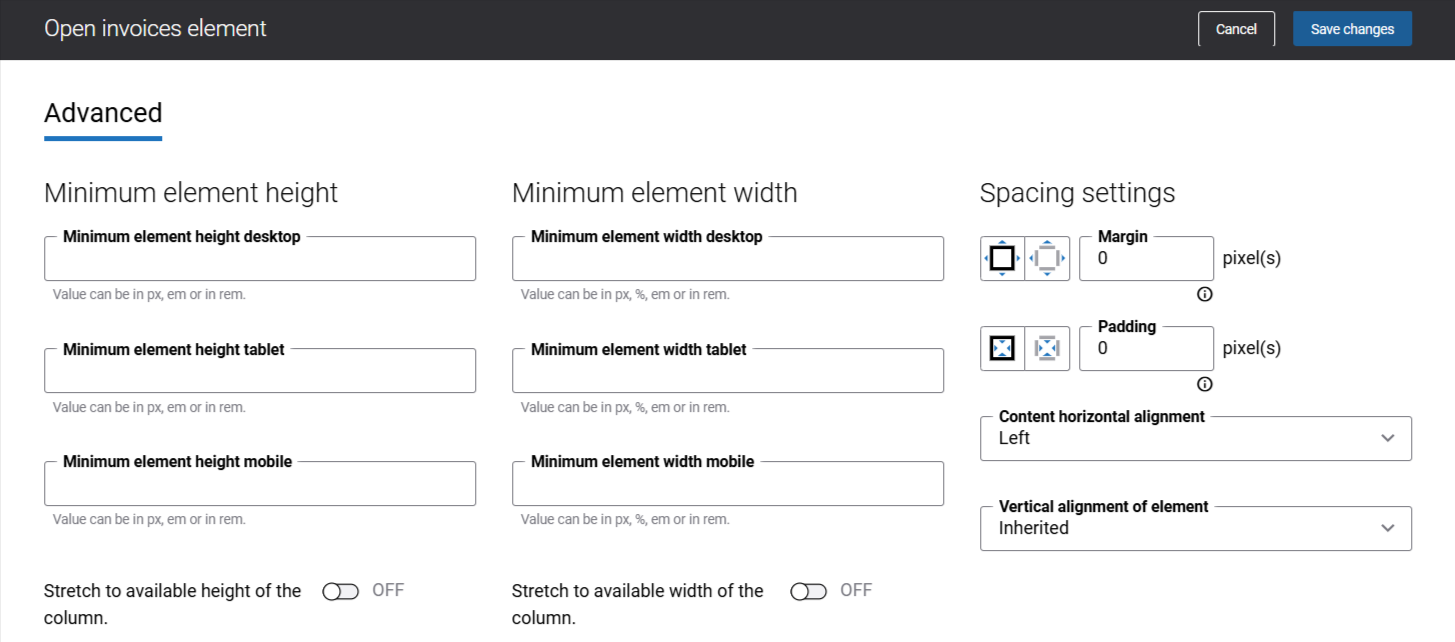
There are no specific content element settings. On the Advanced tab, you can configure height, width, and spacing settings. For more information about advanced settings, see Content Elements.
What Customers See
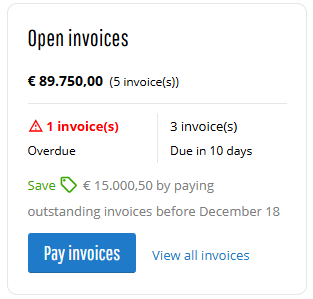
The Open invoices widget displays the invoice information from the last 12 months:
-
Outstanding invoice summary:
- The total amount of all invoices that still have outstanding balances and their quantity (unpaid invoices + invoices with payment status in progress + overdue invoices).
- Number of overdue invoices that have passed their due date.
- Number of invoices that must be paid by the due date.
-
Invoice discounts and due date (optionally, if there are any available).
-
A last updated date showing when the invoice data was most recently refreshed, helping customers understand how current the information is. For more information see Last Updated Date in Buyer Widgets.
If invoice discounts are configured in the ERP system, the Open invoices widget informs customers how much they can save in total by paying invoices on time. The date by which customers must pay to receive a discount is determined by the discount due date. The earliest applicable date is used.
There is a View all invoices link that opens the Invoices history page, where customers can see the list of all invoices and their details.
Also, customers can see the Pay invoices button that opens the Invoices history page. This button only appears when there are invoices available to be paid.
Sales agents can see invoice information only for the represented customer. If a sales agent does not represent any customer, the widget displays a message indicating that no account is represented.
Invoice Discount Calculation Rules
The Open invoices widget follows several rules to ensure accurate discount information:
-
If an invoice with a discount is overdue and the Allow overdue invoice payment setting is disabled in Sana Admin, the invoice will not be included in discount calculations.
-
If a customer has already initiated payment and the payment status of the invoice is in progress, the invoice will not be included in discount calculations.
Data Availability
If the connection between Sana Commerce Cloud and ERP is temporarily unavailable and the webstore is in maintenance mode, customers will see the most recently available invoice data. No real-time updates are shown until the ERP connection is reestablished. For more information, see Data Sources.
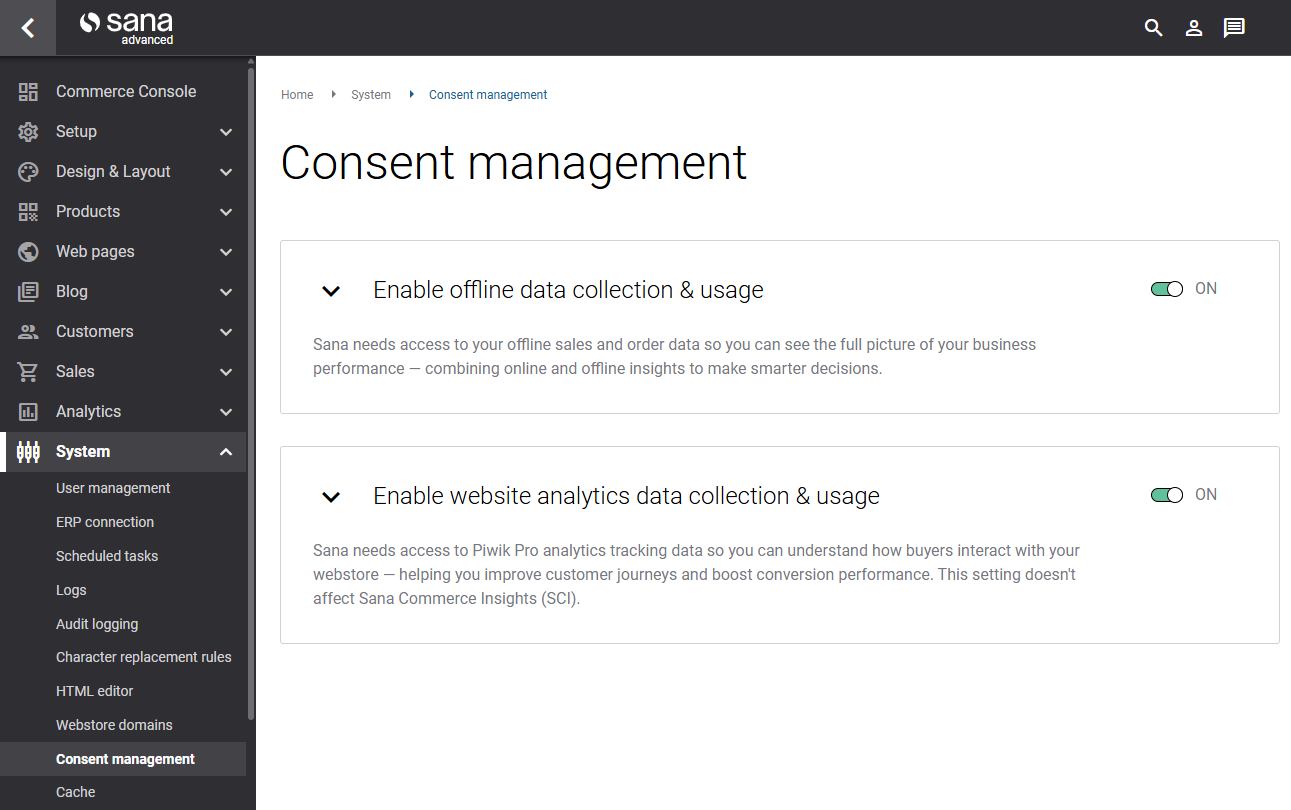
To ensure the Open invoices widget works correctly in offline scenarios, the permission Enable offline data collection & usage must be enabled on the Consent management page in Sana Admin.
Related Articles
Sana: Online Invoice Payments
Microsoft Dynamics NAV: Online Invoice Payments
Microsoft Dynamics AX: Online Invoice Payments
Microsoft Dynamics Business Central: Online Invoice Payments
Microsoft Dynamics 365 for Finance and Operations: Online Invoice Payments
SAP Business One: Online Invoice Payments
SAP ECC: B2B Customer Invoice Payments
SAP S/4HANA: B2B Customer Invoice Payments


