Items and Customers Synchronization
Sana Commerce Cloud is the ERP-integrated e-commerce solution. Thus, it uses a single source of data - your ERP system. All items, customers, and orders are stored and managed in the SAP Business One system.
Sana Commerce Cloud uses scheduled tasks to synchronize data with your SAP Business One system and to apply any changes made in SAP Business One to your web store.
-
The Product import task retrieves all items from SAP Business One to build the catalog for your web store. It also updates the item master data shown in the web store if something has been changed in SAP Business One.
-
The Customer import task retrieves all customers, contacts, and sales agents from SAP Business One. Those customers and sales agents who have shop accounts can purchase online using the Sana web store. It also updates customer, contact, and sales agents master data used in the web store, if something has been changed in SAP Business One.
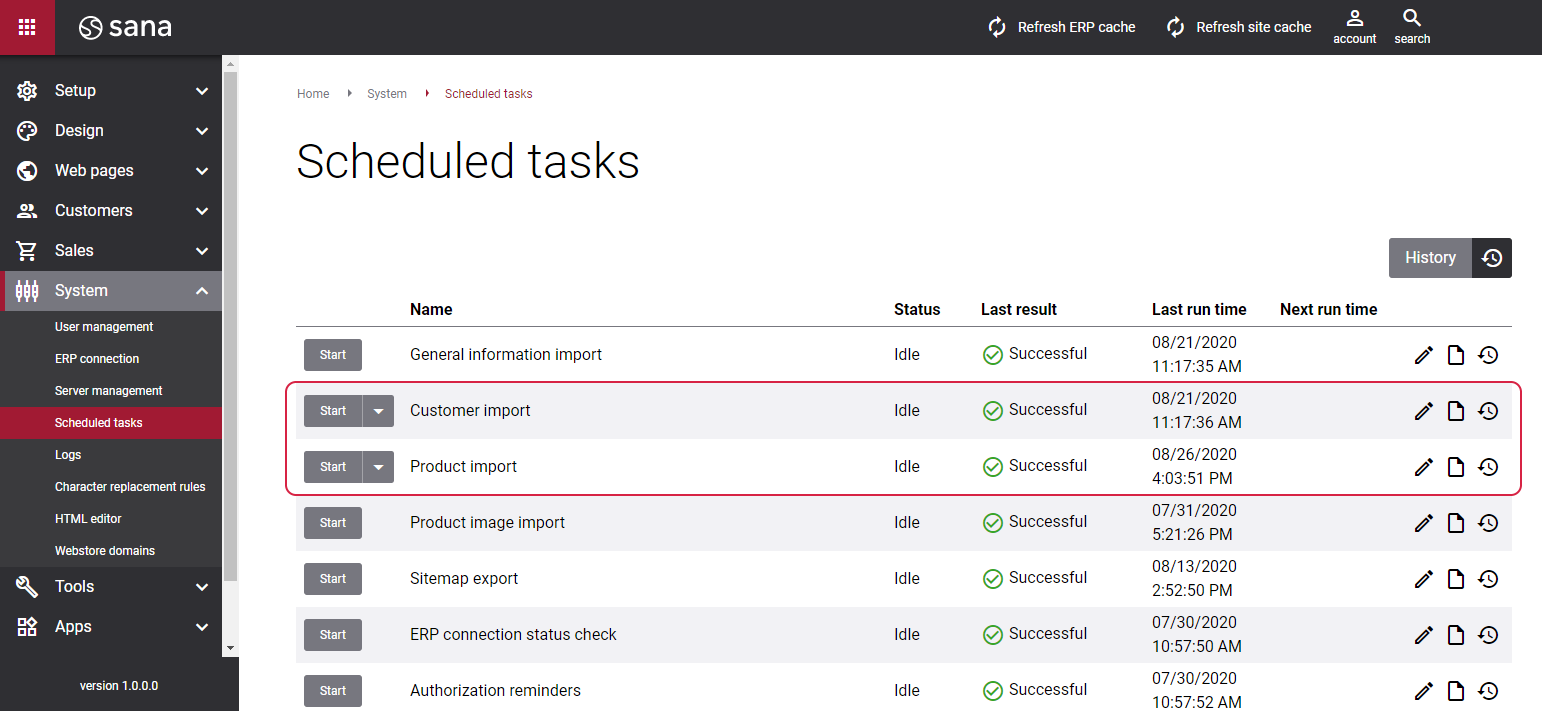
When you change item, customer, contact, or sales agent data in SAP Business One, the value of the Last Date/Time Modified field will be updated with the current date and time. Based on this, when you run the Product import or Customer import task, Sana will check whether some item or customer data has been changed since the last indexing, then it will update the index and apply the changes to the web store.
The list below presents all Sana-related data in SAP Business One influenced by the Last Date/Time Modified field.
Items
When you manage (create, edit, or delete) the following catalog data in SAP Business One, the value of the Last Date/Time Modified field will be updated:
- Item
- Item attachment
- Unit of measure/unit of measure group
- Unit price
- Item group
- Bill of materials
- Alternative item
- Item variant category
- Item variant relationship
- Item translations
- Item description
- Bar code
- Minimum, maximum, default quantity, and quantity step
- Item dimensions: length, width, height, volume, weight
- Item active/inactive status
- Item visible in the web store
- Hide item description in the web store
- Allow pre-order
- Visible from date/to date
- Remarks
Customers
- Create or edit a customer
- Change customer's name
- Change customer’s payment terms
- Change customer’s price list
- Change customer's total discount
- Change customer's effective discount groups
- Change customer's credit limit
- Change customer's prepayment percentage
- Change customer's Sana tax settings
- Change customer's default store location
- Change customer's location group ID
- Change customer's address
Contacts
-
Create, edit, or delete a contact
Sales Agents
- Create, edit, or delete a sales employee
- Change a sales employee in the Business Partner Master Data


