Send HTTP Request
Sends an HTTP request to an external URL. Use this action to integrate your workflow with third-party APIs and services, for example, to push data to a CRM, trigger a webhook, or retrieve information from an external system.
Use Secrets to store sensitive values such as API keys, URLs, and credentials. Storing them in plain text violates security policies. Reference the required secrets in the appropriate fields.
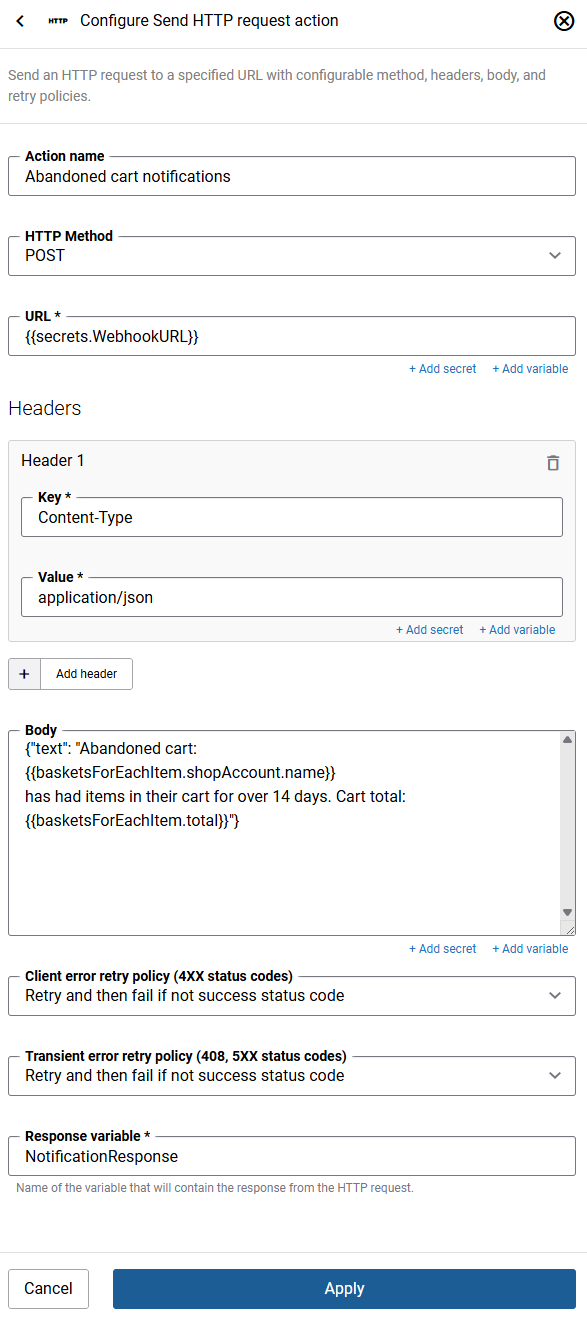
| Field | Description |
|---|---|
| Step name | A descriptive name for this action. You can use the default name or enter your own. |
| HTTP method | The type of HTTP request to send. Available methods:
|
| URL | The endpoint URL to send the request to. The URL can include static text, Liquid variables, and a secret reference. |
| Headers | Key-value pairs to include in the request headers. Multiple pairs can be added. Values can include static text, Liquid variables, and a secret reference. |
| Body | The request body content to send. Supports Liquid variables and secret references. |
| Client error retry policy (4XX status codes) | Defines the behavior when a client error (4XX status code) is returned. Available options:
|
| Transient error retry policy (408, 5XX status codes) | Defines the behavior when a transient error (408 or 5XX status code) is returned. Available options:
|
| Response variable | The name of the variable that will store the HTTP response. Use this variable in subsequent steps to access the response data. |
Retry Policy Details
The timeout for a single HTTP request is 30 seconds. If the request does not complete within this time, it is treated as a failure, and the retry policy applies.
When either retry option is selected, up to three retry attempts are made with increasing delays between each attempt:
- 1st retry: after 5 seconds
- 2nd retry: after an additional 10 seconds (15 seconds total)
- 3rd retry: after an additional 20 seconds (35 seconds total)
If the response returns data in the JSON format, you can parse it by adding the Parse JSON action to the workflow. It takes the response variable as its input and outputs the parsed data as a new variable for use in subsequent steps.


