Clean Up Old Shopping Carts
Using the Clean up old shopping carts scheduled task, you can remove the shopping carts that have been stored for a long time. For example, the customer added several items to the shopping cart but didn't complete the order. Keeping old shopping carts leads to the accumulation of unnecessary data.
If you need to keep the shopping carts for an extended period of time due to the way the business processes in your company are set up, you must properly configure how long the shopping carts should be kept or not remove the old shopping carts at all. Also, if you are using Sana Commerce Insights, keep in mind that if you delete the shopping carts, you will lose data associated with the shopping carts, especially the data on the Abandoned Baskets page.
Set Up the Clean Up Old Shopping Carts Task
To set up the Clean up old shopping carts task, click Edit.
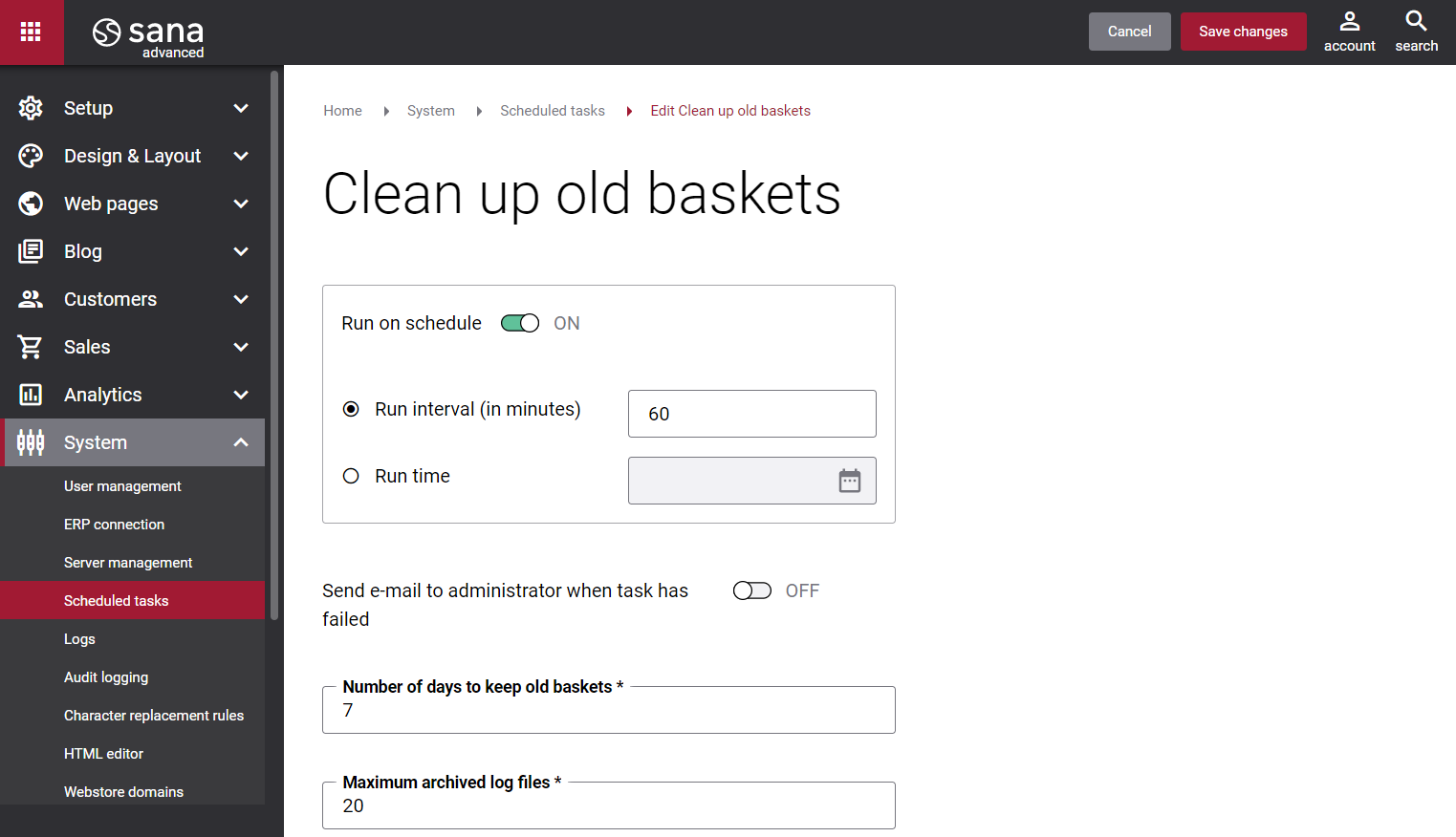
The table below provides the description of the Clean up old shopping carts task settings.
| Settings | Description |
|---|---|
| Run on schedule | Use this option to enable the automatic running of the Clean up old shopping carts task according to the configured schedule, or disable it to allow only the manual start of the task.
If you enable Run on schedule, you should enter either the interval in minutes when the task should run automatically or the fixed time. |
| Run interval (in minutes) | Enter the time interval in minutes when the task should run automatically. |
| Run time | Enter a fixed time when the task should start automatically. Use the time picker to set the desired time. The user’s local time zone is used. |
| Send e-mail to administrator when task has failed | Use this option to enable or disable e-mail notifications when a scheduled task fails.
If the scheduled task has failed, the webstore administrator receives an e-mail with the name of the task that failed, the name of the webstore, which is useful in case you have several webstores, when the task failed, and the error message. Thanks to this, the webstore administrator can quickly respond to problems with data synchronization. |
| Number of days to keep old shopping carts | Enter the number of days to keep old shopping carts. For example, if you enter 7 days, this means that all shopping carts that were created more than 7 days ago will be removed. |
| Maximum archived log files | Enter the maximum number of log files to store. If this number exceeds, the oldest log file will be removed and the new one will be created. |


