Shopping Cart Management
The Shopping cart management page is available to the Sana Admin users with the System administrator and Order processor roles. Shop accounts are not available to the Sana Admin users with the Order processor role.
In Sana Admin click: Sales > Shopping cart management.
There you can see all shopping carts of all customers and anonymous webstore visitors created in the Sana webstore. The shopping carts are shown until orders are created. It can be mainly used by customer service representatives to remove a broken shopping cart of a customer.
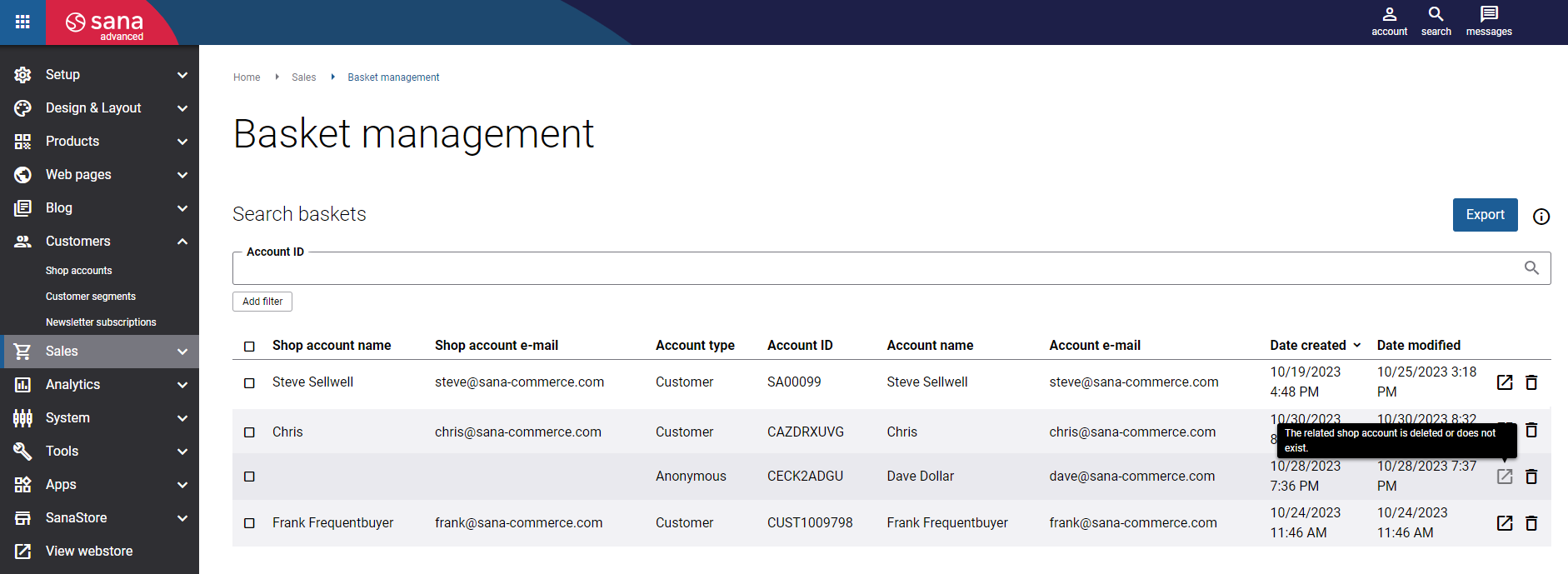
For example, the customer added several items to the shopping cart, but didn't complete the order. After some time the customer wants to complete the order, but something has changed, for example the webstore administrator has changed something in ERP that has affected shopping cart calculation for this customer, and the shopping cart cannot be calculated and has to be cleared. If the customer cannot do this directly in the webstore for some reason, the service representative can find the necessary (broken) shopping cart in Sana Admin and remove it so that the customer can continue shopping. You can remove the shopping cart using the Delete  button.
The Shopping cart management page can be also used to remove some old shopping carts. Keeping old shopping carts leads to accumulation of unnecessary data.
Export Shopping Carts
You can also export shopping carts from Sana Admin to the CSV file. To do this, click Export. The CSV file provides more details about a shopping cart than it is available in Sana Admin.
That is why exporting a shopping cart to the CSV file can be useful in case you need more information about a shopping cart. The following shopping cart information is exported:
- Shop account name
- Shop account e-mail
- Account name
- Account e-mail
- Account Id
- Account type
- Basket Id
- Product Id
- Variant Id
- Quantity
- Unit of Measure Id
If you used any filters on the Shopping cart management page, then only a shopping cart which fits the filter criteria will be exported to the CSV file. For example, if you filtered shopping carts by shop account name, then only a shopping cart created by this customer will be exported to the CSV file.
Filters
You can search for the shopping cart by customer account ID from ERP. Account ID is assigned to a shop account in Sana Admin.
You can also use filters to find the necessary shopping cart. Click on the Add filter button to see all filters.
The table below provides the description of the filters.
| Filter | Description |
|---|---|
| Shop account name | Using this filter, you can search for the shopping cart by the name of the customer. |
| Shop account e-mail | Using this filter, you can search for the shopping cart by the e-mail address of the customer.
Customers use the shop account e-mail address to log in to the webstore. |
| Shopping cart ID | Using this filter, you can search for the shopping cart by its ID. The shopping cart ID is stored in the database.
You need to enter the correct GUID. |
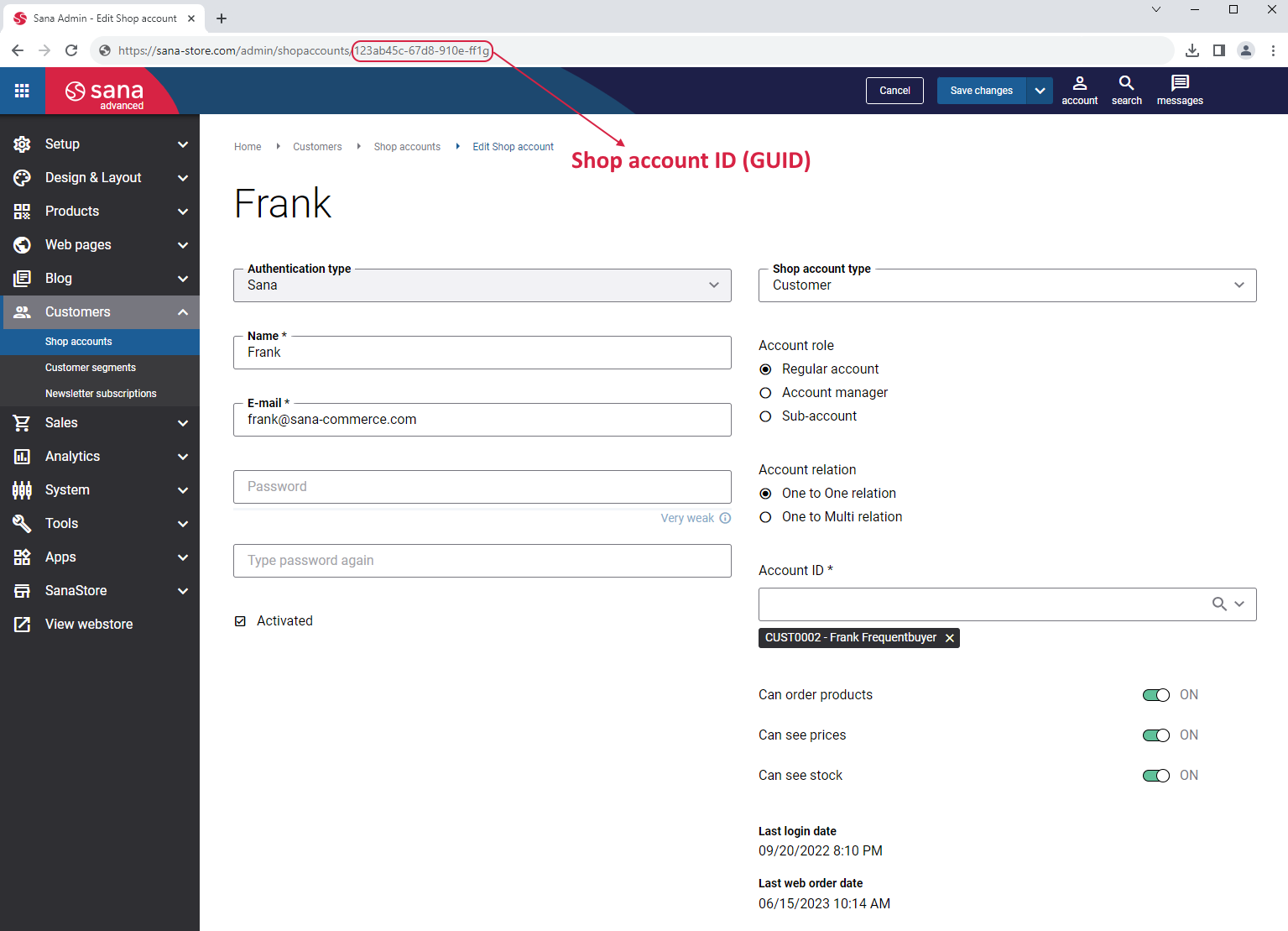
| Shop account ID | Using this filter, you can search for the shopping cart by shop account ID.
You need to enter the correct GUID. To find the shop account ID (GUID), you need to go to Customers > Shop accounts in Sana Admin. Then, find and open the shop account of the customer who created the shopping cart. The shop account ID (GUID) is shown in the URL of the shop account page. See the screenshot below the table. |
Shopping Cart Fields
On the Shopping cart management page, you can see an overview of all shopping carts created by customers in the Sana webstore.
You can see the shop account name and e-mail, the account ID, name and e-mail of the customer who created the shopping cart, the date and time when the shopping cart was created and modified in the Sana webstore.
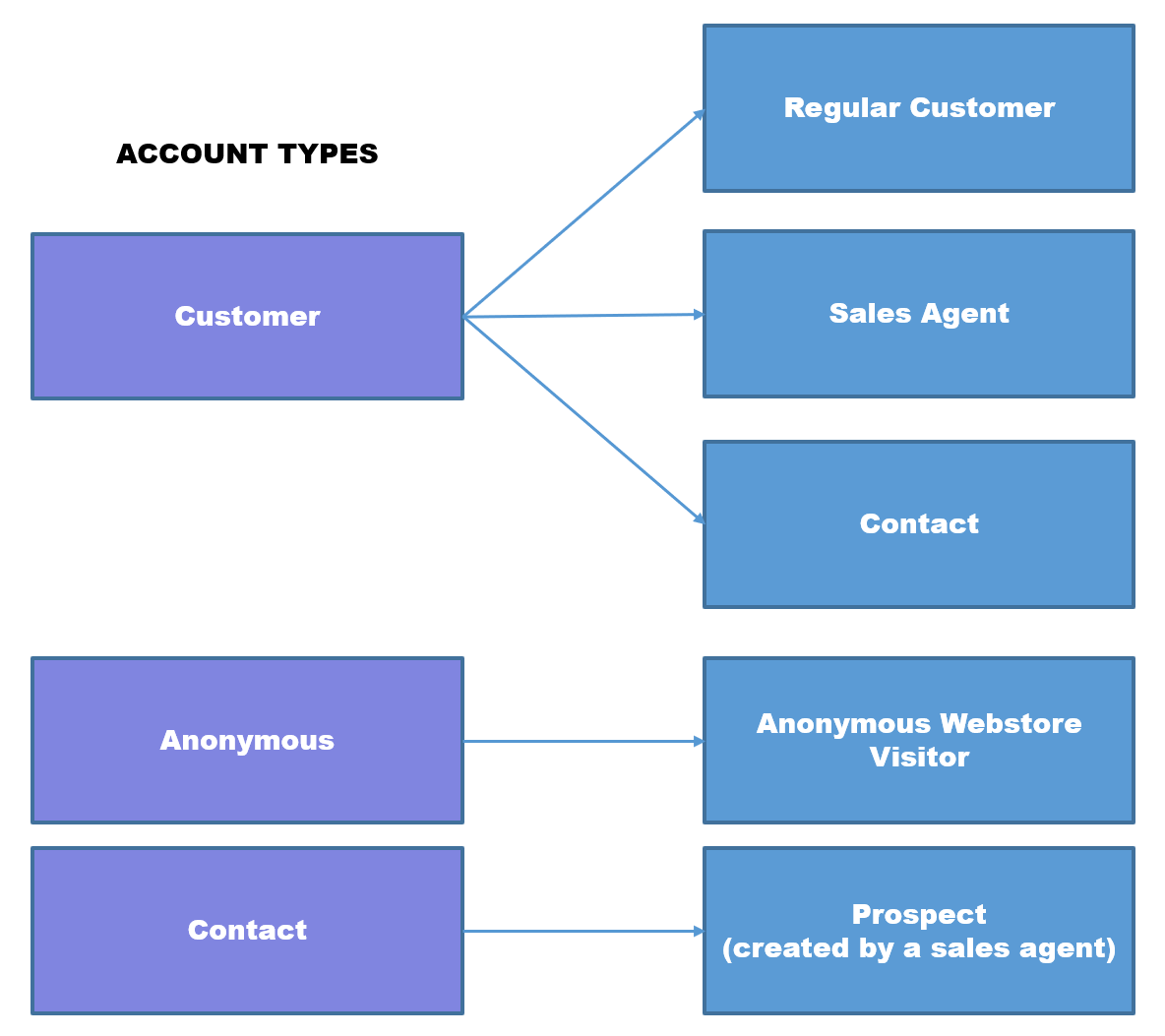
Also, you can see the account type. The following three account types are available:
-
Customer: If you see this account type, it means that the shopping cart is created either by a regular customer, by a customer represented by a sales agent or by a contact on behalf of a customer. In case you need to know which customer created the shopping cart, you can open the shop account using the View shop account
 button and check the Shop account type field.
 -
Anonymous: A webstore visitor who is not registered or logged in to the Sana webstore created the shopping cart as a guest.
-
Contact: A sales agent on behalf of a prospect created the shopping cart in the Sana webstore. A prospect is a potential customer who is interested in your products or services. In Sana sales agents can create prospects and place orders on behalf of them.
Using the View shop account button, you can open a shop account and see its details. This button is not available for users with the Order processor role. Also, this button is not active if the shop account no longer exists or the shopping cart was created by a guest.


