Home Page
WATCH THE VIDEO
Experience of your customers or any webstore visitor starts from the home page of your webstore.
Your home page serves as an introduction to your webstore and should help both new and existing customers navigate your webstore to find what they need.
There is no one way to design a home page, but you must create it toward making a strong first impression for your webstore visitors.

Any of the created pages in Sana Admin can be set as a home page of your webstore. A content page is the best choice for a home page as here you can add any content elements like image slider, parallax, hero image, paragraph, etc.
When the home page is created, in Sana Admin click: Setup > Web pages.
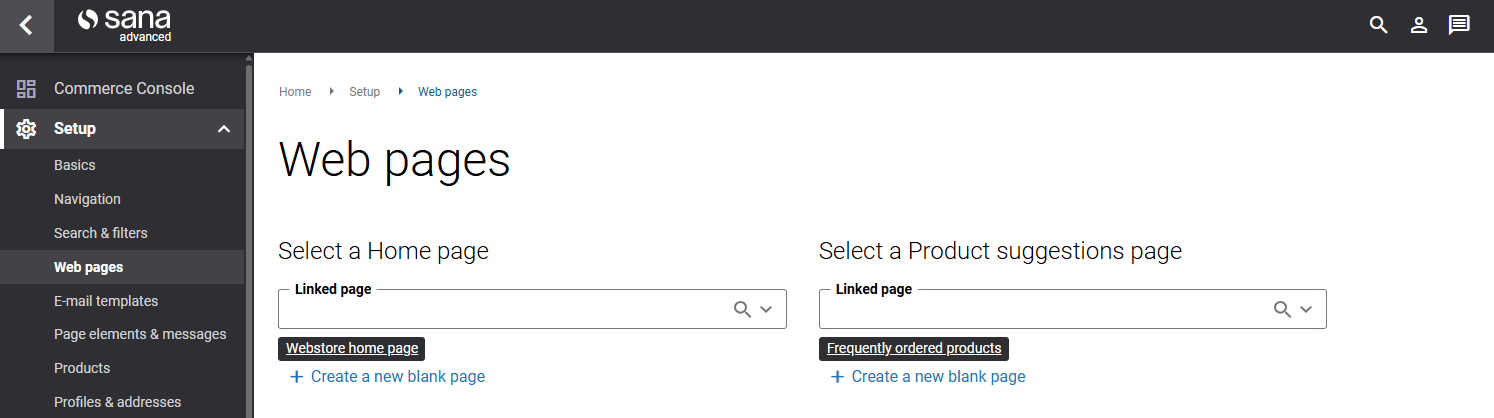
On the Web pages page, search for your webstore home page by title or URL and select it.
This is how you can define the home page for your webstore.


