What’s New in Sana for Microsoft Dynamics AX
Release date: April 15, 2026
Sana ERP Connector Version: 10.0.141
Not all releases include numerous new features, but we continually make technical improvements to enhance the Sana ERP Connector’s performance, reliability, and scalability. These efforts support a stable, secure, and scalable platform for growth. Below you can see some of the improvements included in this release.
What's New
Tax Number Formats
Tax number is the unique number that identifies a taxable person or business that is registered for tax.
We have added support for country-specific tax number formats in Microsoft Dynamics AX.
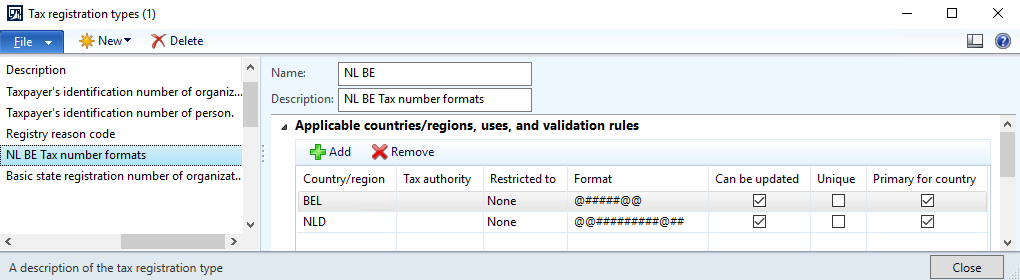
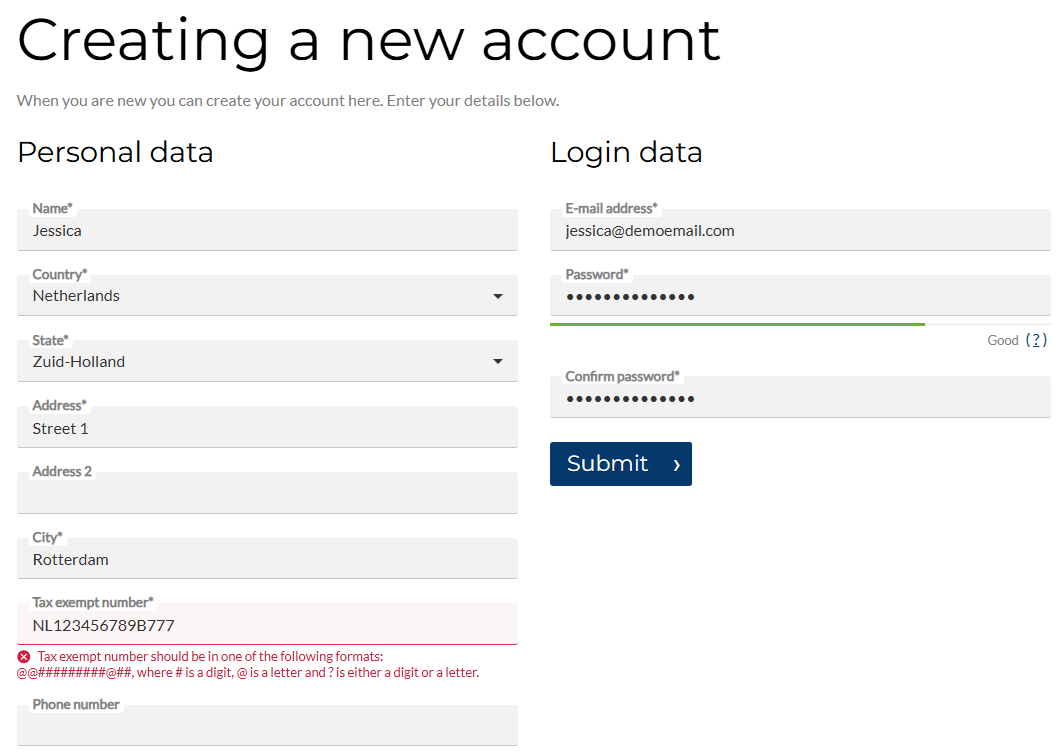
This means that tax numbers entered by customers during registration, checkout, or by a sales agent creating a new prospect are now automatically validated against the correct format based on the selected country.
Benefits:
-
Ensures accuracy of tax number entries, reducing errors.
-
Saves time for both customers and merchants by catching formatting issues early.
-
Supports compliance with local tax regulations.
-
Improves data quality in Microsoft Dynamics AX, enabling smoother order processing and invoicing.
This update enhances customer experience and streamlines financial operations for accountants, making tax-related workflows more reliable and efficient.
Improvements
Improved Support for Free Shipping Discounts
To fully support the free shipping discount type, we have enhanced the Sana ERP Connector for Microsoft Dynamics AX. Previously, the connector did not recognize this discount, causing issues at checkout. For example, free shipping applied to a sales quote was removed when the quote was converted into a sales order, resulting in shipping costs being recalculated.
This has now been fixed. Free shipping discounts are correctly preserved throughout checkout, ensuring a consistent and reliable experience for both customers and businesses.
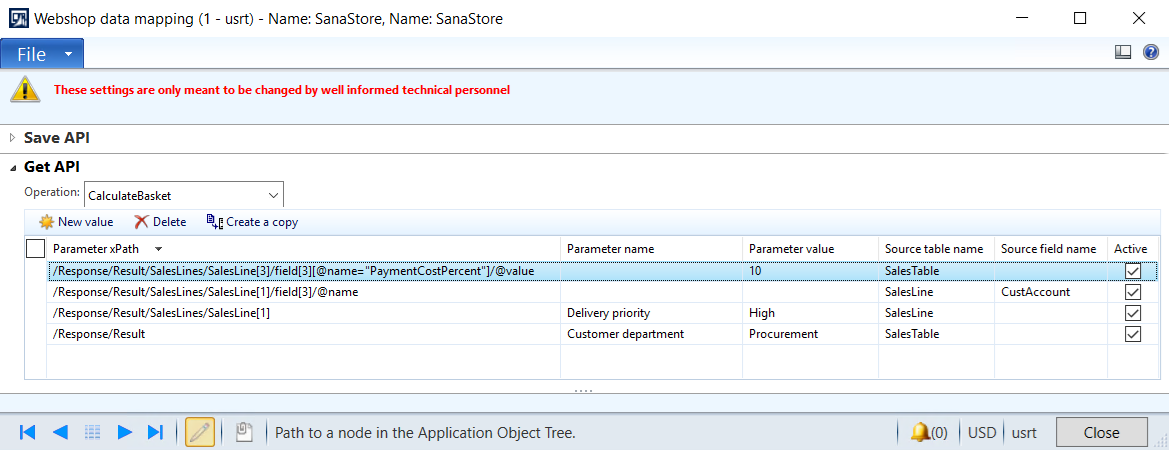
Webshop Data Mapping: Map Fields at the Sales Line Level
In Sana Commerce Cloud, we improved the Webshop Data Mapping feature in Microsoft Dynamics AX for the Get API. Previously, users could map fields only at the sales document header level.
With this release, you can now configure mappings for both document headers and sales lines, allowing greater control over the API response. Depending on the sales document type, you can map fields for sales order headers, sales order lines, sales quotation headers, and sales quotation lines.