Sana Commerce Cloud 1.149
Release date: June 24, 2026
Learn about improvements and bug fixes in this release.
Not every release comes with new features, but we're always working behind the scenes to improve Sana Commerce Cloud. From boosting performance and reliability to fixing bugs and refining the user experience, each update helps make Sana Commerce Cloud better. We also include essential security updates to keep your data and our system safe. All of these improvements lay the groundwork for a stable, secure, and scalable platform. At the same time, we are working on new functionality that will be included in future releases.
What’s New?
Improved Cart and Checkout Experience with Loading Indicators and Messages
We've enhanced the shopping cart and checkout experience by adding loading indicators and contextual progress messages to key customer interactions.
When actions take longer to process, customers will now see clear status updates that explain what is happening in the background. This helps improve transparency and provides reassurance during cart recalculation, checkout preparation, shipping and payment updates, order placement, and payment processing.
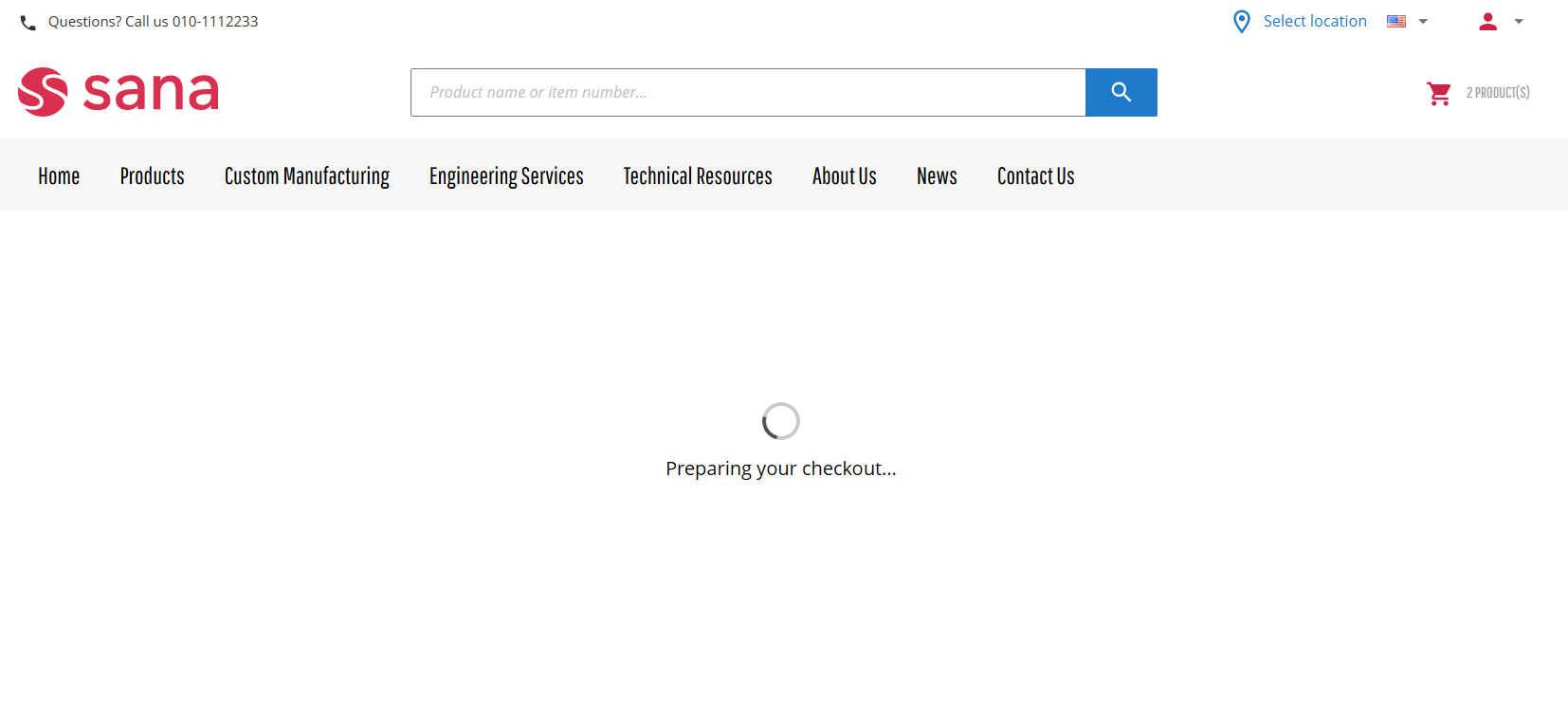
Examples of loading messages include:
- Loading your shopping cart details
- Recalculating your cart
- Saving shipping information
- Saving delivery method
- Preparing your checkout
- Saving payment information
- Placing your order now
These improvements provide buyers with additional context during loading and processing, making waiting periods feel more informative and purposeful.
All loading messages can be customized through Sana Admin to match your brand's preferred terminology and communication style.
For more information, see Shopping Cart and Checkout Loading Indicator and Messages.
Improved Order Processing Resilience in ERP Communication Failure Scenarios
Enhanced the order completion process to address a potential edge case in which an order update in ERP could fail after payment had been processed. Orders are now finalized successfully, and payment status is updated in the ERP order later through the Sync payment statuses between Sana and ERP task. This reduces the possibility of duplicate payments in this specific scenario.
Bug Fixes
One of the benefits of the minor releases on a regular basis is that you constantly receive bug fixes. Below you can see the list of some bugs that we fixed in this release. We do not add all bug fixes, but only the most important ones, since there are many technical fixes, minor design fixes, or performance-related fixes that we do not add to the release notes.
- Fixed an issue that caused the webstore to crash when a user logs in with a shop account associated with multiple customer accounts.
- Fixed an issue where Boolean-type checkout header field was excluded from the CalculateBasket request during reorder.
- Fixed an issue where attachments added during the conversion of a quote to a sales order were not available in the ERP system.
- Fixed an issue where shopping cart lines were not updated when products were added through buyer widgets, such as Quick reorder or Visual part finder, that were added to the Shopping cart system page.
- Fixed an issue where a validation message was incorrectly displayed when creating a URL redirect in Sana Admin if the alias contained a product ID or product group ID.
- Fixed an issue where product attributes of the String multiple select type could be selected as product group fields during product grouping configuration.
- Fixed an issue where the position of videos in the media gallery on the product page changed after running the Product image import task in Sana Admin with the Import product images from ERP setting enabled.
- Fixed an issue where the Video and Code content elements cannot be selected in the new visual designer.
- Fixed an issue where the Image slider and Product set carousel content elements are rendered incorrectly in the new visual designer when horizontal content orientation is enabled for a column.
- Fixed an issue that prevents the order confirmation email from being sent when a buyer completes an order using Sana Pay in the webstore and finishes the 3DS1 authentication process.
- Fixed an issue where guest orders paid through a payment service provider sending intermediate status callbacks result in duplicate order confirmation emails.
- Fixed an issue where page navigation appears on pages with an alert indicating that there is no ERP connection in the new visual designer.
- Fixed an issue where ordering functionality on the product detail pages was not displayed until the GetRetailOffers response was returned, causing unnecessary delays for customers.
- Fixed an issue where product images were overwritten during import when GetProductImages response returned images for the same product in a non-consecutive order.
- Fixed an issue where shopping cart lines did not use the customer's default store location after switching locations and logging back in.
- Fixed an issue where no validation error appears in the new visual designer when attempting to save a duplicated page with a non-unique translation URL.
- Fixed an issue where the content elements sidebar continuously loads for users with Marketer or Product content manager roles in the new visual designer.
- Fixed an issue where the page does not automatically scroll when a user drags an element toward the top or bottom edge of the visible screen area in the new visual designer.
- Fixed an issue where margin and padding values were not applied to the content element in the new visual designer.
- Fixed an issue where content element settings and actions remained available in the new visual designer after switching to a non-default language.
- Fixed an issue causing various user interface and layout inconsistencies in the new visual designer.
We hope these updates help you get even more value from Sana. Stay tuned for future release notes to keep up with the latest improvements and enhancements.


