Sana Commerce Cloud 1.147
Release date: May 27, 2026
Learn about improvements and bug fixes in this release.
Not every release comes with new features, but we're always working behind the scenes to improve Sana Commerce Cloud. From boosting performance and reliability to fixing bugs and refining the user experience, each update helps make Sana Commerce Cloud better. We also include essential security updates to keep your data and our system safe. All of these improvements lay the groundwork for a stable, secure, and scalable platform. At the same time, we are working on new functionality that will be included in future releases.
What’s New?
New Visual Designer Improvements
We continue improving the new visual designer that we recently introduced, making page editing more intuitive, flexible, and user-friendly. In this release, we focused on enhancing usability, streamlining content management, and giving users more control over their editing experience.
Experimental Mode and Editor Switching
To make the transition to the new experience more transparent, we added the Experimental label to the visual designer toolbar.
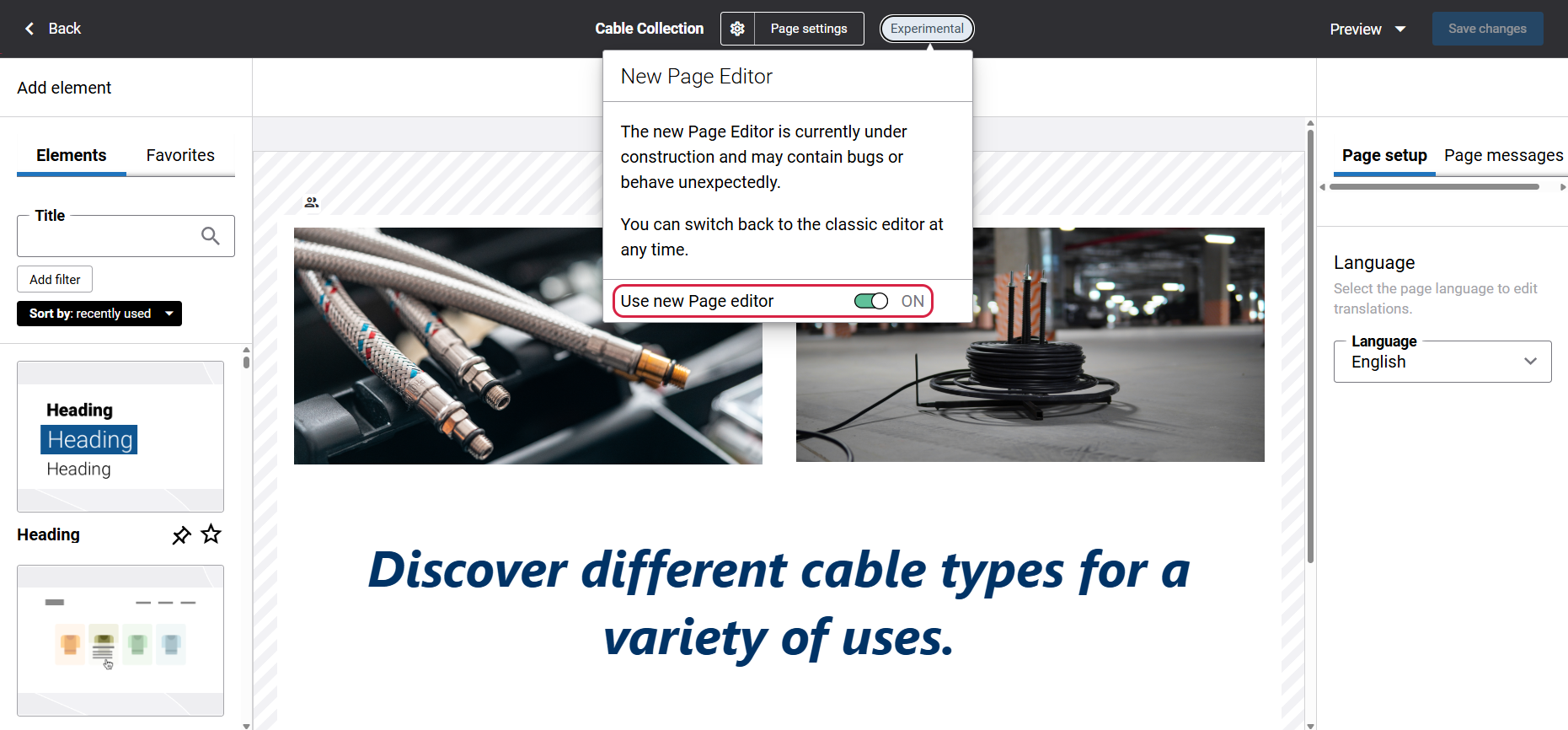
When clicked, the tooltip appears informing users that the new page editor is still under development and may occasionally behave unexpectedly. From the same tooltip, users can disable the Use new Page editor option to switch back to the old page editor whenever necessary.
If users decide to return to the new visual designer later, they can enable it from Web pages in Sana Admin.
For more information see, Sana CMS - Made for Content Editing and Design.
Redesigned Content Element Experience
We have redesigned the way content elements are presented and added in the new visual designer to provide a faster and more intuitive editing experience.
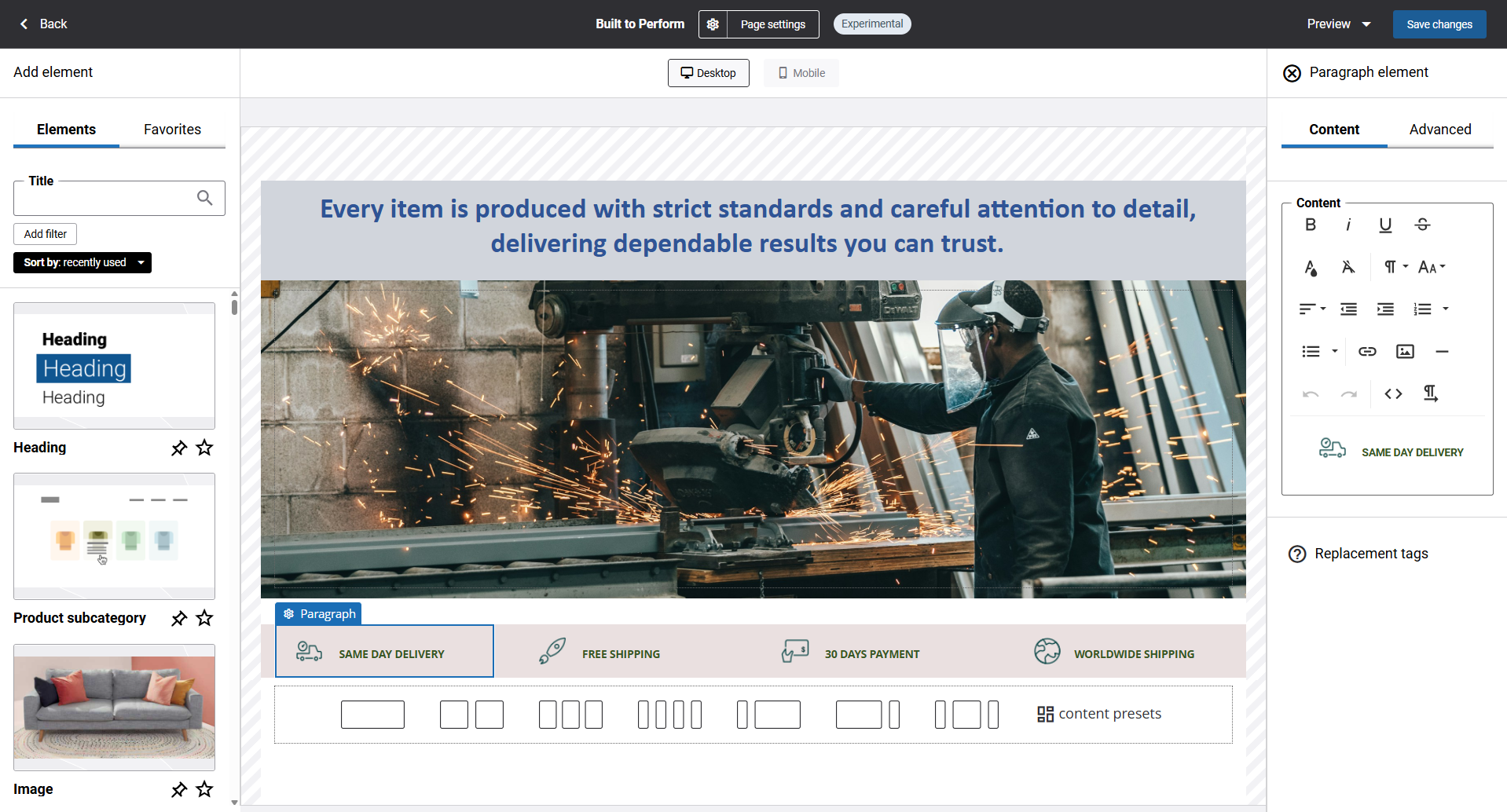
Content elements are now displayed in a dedicated panel on the left side of the visual designer, making them easier to browse and access. Users can simply drag and drop an element into the desired column, after which a configuration window opens automatically, allowing settings to be adjusted immediately or later if preferred.
Previously, in the old visual designer, content elements could only be added by hovering over a column and clicking the add content button, after which a window with all available content elements would appear. The new drag-and-drop approach makes browsing, accessing, and adding content elements more convenient and efficient.
All other content element functionality, including search, filtering, sorting, and favorites, remains unchanged.
Improved Drag-and-Drop Behavior
Drag-and-drop behavior in the new visual designer is now more predictable. When dragging an element from the left panel or repositioning one on the page, insertion column is highlighted and insertion line appears when the content element is dragged above or below an existing element on the page, giving users a clear visual indication of where the content element will land before they drop it.
Bug Fixes
One of the benefits of the minor releases on a regular basis is that you constantly receive bug fixes. Below you can see the list of some bugs that we fixed in this release. We do not add all bug fixes, but only the most important ones, since there are many technical fixes, minor design fixes, or performance-related fixes that we do not add to the release notes.
- Fixed an issue causing incorrect shopping cart data to appear on the Pending revenue page and the Action signals widget in Sana Admin.
- Fixed an issue causing the Hover tile content element to render with inconsistent height in the new visual designer.
- Fixed an issue where content elements did not properly fit within the canvas in the mobile layout on product pages in the new visual designer.
- Fixed an issue where the notification alerting administrators that the search index is out of date and the Product import task must be run was not appearing in Sana Admin after certain product data changes.
- Fixed an issue causing the email address and location fields to display swapped values on the stock alerts page for product variants in the mobile layout.
We are continuously working to make Sana Commerce Cloud better, look out for more updates and new features in future releases.


