Invisible Customer Groups
WATCH THE VIDEO
Use the /SANAECOM/: Invisible Customer Groups table to make all customers from a particular group unavailable.
To open the Invisible Customer Groups table, in the main menu of the Sana add-on in SAP, click User Tables.
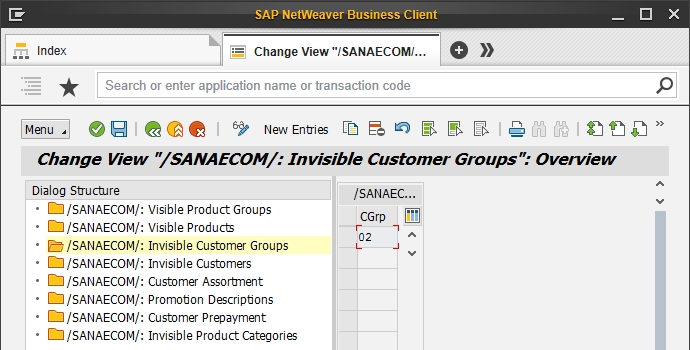
The table below provides the description of the fields in the /SANAECOM/: Invisible Customer Groups table.
| Field | Description |
|---|---|
| Customer Group | All customers from the customer groups added to this table will not be indexed and available. Such customers cannot log in the webstore using their shop accounts and place orders. |


