Variables
Variables are placeholders that hold data during workflow execution. They allow you to capture information retrieved in one step, such as a list of baskets or shop accounts, and use that information in subsequent steps, such as in an e-mail body or a condition check.
How Variables Work
When you add an action that retrieves data, for example, Get baskets, that data becomes available as a variable for all subsequent steps in the workflow. As you build the workflow, the variable selector in each step’s configuration panel automatically includes any data that has been made available by earlier steps.
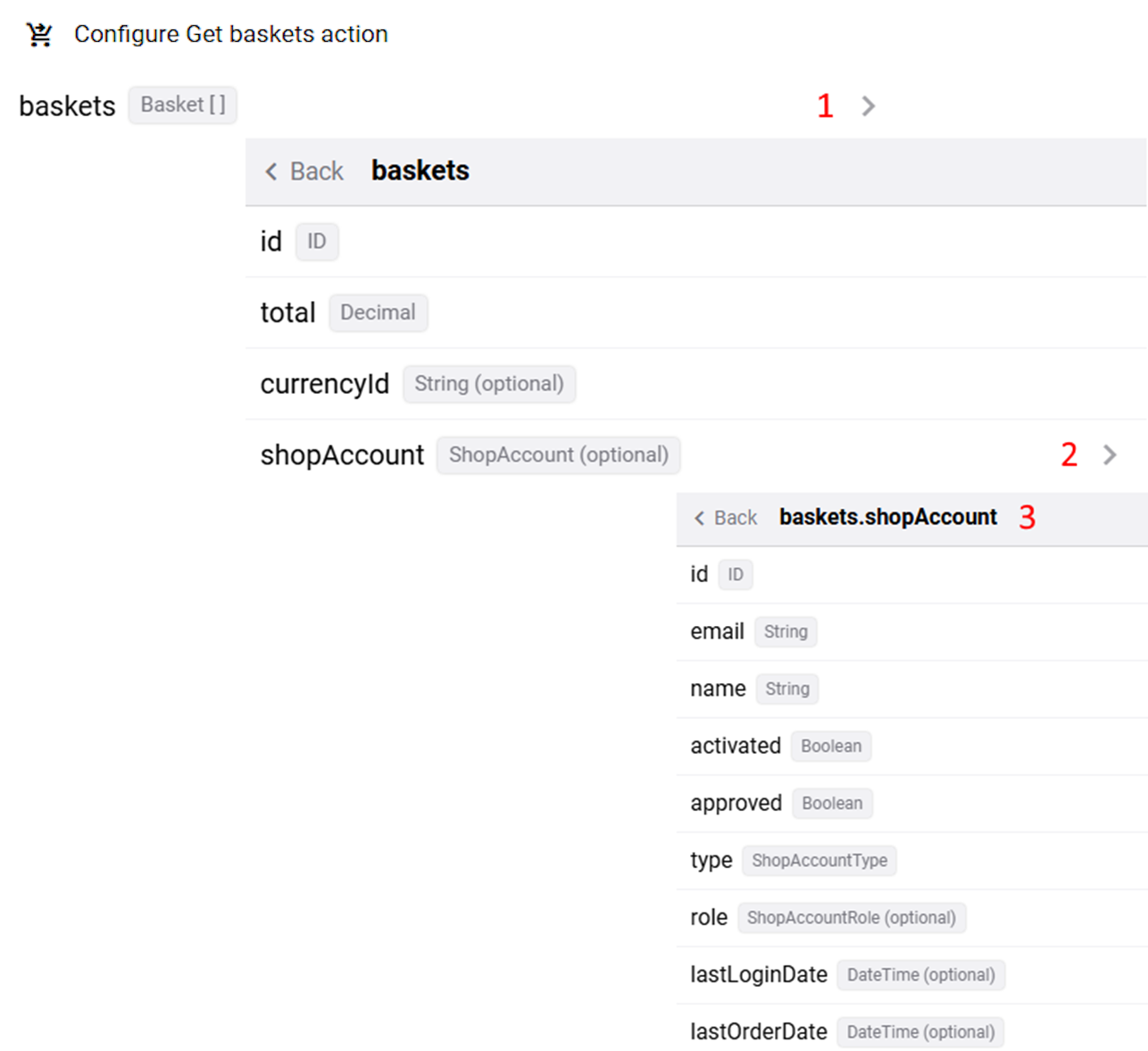
Variables are grouped into datasets and are often nested, meaning you navigate through multiple levels to reach a specific piece of data. A > symbol next to a variable name indicates that it has sub-options.
Variables are displayed and sorted by proximity to the current step - variables from the closest preceding step appear first.
Variable Data Types
Each variable displays its data type, which determines the comparison operators available when using it in a condition. Common data types include:
- String: Text values such as e-mail addresses, names, and order IDs.
- Integer: Whole numbers.
- Decimal: Numbers with decimal places, such as order totals.
- Boolean: True or false values.
- DateTime: Date and time values.
Variable Example: Get Baskets
After adding the Get baskets action that returned a list (array) of basket objects, the following variable structure becomes available to subsequent steps, for example, in the condition:
> id (String)
> total (Decimal)
> currencyId (String)
> shopAccount
> id (String)
> email (String)
> name (String)
To reference a specific variable, click through each level in the variable selector until you reach the desired field. For example, to use a customer’s e-mail address, you would navigate: basketsForEachItem > shopAccount > email.
Using Variables with Liquid
In text fields that support it, such as the fields of the Send email action To, Subject, Message, and fields of the Send HTTP request action URL, Header Value, and Body, you can reference a variable directly using Liquid syntax.
Example:
{{basketsForEachItem.shopAccount.email}}
{{basketsForEachItem.shopAccount.name}}
The workflow engine resolves these placeholders at runtime using the actual data from your webstore.
For more information, see Liquid Template Language in Workflows.


