Send Email
Sends a customized e-mail message to one or more recipients. You can use static text or dynamic content from your webstore data using the Liquid template language.
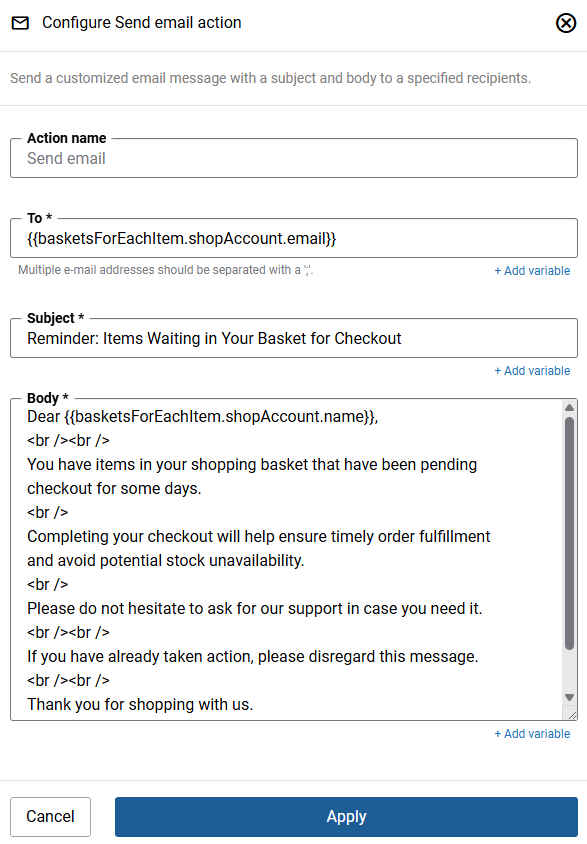
| Field | Description |
|---|---|
| Step name | A descriptive name for this action. You can use the default name or enter your own. |
| To | The e-mail address(es) of the recipients. Separate multiple addresses with a semicolon (;). You can use a static address or a Liquid variable to dynamically populate the recipient from webstore data.
Liquid variable example: {{basketsForEachItem.shopAccount.email}} |
| Subject | The subject line of the e-mail. You can use static text or a Liquid variable to include dynamic data such as an order ID. |
| Message | The e-mail message. Supports plain text, HTML, and Liquid template language. Use Liquid variables to personalize the message with data from your webstore.
Liquid variable example: Dear {{basketsForEachItem.shopAccount.name}}, |
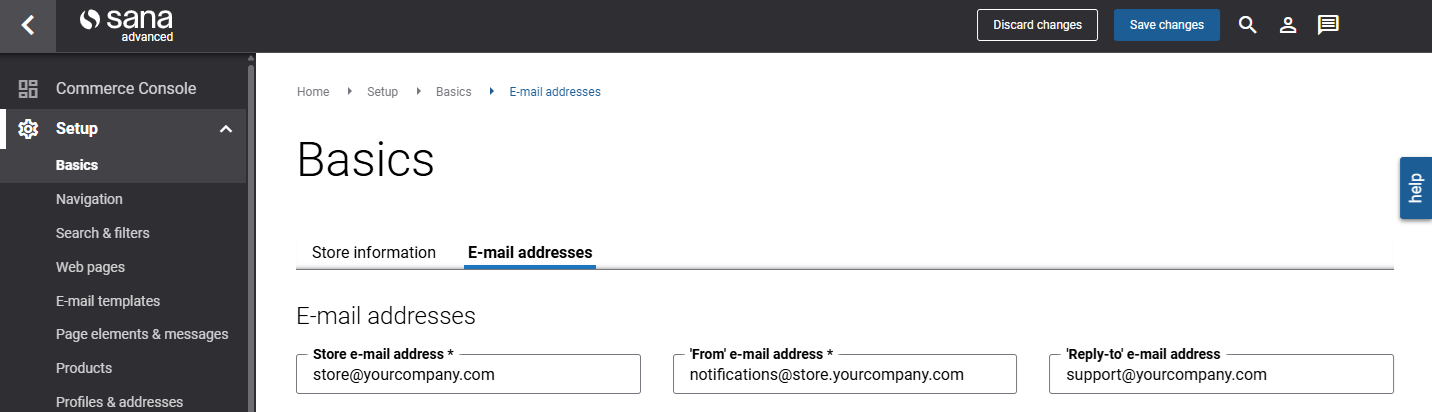
All e-mails are sent from the e-mail address specified in the ‘From’ e-mail address field in Sana Admin at the following location: Setup > Basics > E-mail addresses.