Get Baskets
Retrieves baskets (shopping carts) and basket lines from your webstore created within a specified time period. This is typically used to identify customers with abandoned carts.
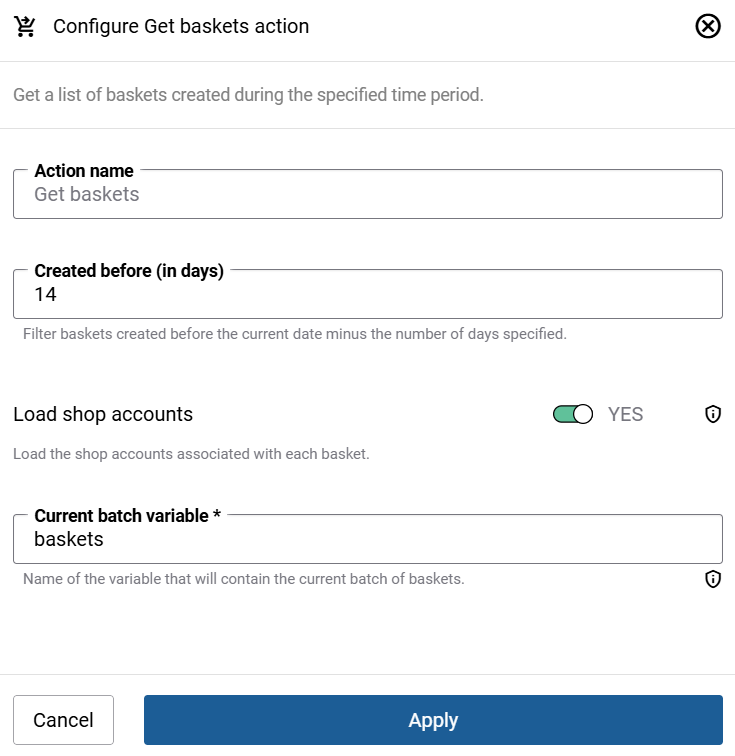
| Field | Description |
|---|---|
| Step name | A descriptive name for this action. You can use the default name or enter your own. |
| Created more than X days ago | Filters baskets created before the current date minus the number of days you specify. For example, entering 14 returns baskets created more than 14 days ago. |
| Created less than X days ago | Filters baskets created after the current date minus the number of days you specify. For example, entering 14 returns baskets created less than 14 days ago. |
| Load shop accounts | If enabled, it loads the shop account data associated with each basket, making customer information available in subsequent steps. |
Loop Execution
Expand the Advanced section and select the Iterate option.
Data retrieval action Get baskets can return large datasets, sometimes thousands of records. To handle this efficiently without overloading the workflow, data can be retrieved either one basket at a time or as a list of baskets (in batches of up to 100 baskets).
-
Current basket variable: The name of the variable that will contain the basket.
-
Current list of baskets variable: The name of the variable that will contain the list of baskets.
You can use the default variable name or enter your own descriptive name.


