KPIs and Tracking Progress
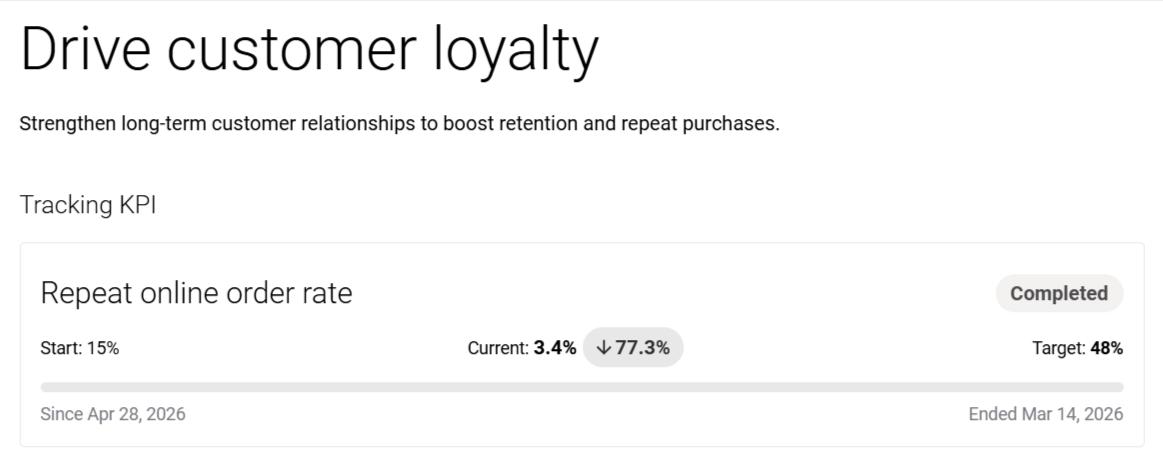
Each goal is built around a key performance indicator (KPI). These KPIs provide a measurable way to track success.
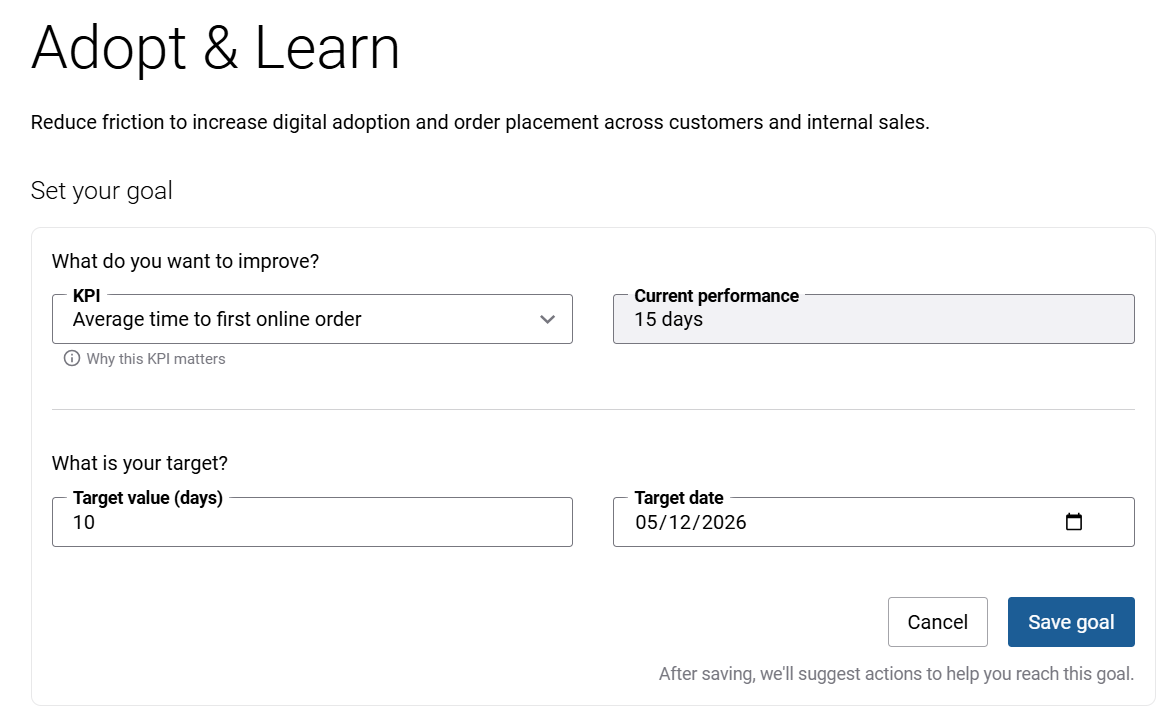
When setting a goal, you define:
- KPI: The metric you want to improve.
- Current performance: Automatically calculated by the widget.
- Target value: The result you aim to achieve.
- Target date: The deadline by which you aim to achieve the target value. You can either select a date manually or use the 1 month, 3 months, 6 months, or 1 year buttons to quickly set the target date starting from the current date. When editing a saved goal, the buttons display a + icon and can be used to extend the target date by the selected period.
Tracking begins as soon as sufficient data is available.
After saving a goal, you are redirected to the goal details page, where you can monitor progress.
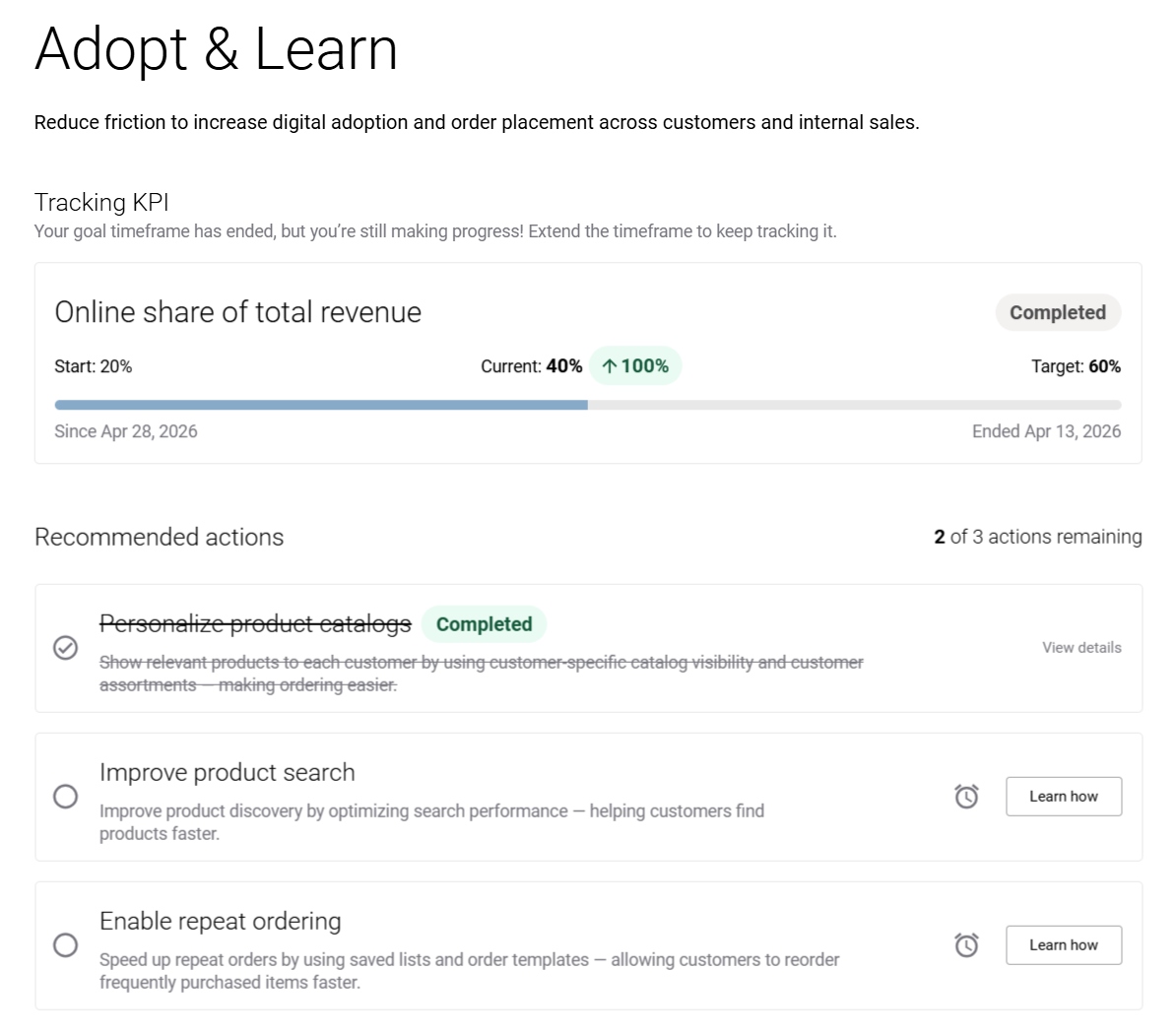
Each goal includes a progress bar that visualizes performance over time using three values:
- Start: Fixed value when the goal is created.
- Current: The calculated value that is dynamically updated.
- Target: The desired outcome. It is a link that redirects you to the goal details page, where you can change goal settings.
Below the progress bar, you can see the tracking timeframe, including when tracking started, when it ends, and when the goal was last updated. This information helps you understand how long the goal has been active, monitor progress, and see the period available to reach the target.
The Success plan widget also calculates a delta, which represents growth (in percentage) from the start value to the current value.
- If there is no change, the start and current values are the same.
- If there is no progress, the delta is not displayed.
- If performance increases, the delta appears in green, indicating a positive trend.
- If performance decreases, the delta appears in grey, indicating a negative trend.