Set Up the Google Tag
Setting up a Google Tag in Google Tag Manager is straightforward. Use the steps below to configure your tag, enter the Tag ID, and ensure it fires across all pages.
Step 1: Open Google Tag Manager and go to Tags.
Step 2: To add a new tag, click New.
Step 3: Name your tag and configure it:
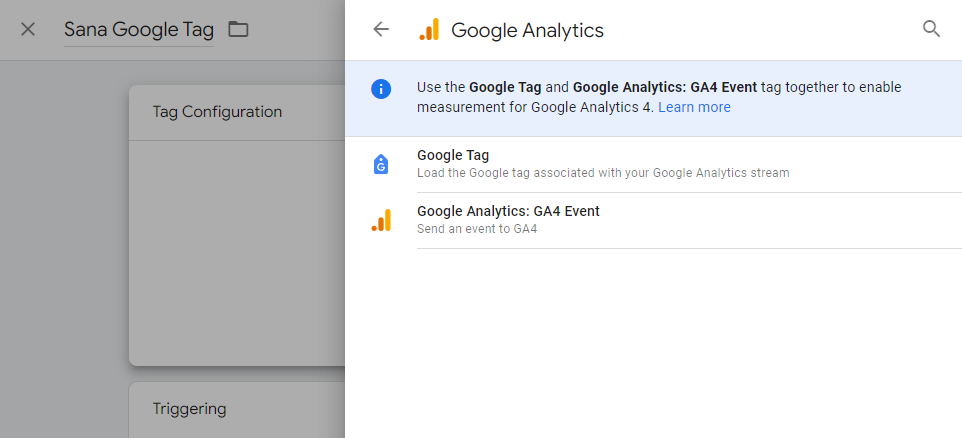
3.1 Tag Configuration: Choose Google Tag.
3.2 Enter your Tag ID.
3.3 Triggering: Choose Initialization - All Pages.
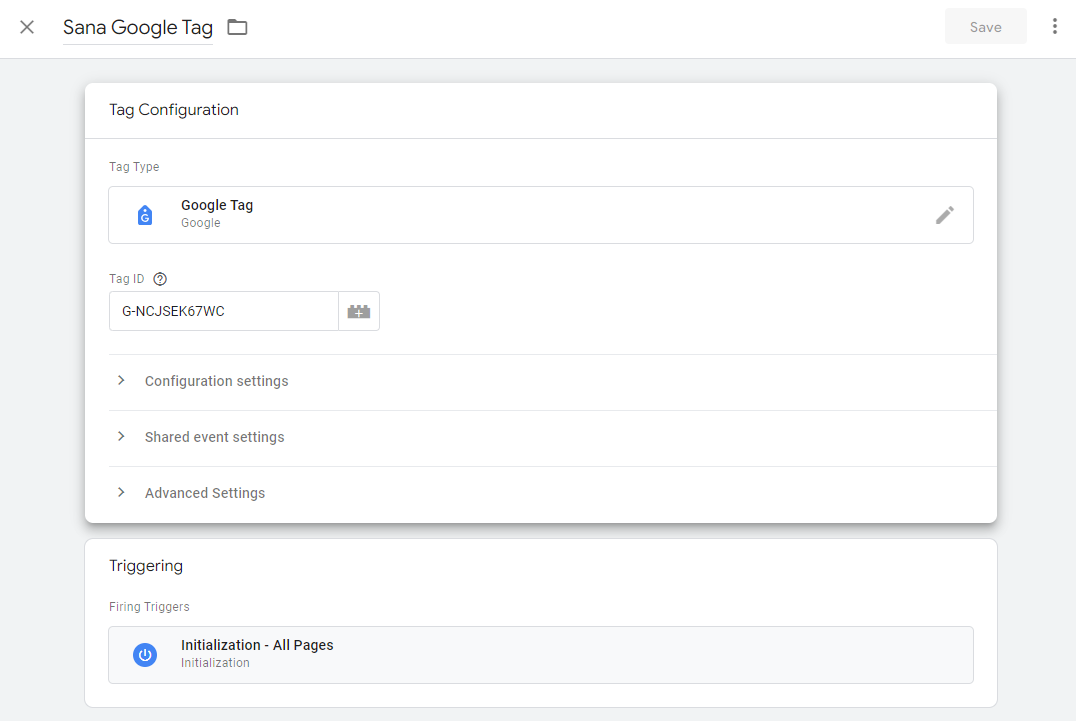
Step 4: Click Save to save the tag.


