Page View Tracking
Page view tracking helps you capture key information about the pages users visit on your website. This guide walks you through creating the necessary variables and configuring the pageView event in Google Tag Manager.
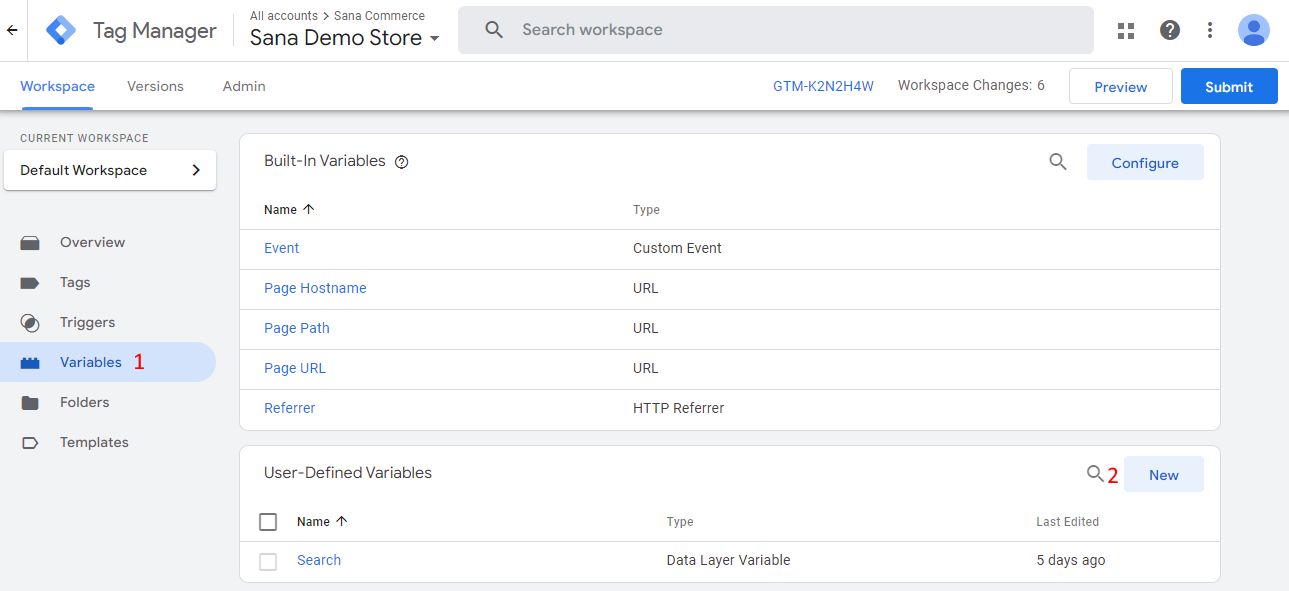
Step 1: Open Google Tag Manager and go to Variables.
Step 2: Create at least the listed below required data layer variables.
2.1 To create a variable, in the User-Defined Variables section, click New and enter the variable name.
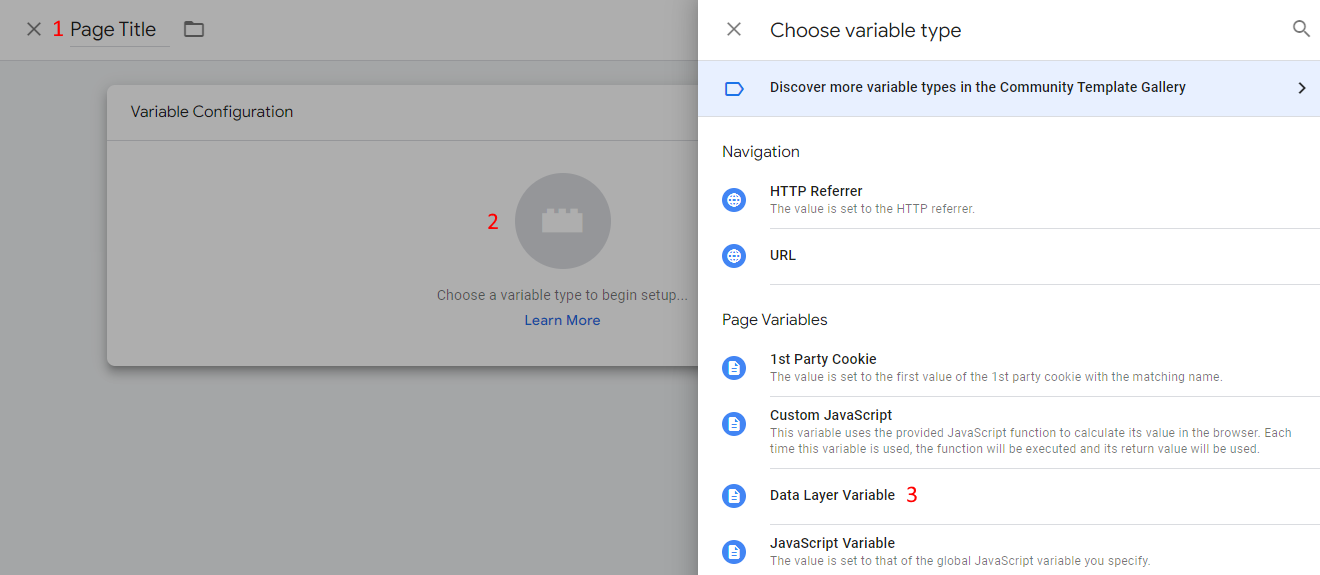
2.2 Click Choose a variable type to begin setup… and choose Data Layer Variable.
Required variables that must be created to track page views
-
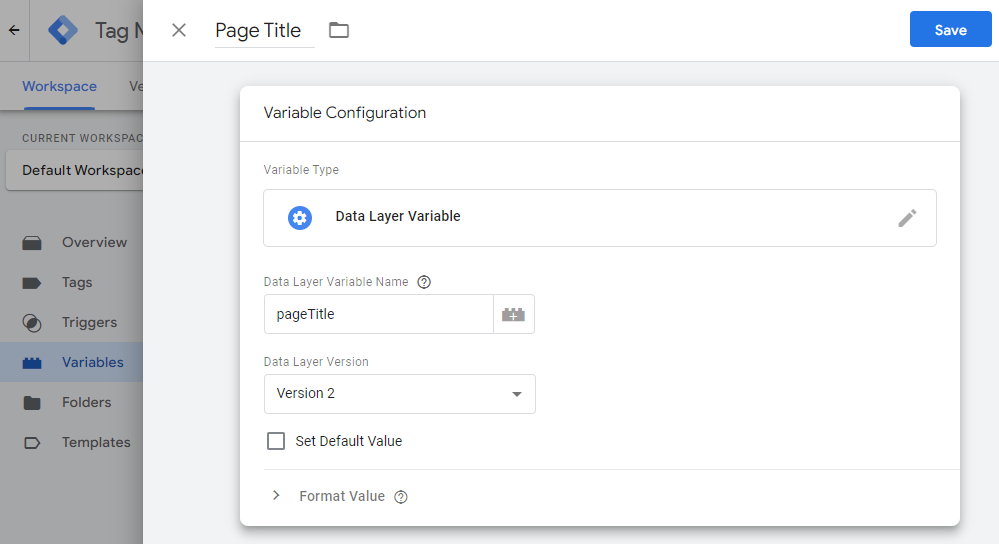
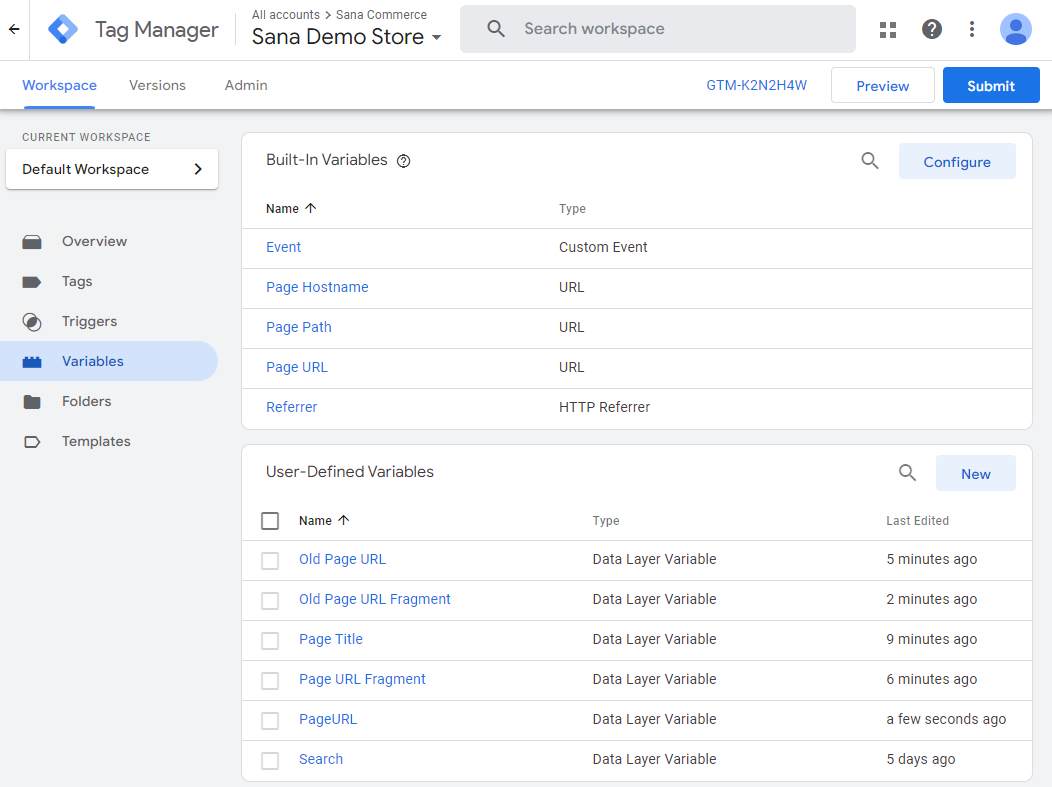
Page title: The title of the viewed page. The data layer variable name must be pageTitle.
-
Page URL: The URL of the viewed page. The data layer variable name must be pageUrl.
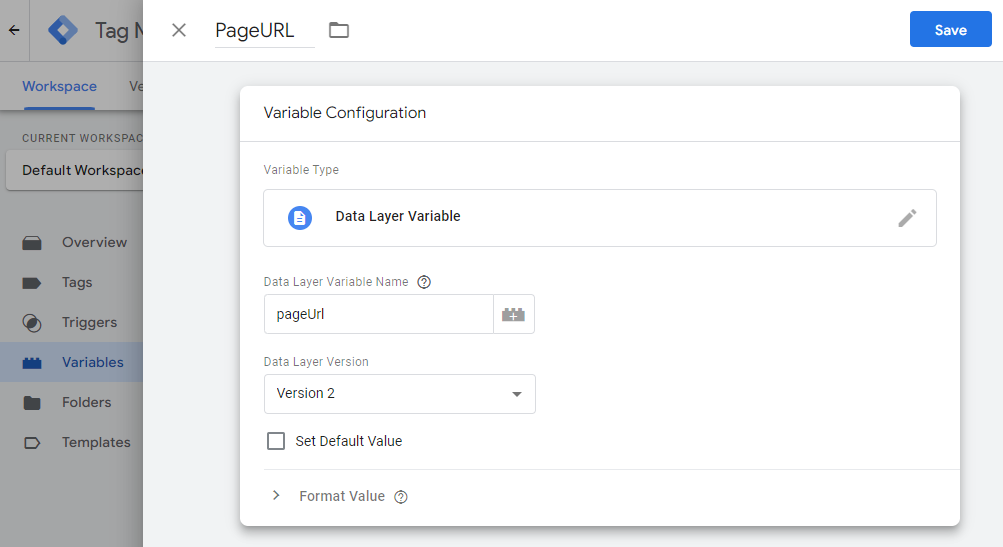
Optional variables that can be created
- Page URL fragment: The URL fragment of the viewed page. The data layer variable name must be pageUrlFragment.
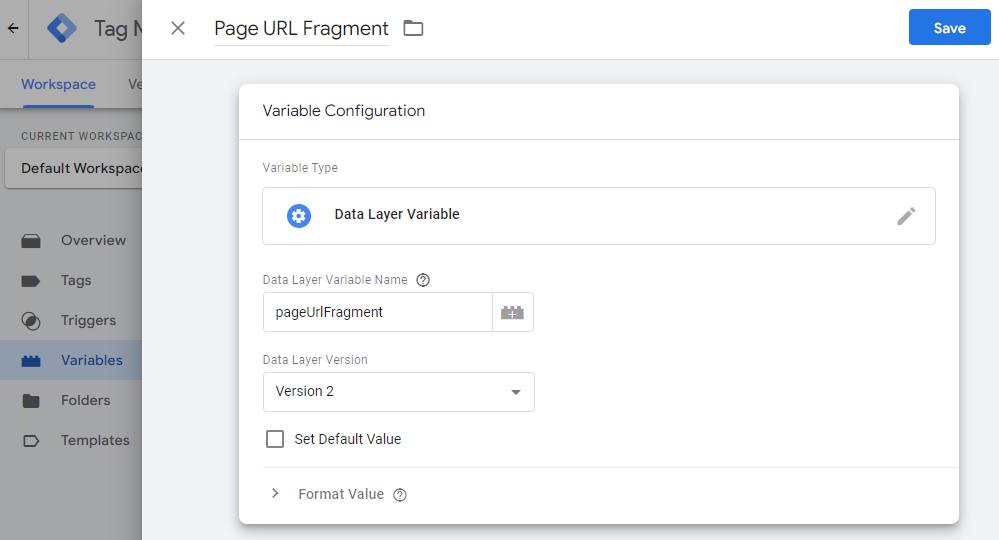
-
Old page URL: The URL of the previously viewed page. The data layer variable name must be oldPageUrl.
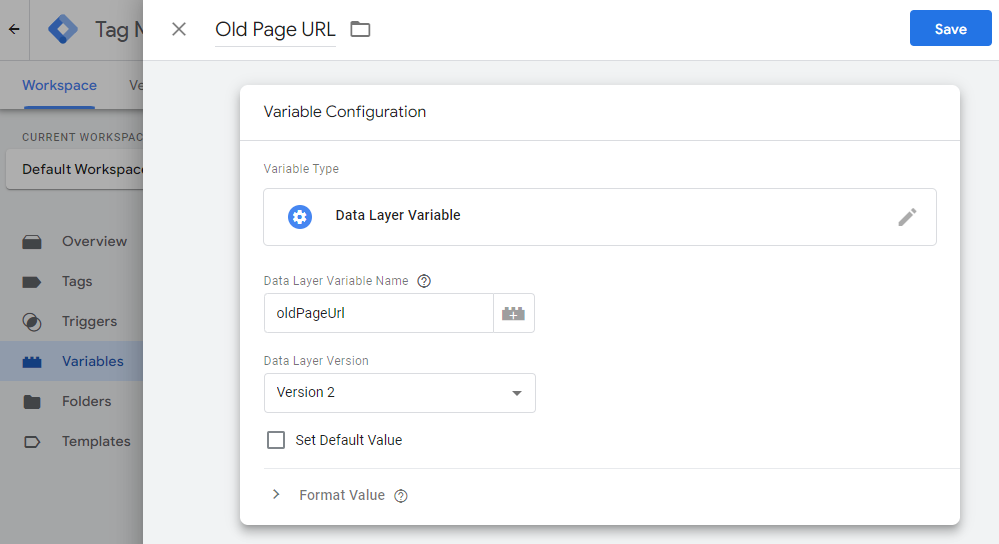
- Old page URL fragment: The URL fragment of the previously viewed page. The data layer variable name must be oldPageUrlFragment.
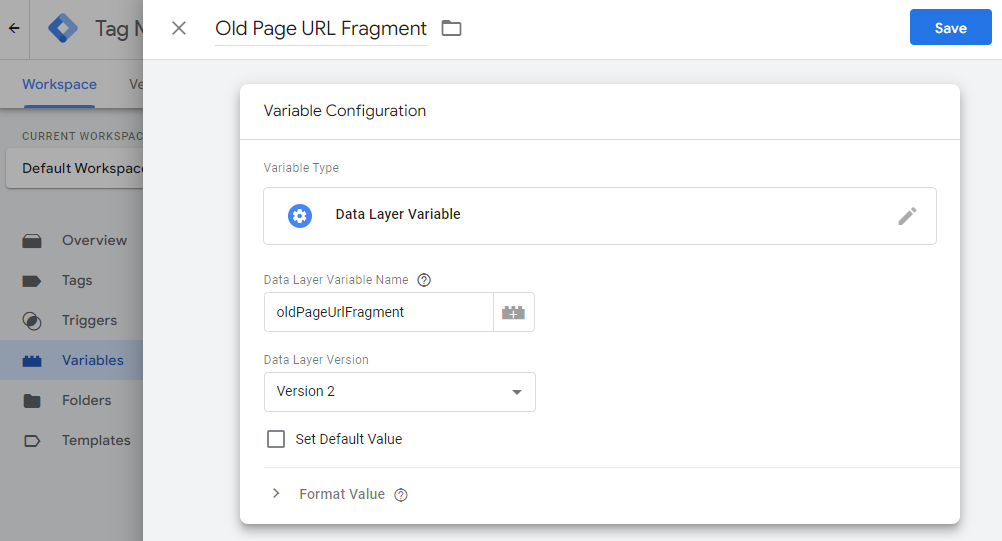
-
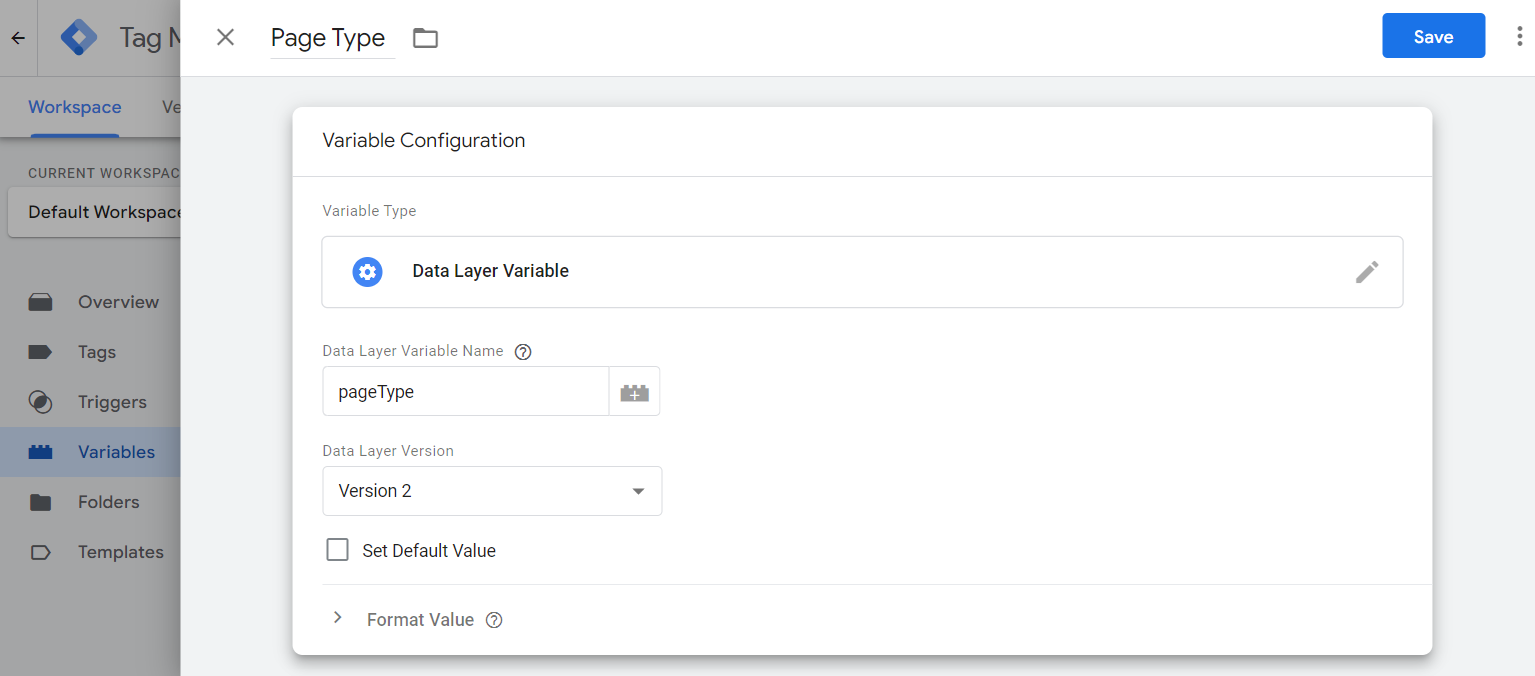
Page type: The type of the page. This variable works for content, blog article, product list, product details, product group, and search results pages, also for FAQ and News pages. The data layer variable name must be pageType.
On the screenshot below you can see an example of the user-defined data layer variables that you can create in Google Tag Manager for page view tracking.
Step 3: Create a new tag. Name your tag and configure it:
3.1 Tag Configuration: Choose Google Analytics: GA4 Event.
3.1.1 Select the Measurement ID created earlier.
3.1.2 In the Event Name field, enter pageView.
3.1.3 Under Event Parameters, add the parameters page and title and choose the previously created pageTitle and pageUrl variables in the Value field as shown on the screenshot below.
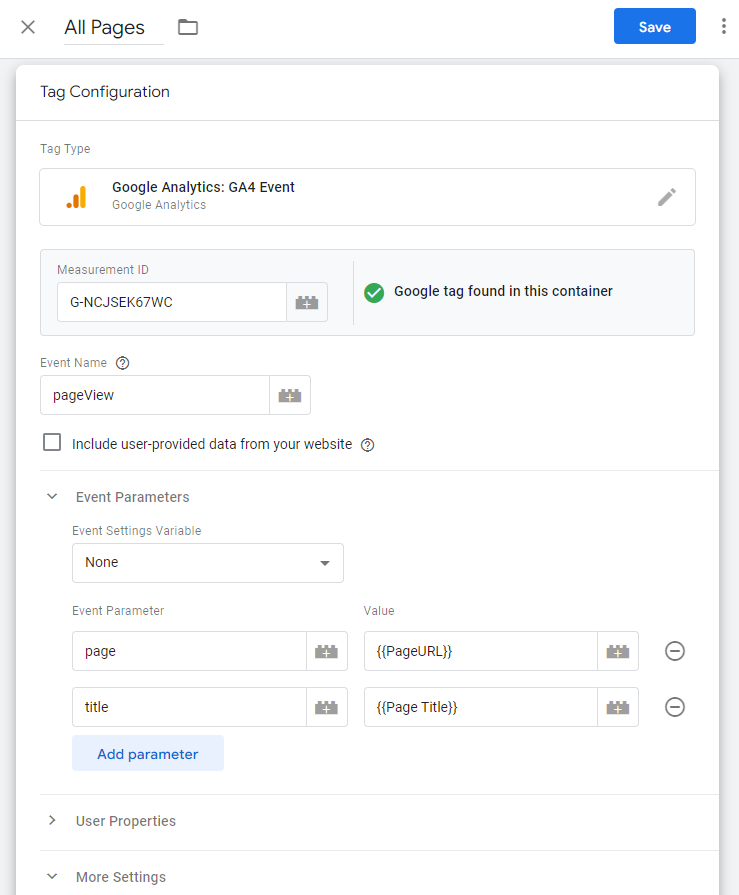
3.1.4 Under More Settings, select the Send Ecommerce data checkbox.
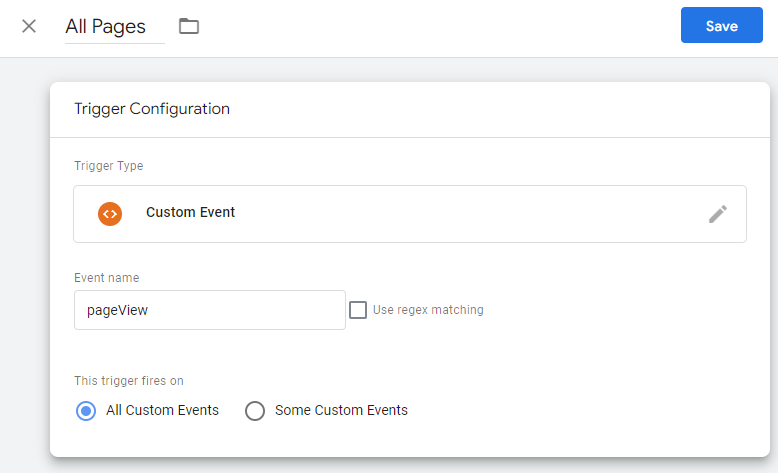
3.2 Triggering: You must create a new Custom Event trigger for the pageView event. Enter pageView in the Event name field and save your changes.
Step 4: Click Save to save the tag.
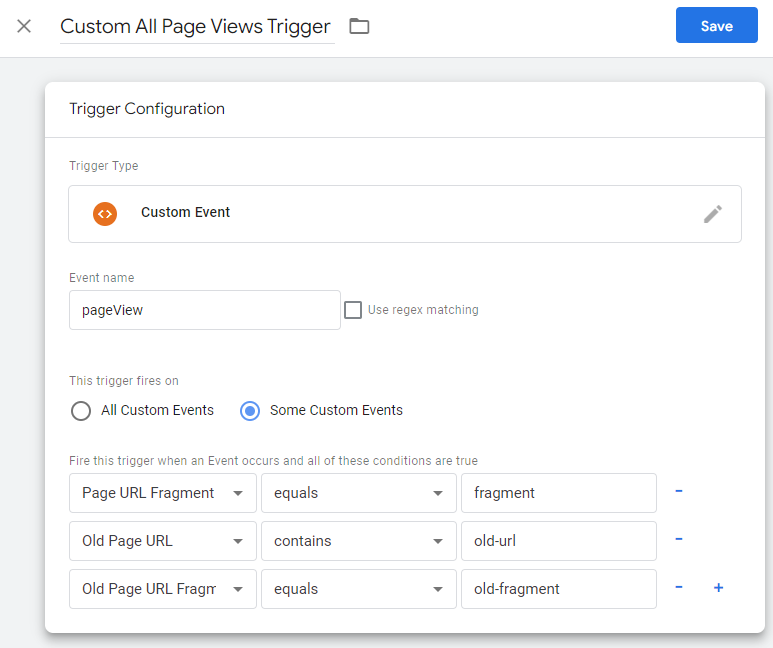
The optional data layer variables documented in step 2 can be used to configure additional conditions to fire a page view trigger. See example below.