Sana Commerce Cloud 1.153
Release date: August 19, 2026
Learn about improvements and bug fixes in this release.
Not every release comes with new features, but we're always working behind the scenes to improve Sana Commerce Cloud. From boosting performance and reliability to fixing bugs and refining the user experience, each update helps make Sana Commerce Cloud better. We also include essential security updates to keep your data and our system safe. All of these improvements lay the groundwork for a stable, secure, and scalable platform. At the same time, we are working on new functionality that will be included in future releases.
What’s New?
Sales Agreement Enhancements
We’ve enhanced the sales agreement experience across the webstore, making it easier for customers to recognize products associated with sales agreements and understand when agreement terms apply. Customers can now identify sales agreement products wherever they appear in the webstore, find them using a dedicated filter, and select applicable agreement terms more easily.
Sales Agreement Labels Across the Webstore
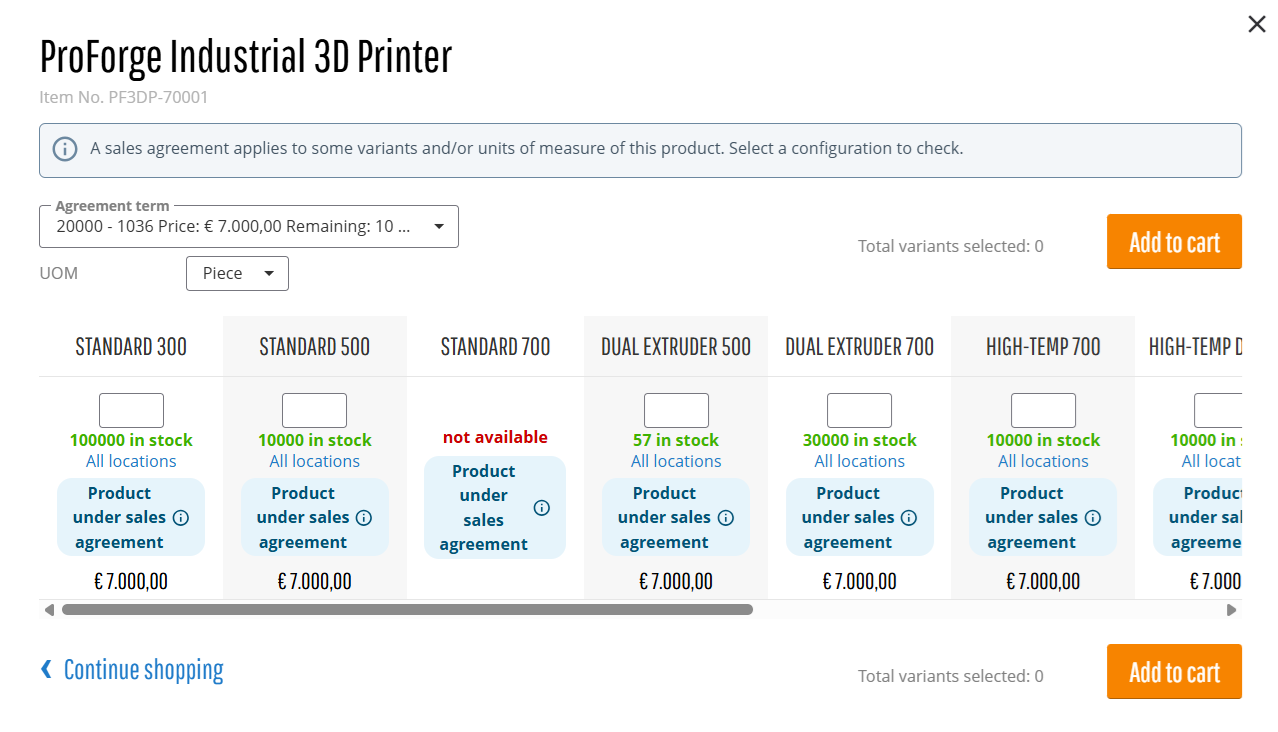
Sales agreement labels are now displayed wherever products are available in the webstore, including product details pages, product lists, search results, quick order, product comparison, related products, and other product displays. This information is shown even when the sales agreement has not been applied in My Account, making it easier for customers to identify products associated with sales agreements throughout the webstore.
There are two types of sales agreement labels:
-
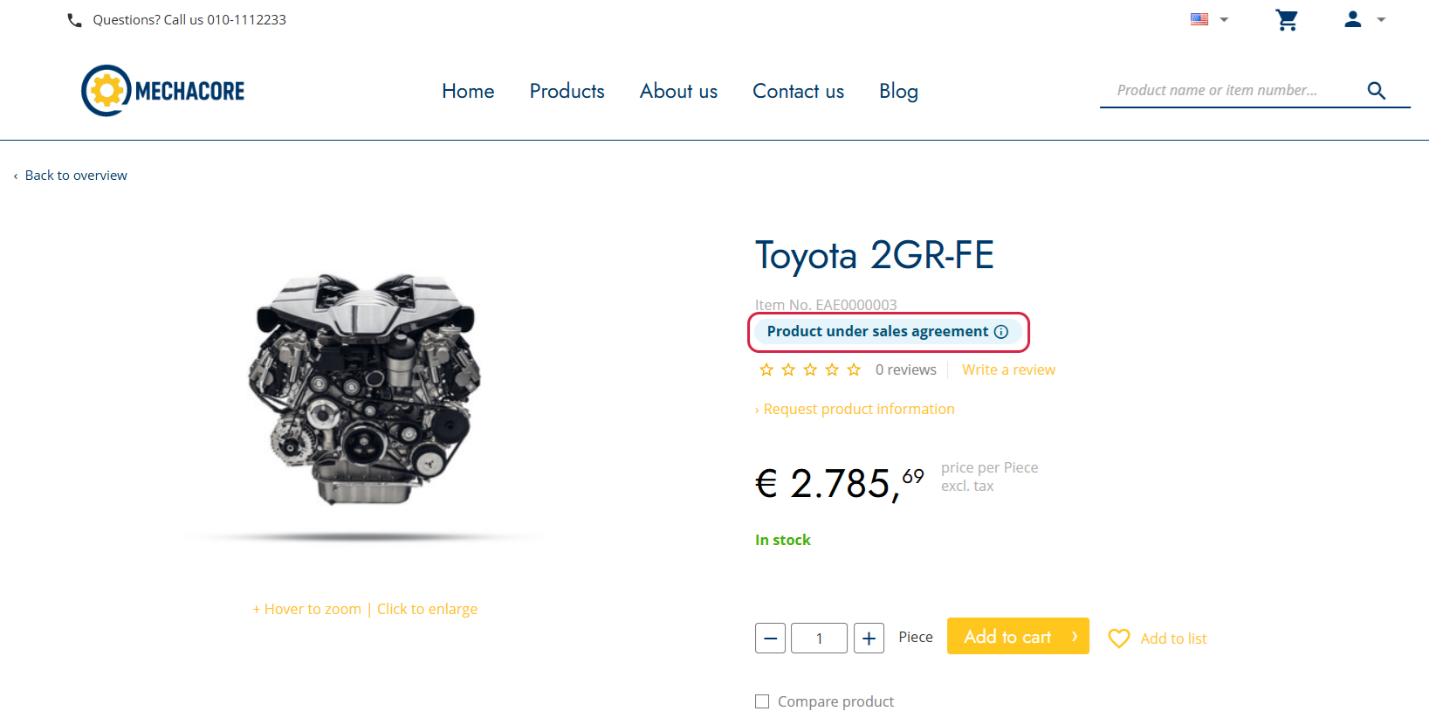
Blue label – Product under sales agreement. Indicates that the product fully meets the requirements of a sales agreement.
-
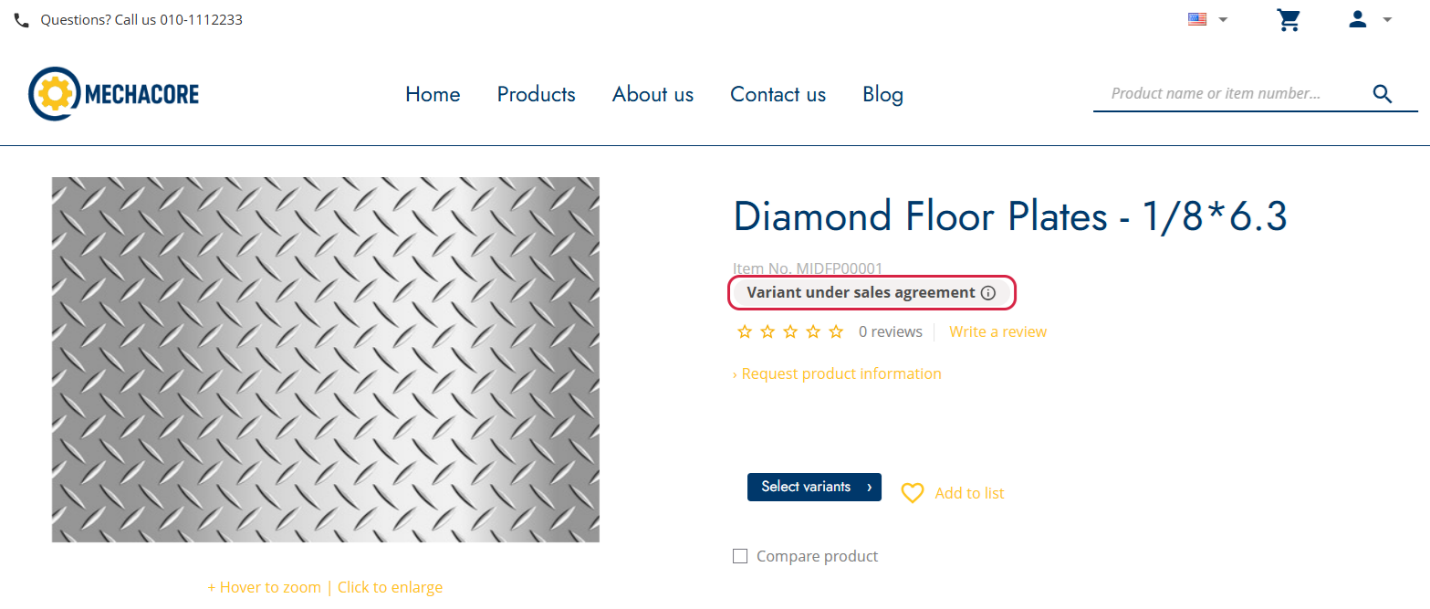
Grey label – UOM under sales agreement or Variant under sales agreement. Indicates that the product is included in a sales agreement, but the selected unit of measure or variant does not fully meet the agreement requirements.
Each label provides additional information in a tooltip:
-
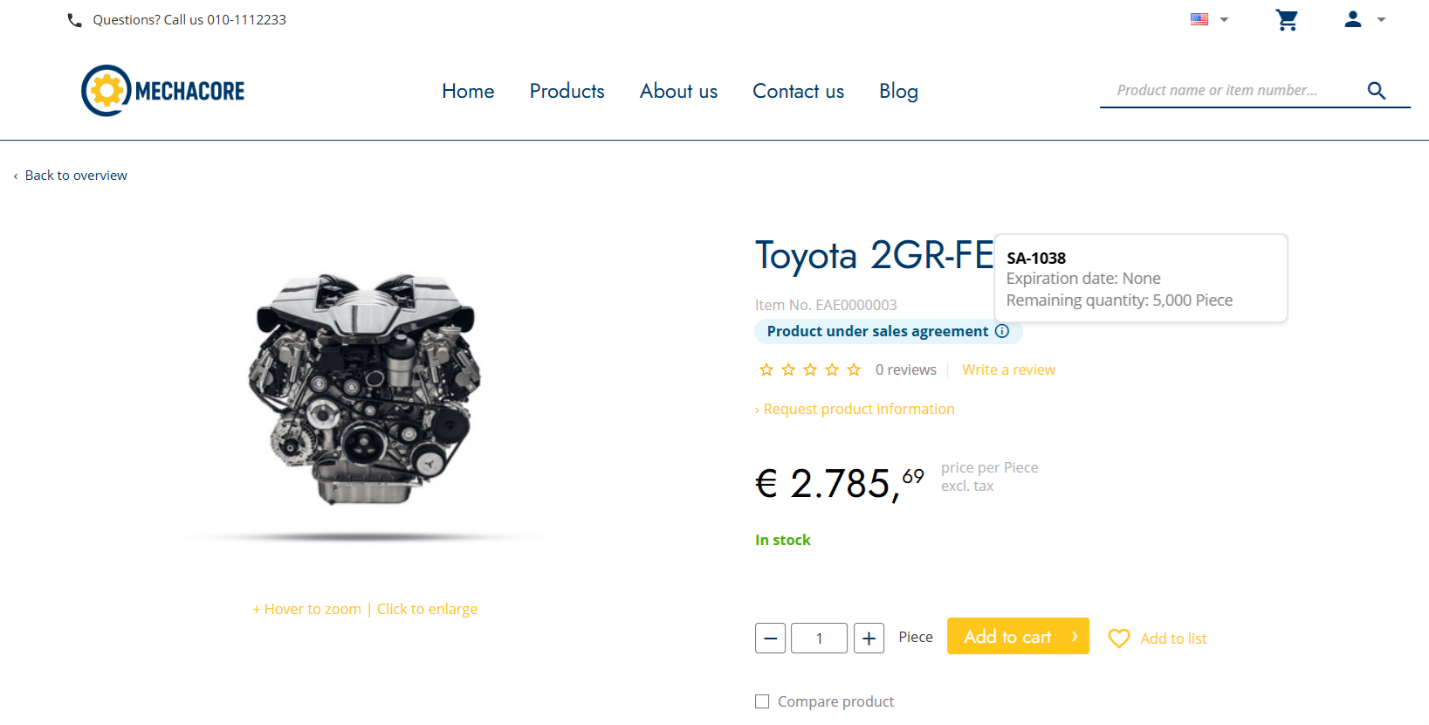
The blue label tooltip can show the sales agreement ID, expiration date, and remaining quantity or amount. If multiple agreement terms apply, information for the term with the earliest expiration date is displayed.
-
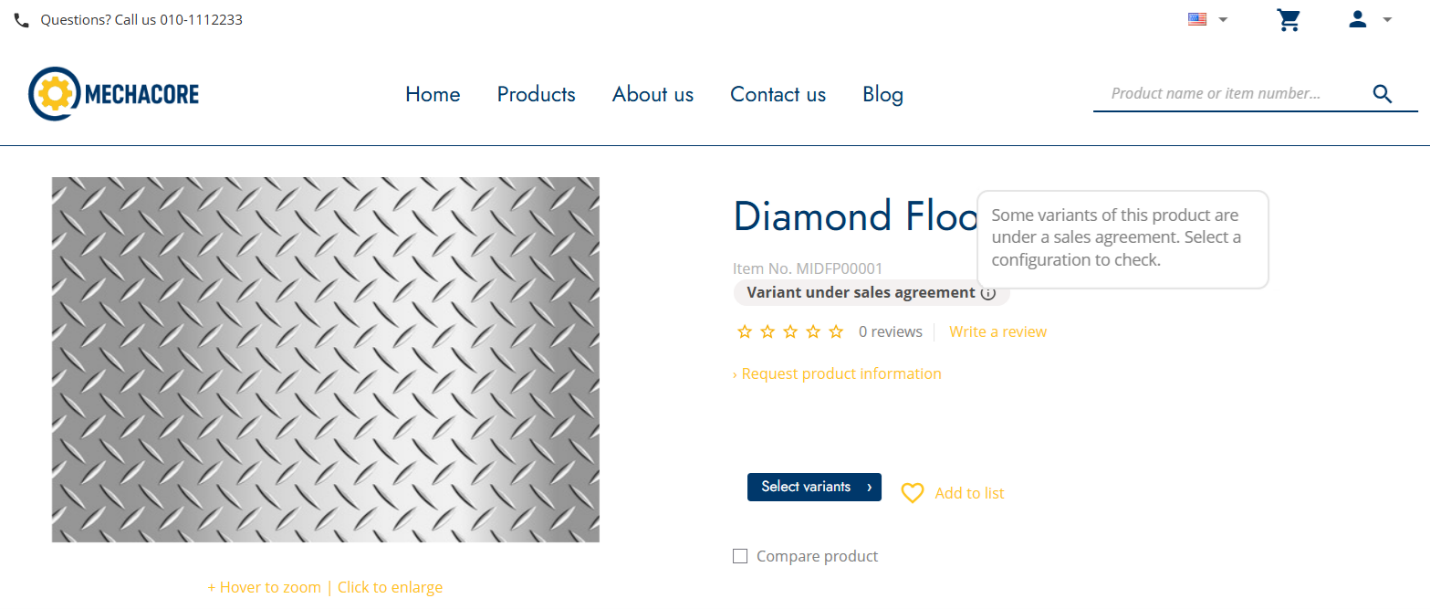
The grey label tooltip informs customers that some variants or units of measure are covered by a sales agreement and prompts them to select a configuration to check whether the selected option is covered.
Sales agreement labels are also displayed in the variant matrix when applicable.
Sales Agreement Selector
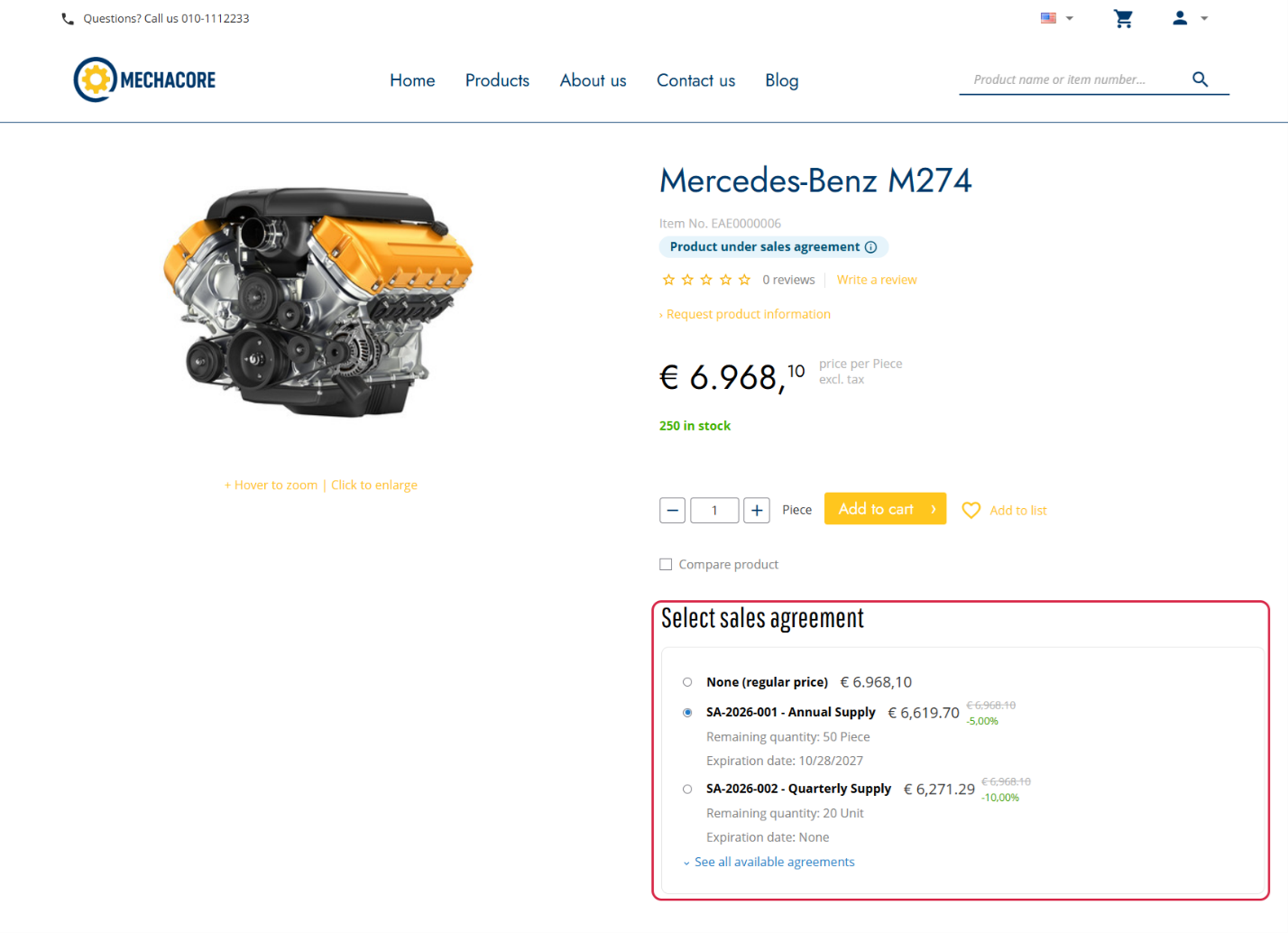
The sales agreement selector on product details pages has been redesigned to provide a clearer and more informative experience. Customers can now easily compare applicable agreements and terms, including the agreement name and term, price or discount, remaining quantity or amount, and expiration date.
Filter Products by Sales Agreement
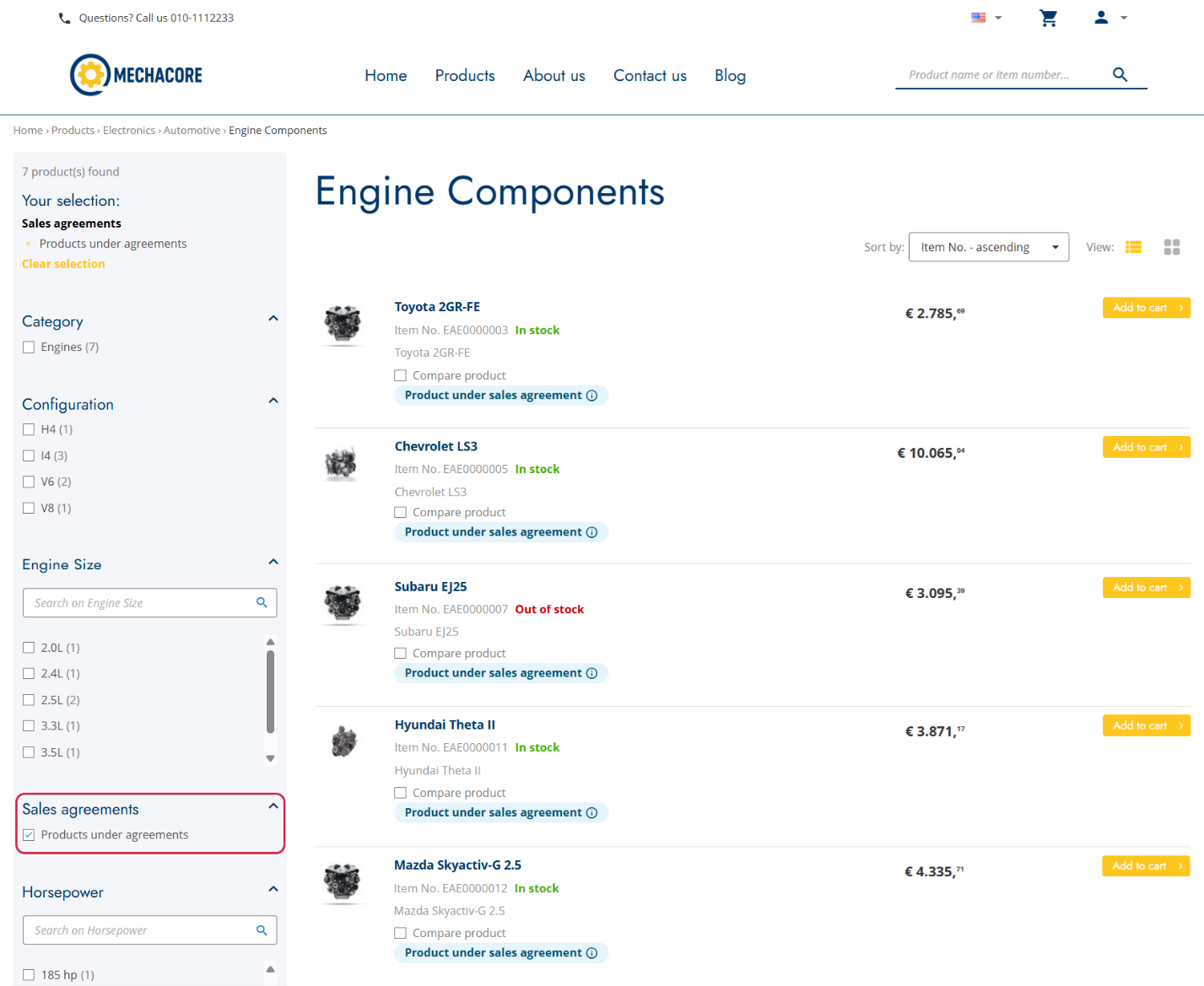
Customers can now use the Sales agreements faceted filter on product list and search results pages to quickly find products associated with sales agreements.
ERP Delivery Dates Calendar
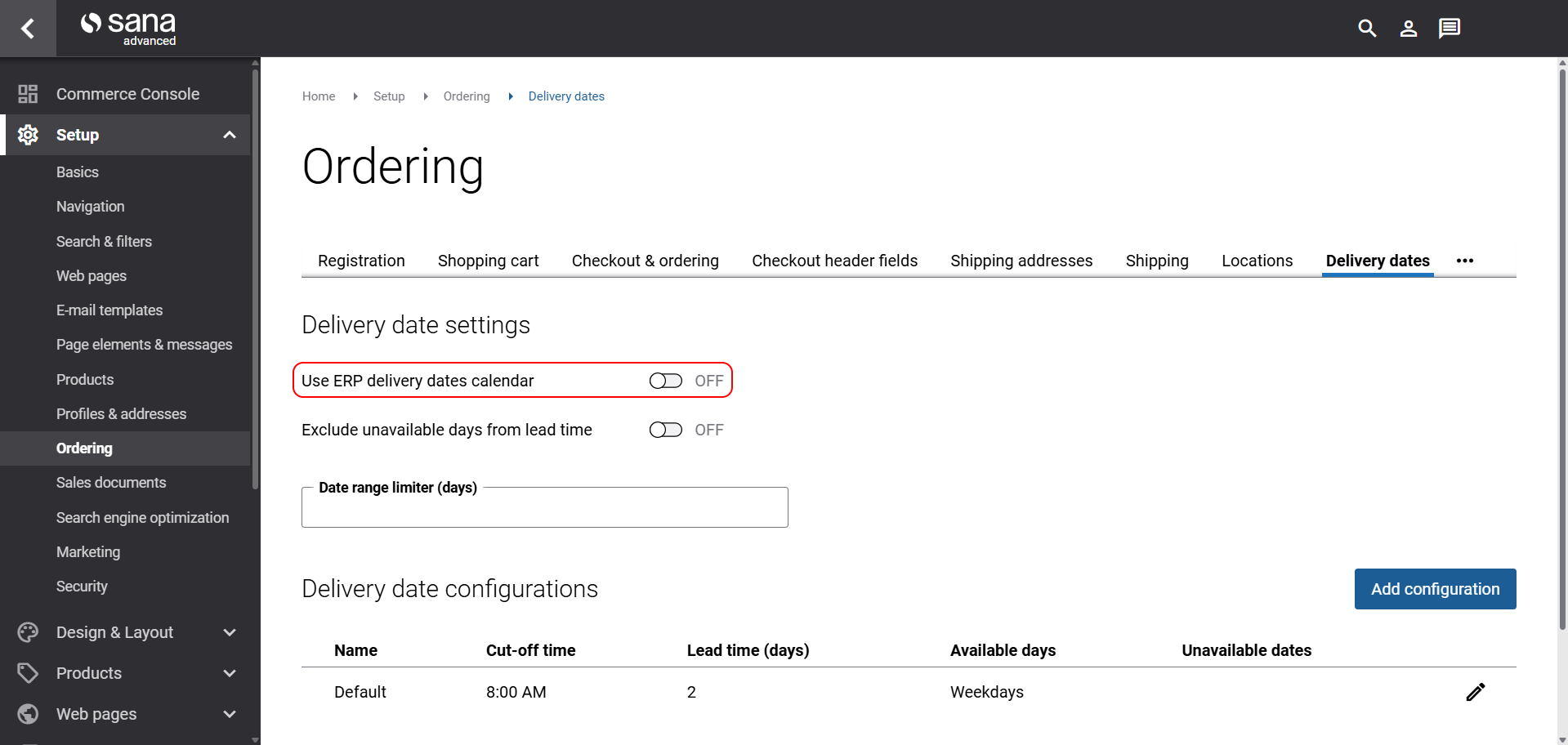
Some businesses manage delivery date availability directly in their ERP system, at the customer level, through a custom implementation − this isn't standard functionality in any of the ERP systems Sana Commerce Cloud supports. For these businesses, we have added support for this workflow to the standard Sana product. If your ERP has this customization, you can now enable the Use ERP delivery dates calendar option to have Sana Commerce Cloud pull delivery dates directly from your ERP's calendar for each customer. When enabled, this overrides the other delivery date settings in Sana Admin, except for the Date range limiter (days) setting, which still applies.
For more information, see Delivery Dates.
Bug Fixes
One of the benefits of the minor releases on a regular basis is that you constantly receive bug fixes. Below you can see the list of some bugs that we fixed in this release. We do not add all bug fixes, but only the most important ones, since there are many technical fixes, minor design fixes, or performance-related fixes that we do not add to the release notes.
- Fixes an issue where product variants display in the variant dropdown instead of the matrix on the product details page when the variants are not orderable.
- Fixed an issue on the product list page causing out of stock text to appear instead of pre-order text when product inventory was 0.
- Fixed an issue causing products to be duplicated across search result pages when searching by the same keyword and sorting by price.
- Fixed an issue where the amount paid by a shopper during guest checkout differed from the order total saved in the ERP system.
- Fixed an issue where the email notifying the system administrator about ERP connection availability was not sent when the ERP connection was down.
- Fixed an issue where the payment confirmation email was not sent after a customer paid for an order via Worldline.
Thank you for following our latest updates. Be sure to check future release notes to discover new features, enhancements, and improvements as they become available.


