Sana Commerce Cloud 1.141
Release date: March 5, 2026
Learn about improvements and bug fixes in this release.
Not every release comes with new features, but we're always working behind the scenes to improve Sana Commerce Cloud. From boosting performance and reliability to fixing bugs and refining the user experience, each update helps make Sana Commerce Cloud better. We also include essential security updates to keep your data and our system safe. All of these improvements lay the groundwork for a stable, secure, and scalable platform. At the same time, we are working on new functionality that will be included in future releases.
What’s New?
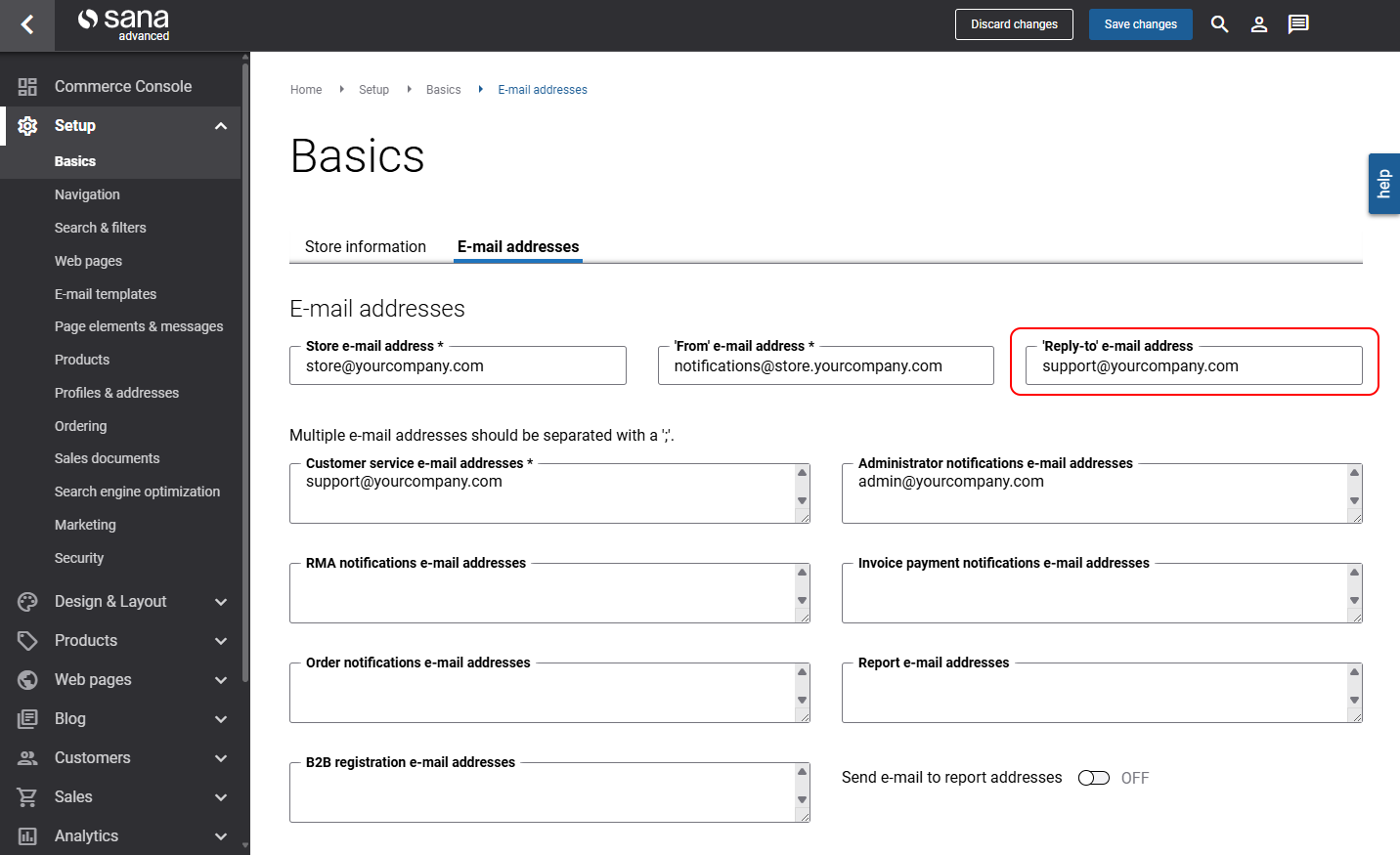
Reply-to E-Mail Address for System E-Mails
Sana Commerce Cloud relies on system e-mails – the automatic messages that are part of what keeps your business running smoothly.
You can now configure a Reply-to e-mail address for system e-mails. Any system-generated e-mails from Sana that customers reply to are sent to this e-mail address. This is your real monitored inbox.
This allows you to use different From and Reply-to e-mail addresses, not to mix automated sending and human communication, and keep your internal e-mail system clean.
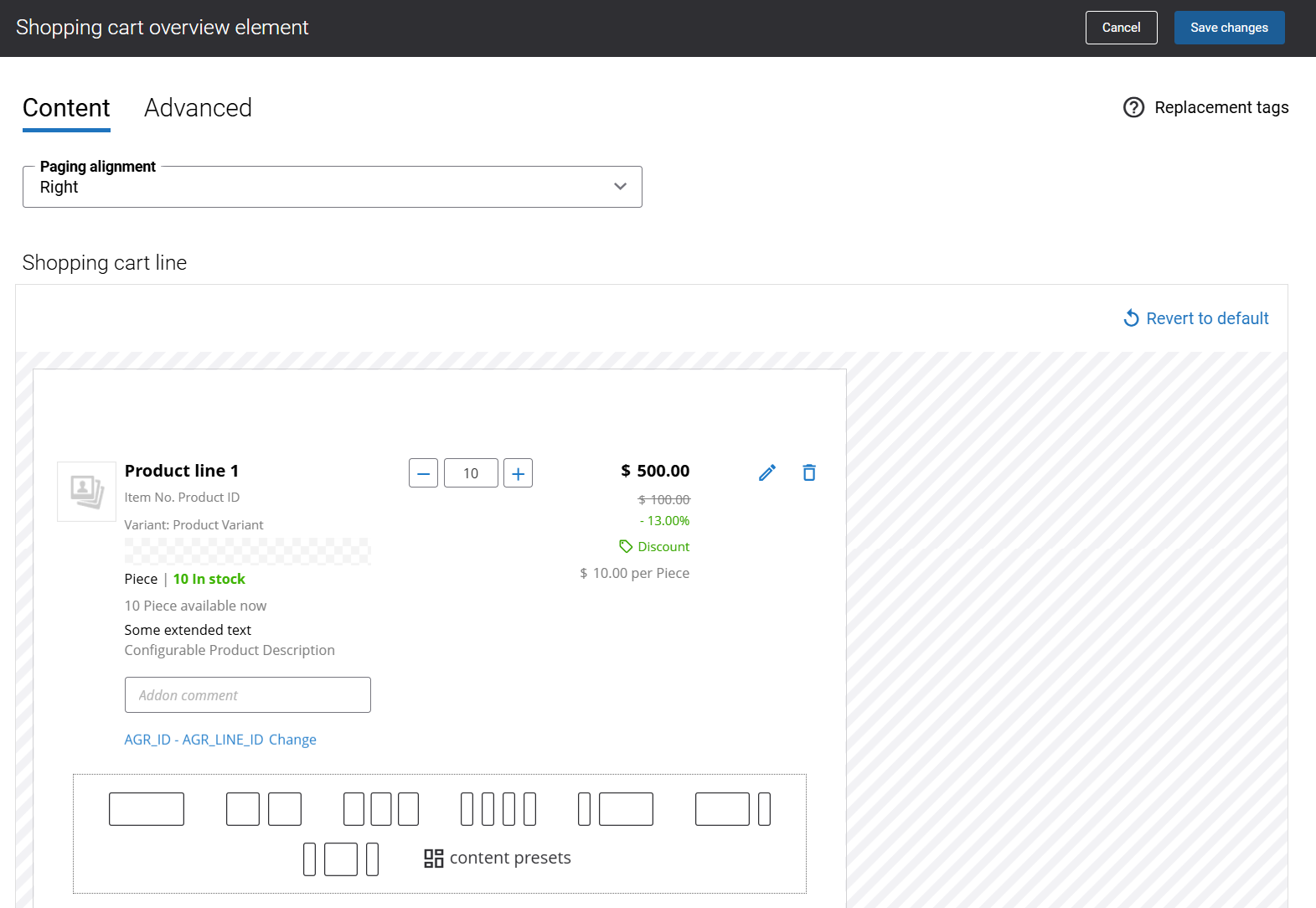
Shopping Cart Lines Design: Complete Transition to New Version
Before March 1, 2026, two versions of the shopping cart lines design were available: the old design and the new design. This transition period gave users the opportunity to move to the new design. Shop administrators could choose between the old and new designs. However, after March 1, 2026, Sana Commerce completely adopted the new shopping cart lines design, and the ability to switch between the old and new designs was removed.
Shopping cart lines new design
What this means for you
-
New Sana Commerce Cloud installations will automatically use the new shopping cart line design.
-
If your webstore is still using the old design and you haven’t transitioned to the new one, you can continue using it. However, it is now considered a custom design, and any future updates to the shopping cart will only apply to the new design.
-
If you're using the old design and click Revert to default in the Shopping cart overview, your shopping cart lines will reset to the new default design.
-
If you prefer to go back to your old shopping cart lines design, it is available in My presets:
- Legacy desktop shopping cart line design
- Legacy mobile shopping cart line design
Bug Fixes
One of the benefits of the minor releases on a regular basis is that you constantly receive bug fixes. Below you can see the list of some bugs that we fixed in this release. We do not add all bug fixes, but only the most important ones, since there are many technical fixes, minor design fixes, or performance-related fixes that we do not add to the release notes.
- Fixed an issue that caused a redirect to the webstore login page when users clicked the login button and subsequently navigated back using the browser Back button when single sign-on (SSO) was enforced for the shop account.
- Fixed an issue where, after editing the URL of a product list page with multiple facets in Sana Admin, URL validation takes a long time, and the page does not save.
- Fixed an issue where customer segments with a large number of rules could cause the Customer import task and other related functionality to fail.
- Fixed an issue where YouTube cookies are stored even when a user denies consent in the Usercentrics consent banner on a webstore page containing a YouTube video.
- Fixed an issue where users could access the 360-degree product view despite declining consent in the Usercentrics consent banner on pages with 360-degree content.
- Fixed an issue causing the Cut-off time info content element in the webstore to show an incorrect next available delivery date.


