Sana Commerce Cloud 1.131
Release date: October 15, 2025
Learn about improvements and bug fixes in this release.
Not every release comes with new features, but we're always working behind the scenes to improve Sana Commerce Cloud. From boosting performance and reliability to fixing bugs and refining the user experience, each update helps make Sana Commerce Cloud better. We also include essential security updates to keep your data and our system safe. All of these improvements lay the groundwork for a stable, secure, and scalable platform. At the same time, we are working on new functionality that will be included in future releases.
What’s New?
Sales Agreements: Multi-Agreement Order
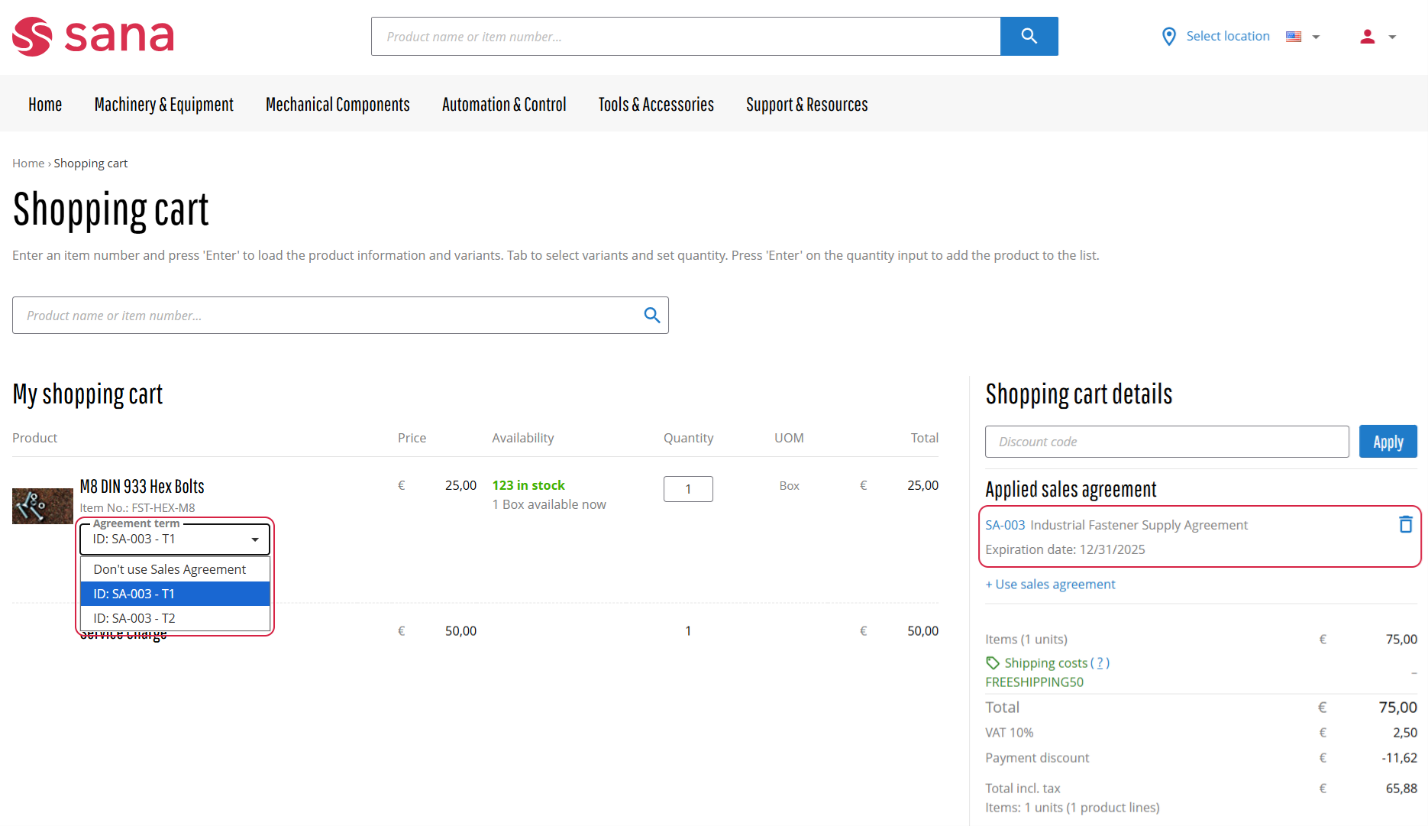
This release introduces a significant enhancement to the buying journey: customers can now apply multiple sales agreements within a single order, removing the need to split purchases or depend on offline steps to secure accurate terms. By bringing complex agreement combinations into one streamlined, self-service flow, buyers gain confidence that their negotiated prices and discounts are always honored, while sellers benefit from fewer errors, reduced manual corrections, and a more efficient order management process. This improvement strengthens customer loyalty, increases online adoption, and builds a more dependable digital channel for long-term growth.
This change is reflected across the shopping cart, product details page, checkout, order details, and the order confirmation email.
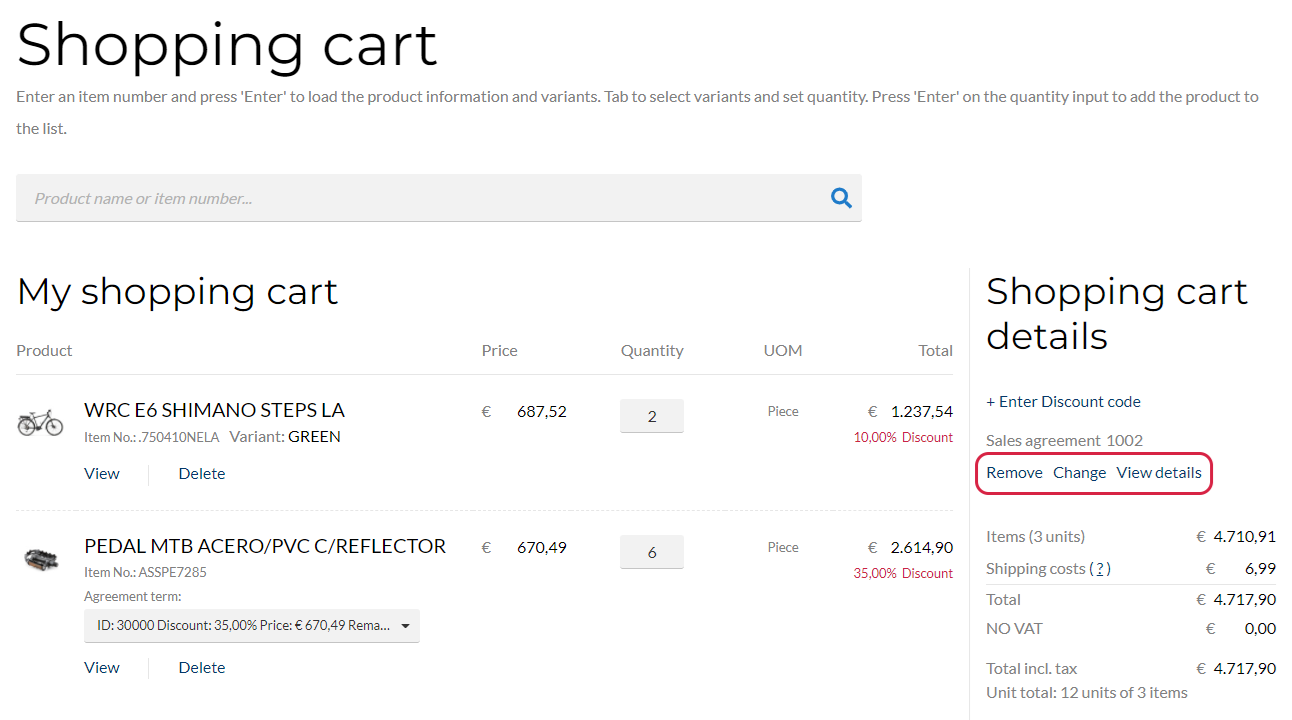
Shopping Cart with a Single Sales Agreement Applied
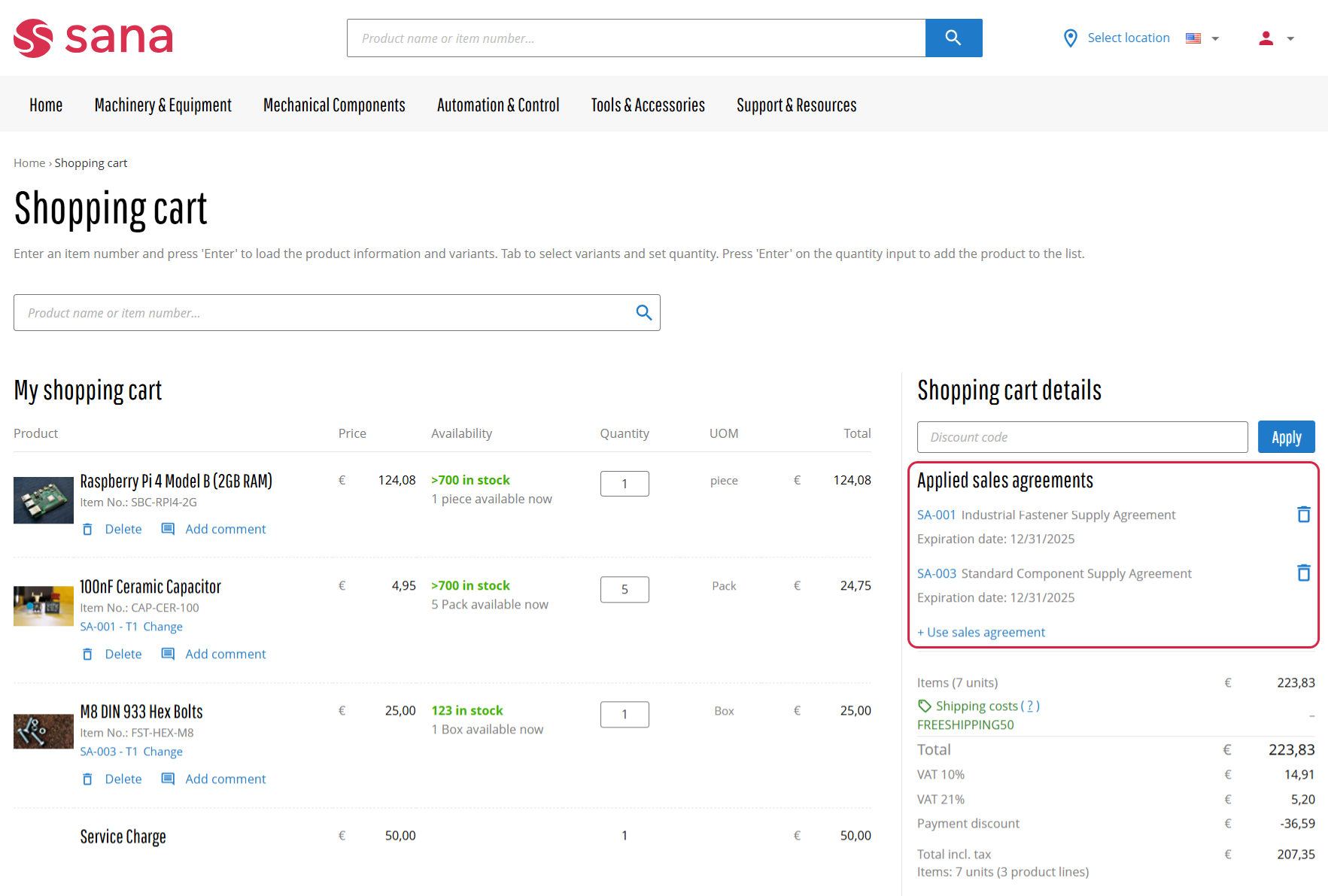
Shopping Cart with Multiple Sales Agreements Applied
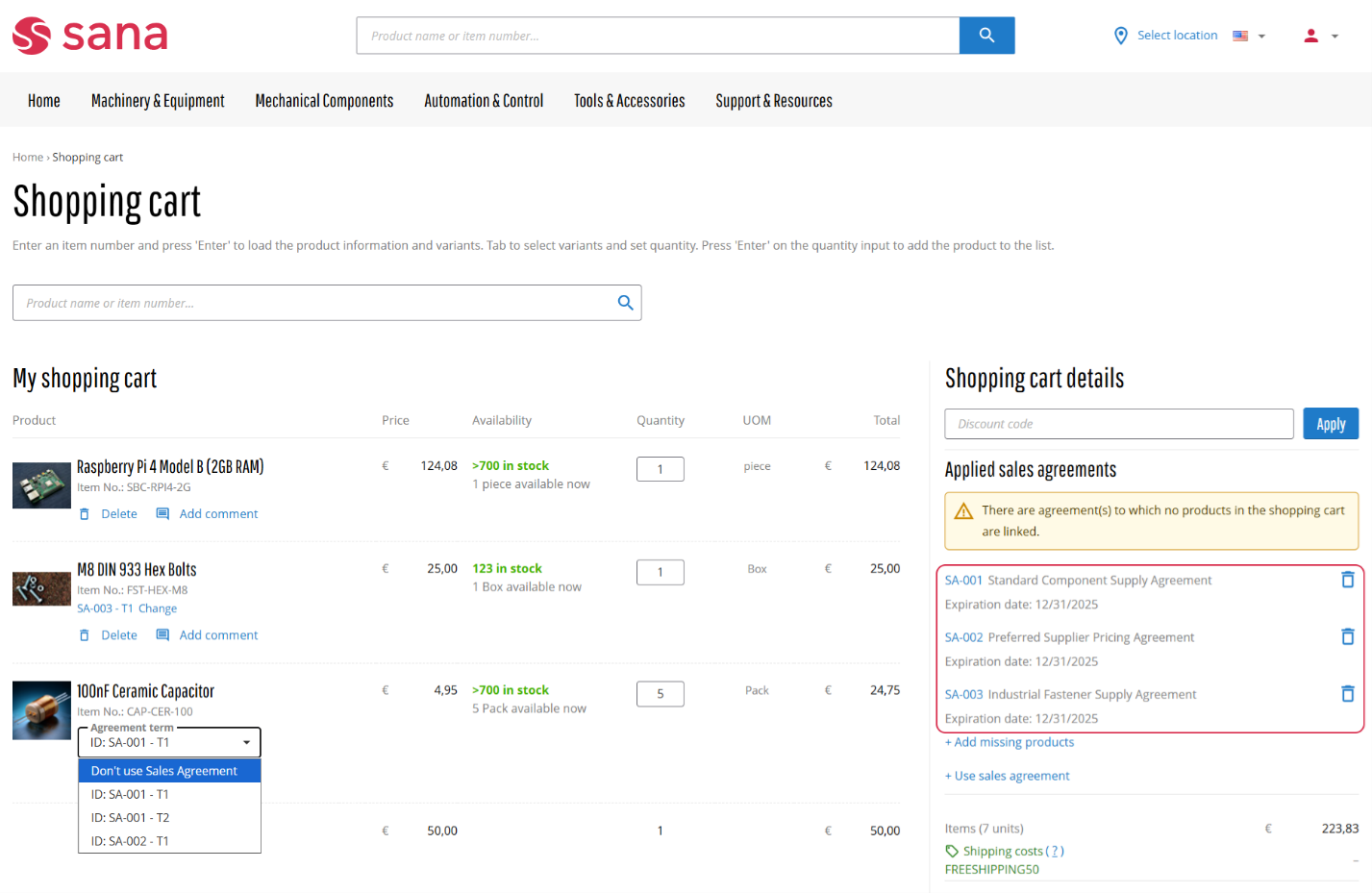
As part of the implementation of this new feature, we’ve made several key adjustments to the layout and functionality of sales agreements in the webstore. These updates might make the presentation and management of sales agreements appear a bit different, but they are all designed to improve the overall user experience. Here’s what’s changed:
-
Sales Agreement Term (Line) Name Structure
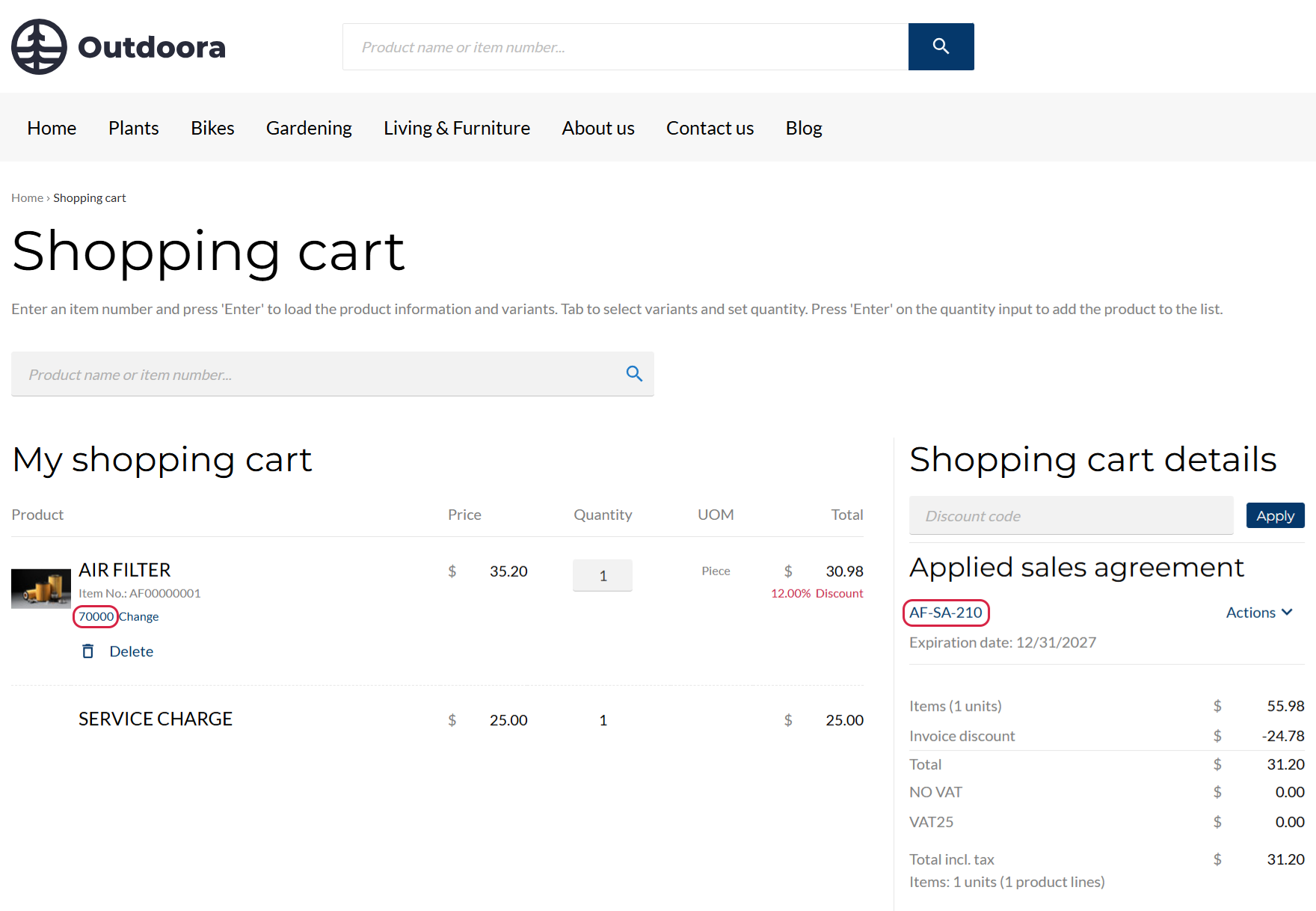
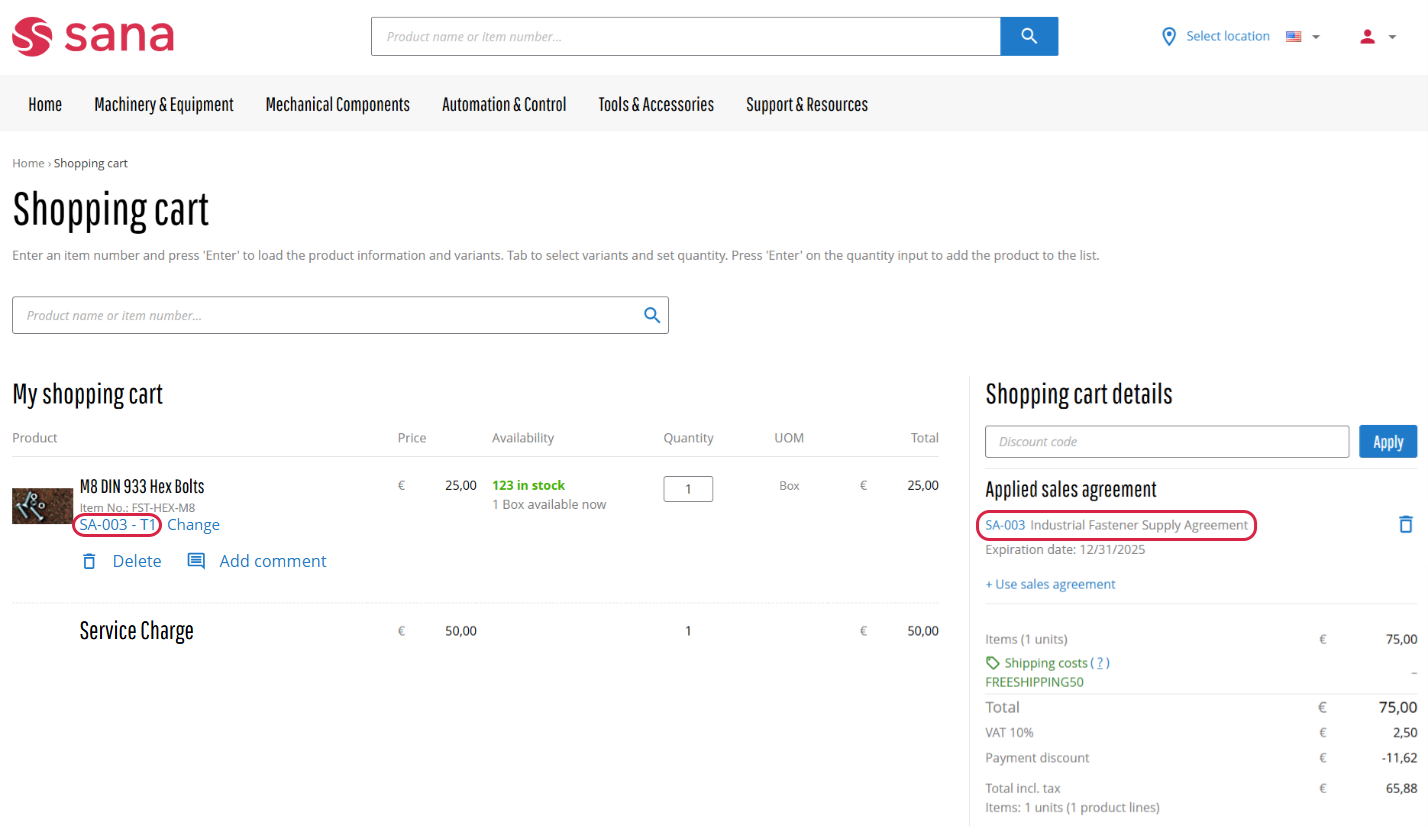
The structure of sales agreement term (line) names has changed. Previously, the term name only included the sales agreement term (line) ID. Now, both the sales agreement ID and the sales agreement term (line) ID are included for better clarity and organization.
Old Format: Sales Agreement Term ID
New Format: Sales Agreement ID + Sales Agreement Term ID
-
Updated Links in the Shopping Cart
We’ve updated the links for managing sales agreements in the shopping cart details.
-
The Remove link has been replaced with the Delete button.
-
To change the sales agreement, customers can now click the Use sales agreement link, which redirects to the Sales agreements page in My account.
-
Customers can view the details of a sales agreement by clicking its name directly.
Additionally, we’ve added the Applied sales agreements title in the shopping cart to separate sales agreement information from other cart details.
-
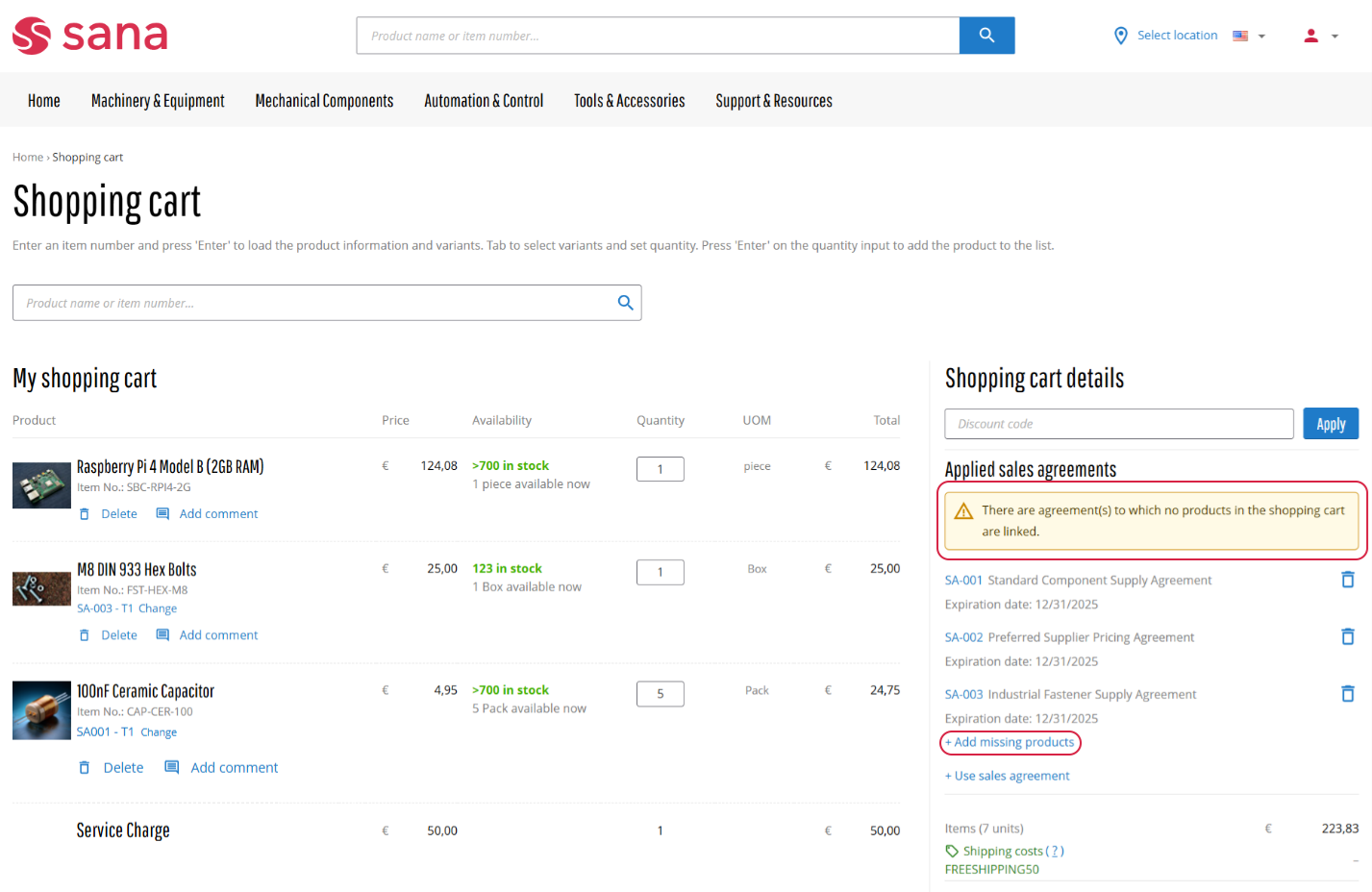
Improved Shopping Cart Message
The message displayed in the shopping cart details has been redesigned for better clarity and usability.
-
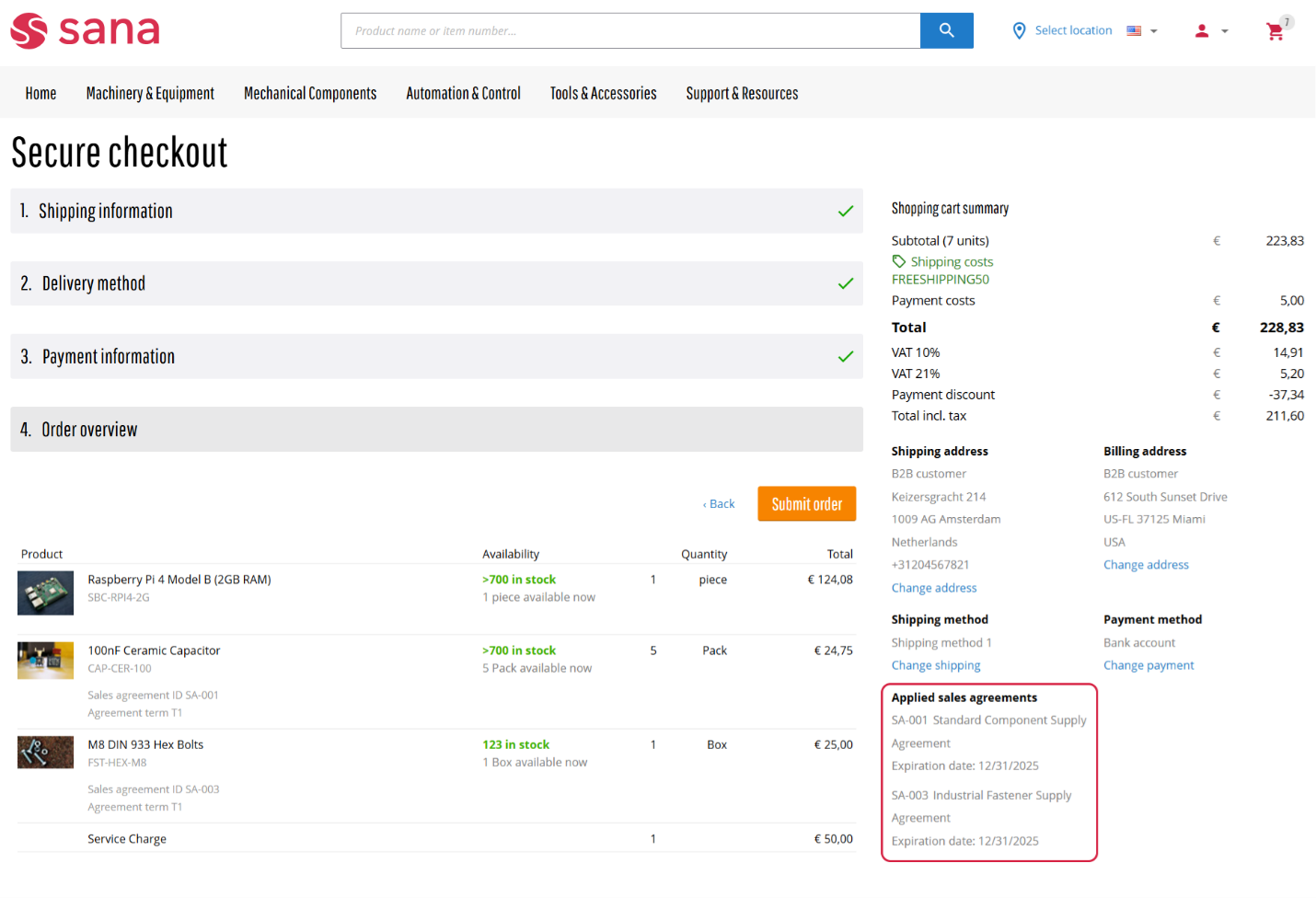
Improved Visibility for Applied Sales Agreements in Checkout
Previously, applied sales agreements were displayed on the Order overview checkout step. With this release, they’re now shown directly in the Shopping cart summary area under a new section called Applied sales agreements. This provides a more intuitive experience during checkout and ensures all relevant agreement information is presented in a more accessible location.
We’re excited to keep improving, and we can’t wait to share more with you in the next releases.
Bug Fixes
One of the benefits of the minor releases on a regular basis is that you constantly receive bug fixes. Below you can see the list of some bugs that we fixed in this release. We do not add all bug fixes, but only the most important ones, since there are many technical fixes, minor design fixes, or performance-related fixes that we do not add to the release notes.
- Fixes an issue with basket export on the Basket management page in Sana Admin that occurs when several accounts with the same ID exist in the ERP system, for example a customer and a sales agent, and a shop account linked to one of those IDs creates a shopping cart in the webstore.
- Fixed an issue that caused the Product import task to fail when ERP product fields of the Enum type were added to Sana Admin.
- Fixed an issue with enforcing single sign-on where, after logging out, customers were automatically logged back into the webstore.


