Number Sequences
WATCH THE VIDEO
Sana Commerce Cloud uses the default Microsoft Dynamics 365 for Finance and Operations functionality (Number Sequences) to generate the unique identifiers for sales orders, sales quotations, customers who register online through the webshop, and guest customer accounts.
Number sequences can be used for customers who register online through the webshop starting from Sana Commerce Cloud 10.0.135 in Microsoft Dynamics 365 for Finance and Operations.
When a customer places an order or creates a quotation in the Sana webshop, the sales order or quotation is created in Dynamics 365 for Finance and Operations with the unique identifier.
Shoppers can also place orders in the Sana webshop without registration, as guests. When a guest places an order, a customer is created in Dynamics 365 for Finance and Operations with the unique identifier. For more information, see Guest Checkout.
You can set up number sequences which will be used for:
- Sales orders placed from the Sana webshop
- Sales quotations created from the Sana webshop
- Customers who register online through the webshop
- Guest customer accounts
By setting up number sequences for the Sana orders, quotations, newly created webshop customers, and guest customer accounts, a user in Microsoft Dynamics 365 for Finance and Operations can easily differentiate those sales orders and quotations which are placed from the Sana webshop and from other channels, real customer accounts and those which are created as guests.
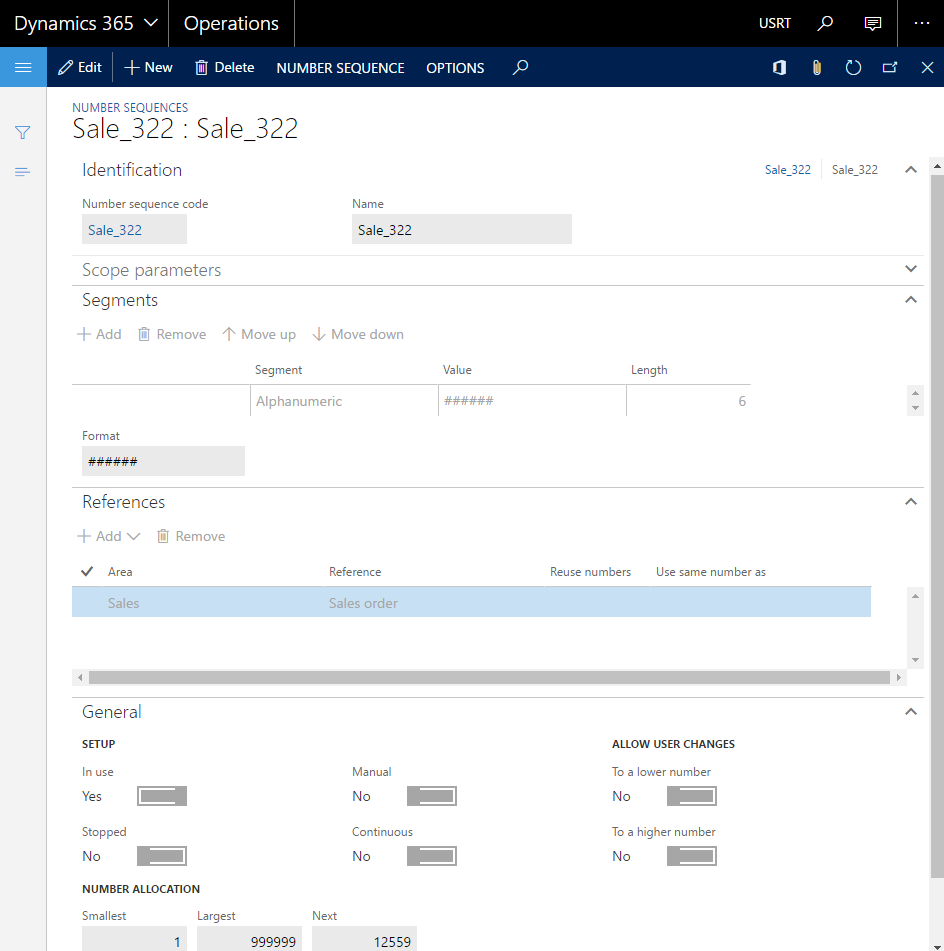
Step 1: To set up number sequences in Microsoft Dynamics 365 for Finance and Operations, to generate the unique identifiers for sales orders, sales quotations, accounts for customers who register online through the webshop, and customer accounts for guests, click: Organization administration > Number sequences > Number sequences.
Use the Number sequences window to create and manage number sequences in Dynamics 365 for Finance and Operations.
Step 2: Click: Webshop > Common > Webshops. On the Webshops form, on the Number sequences FastTab, you can define number sequences for sales orders, sales quotations, customer accounts, and guest customer accounts that will be used to generate unique identifiers for sales orders, quotations, customers, and guest customer accounts coming from the Sana webshop.
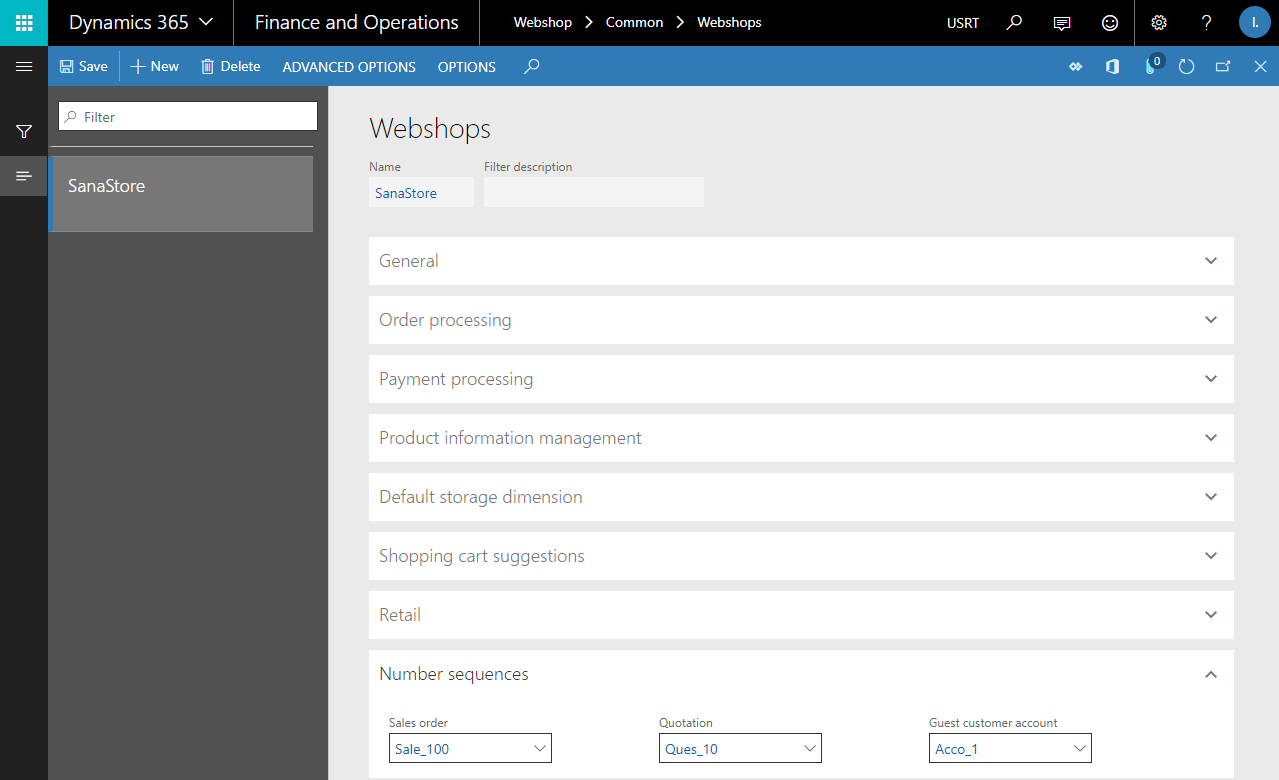
If you have multiple webshops, number sequences for sales orders, sales quotations, customer accounts, and guest customer accounts can be set per webshop.
If number sequences are not set on the Webshops form, those which are used in Dynamics 365 for Finance and Operations by default will be used also for Sana.


