Export, Import, and Archive ERP Data
Microsoft Dynamics Data Management
There is a standard tool in Microsoft Dynamics 365 for Finance and Operations to export and import any data, called Data management.
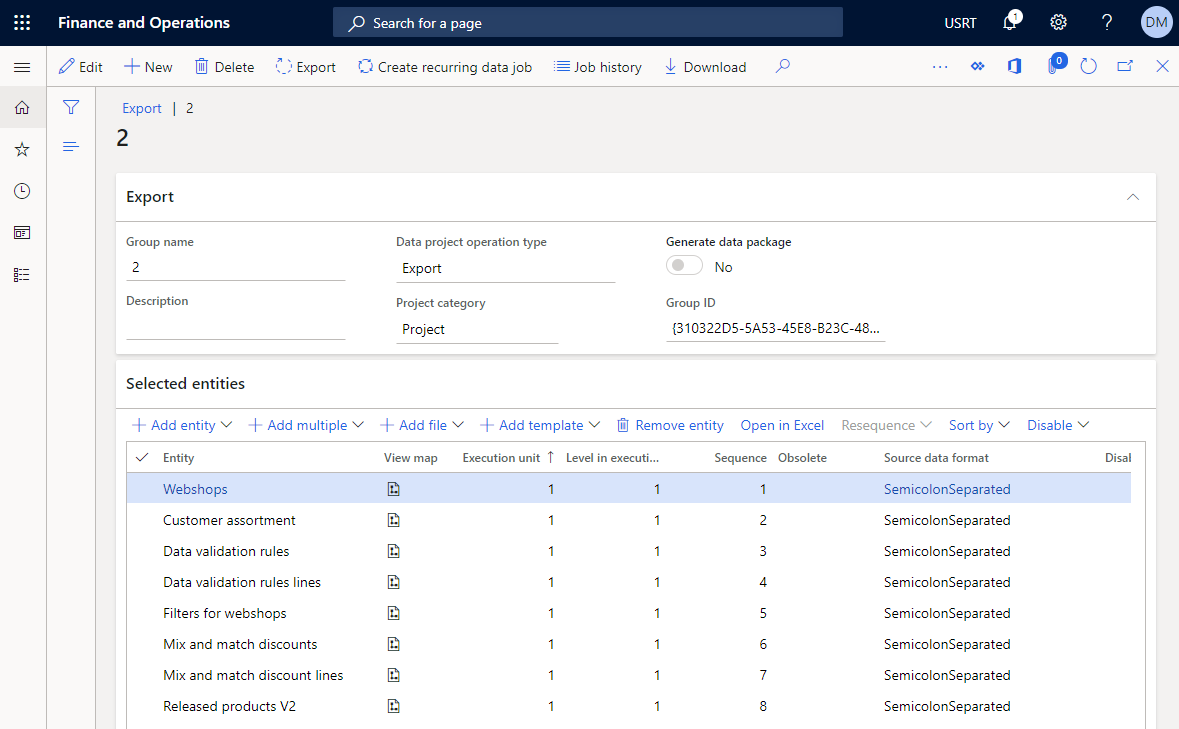
You might need to export and import data in Microsoft Dynamics 365 for Finance and Operations, if you have several instances of the ERP system, for example you have the test or beta environment and the live environment, and you want to migrate data from one ERP environment to another. You can also export and import data between different ERP companies or export it as a backup.
You can export data from the standard ERP tables, Sana tables and even from the custom Sana fields in the standard tables. We extended the standard data management framework in Microsoft Dynamics 365 for Finance with the Sana entities.
If you don’t know how to use the standard Microsoft Dynamics 365 for Finance and Operations data management framework, please refer to the Microsoft documentation.
Sana Data Management
In addition to the standard Microsoft Dynamics 365 for Finance and Operations feature, we implemented a similar feature, called Data management. It is easier to use than the standard Microsoft Dynamics 365 for Finance and Operations data management framework, if you need to export and import only Sana specific data. You can simply select what Sana data you want to export and that’s it.
To export or import Sana specific data, in Microsoft Dynamics 365 for Finance and Operations click: Webshop > Setup > Data management.
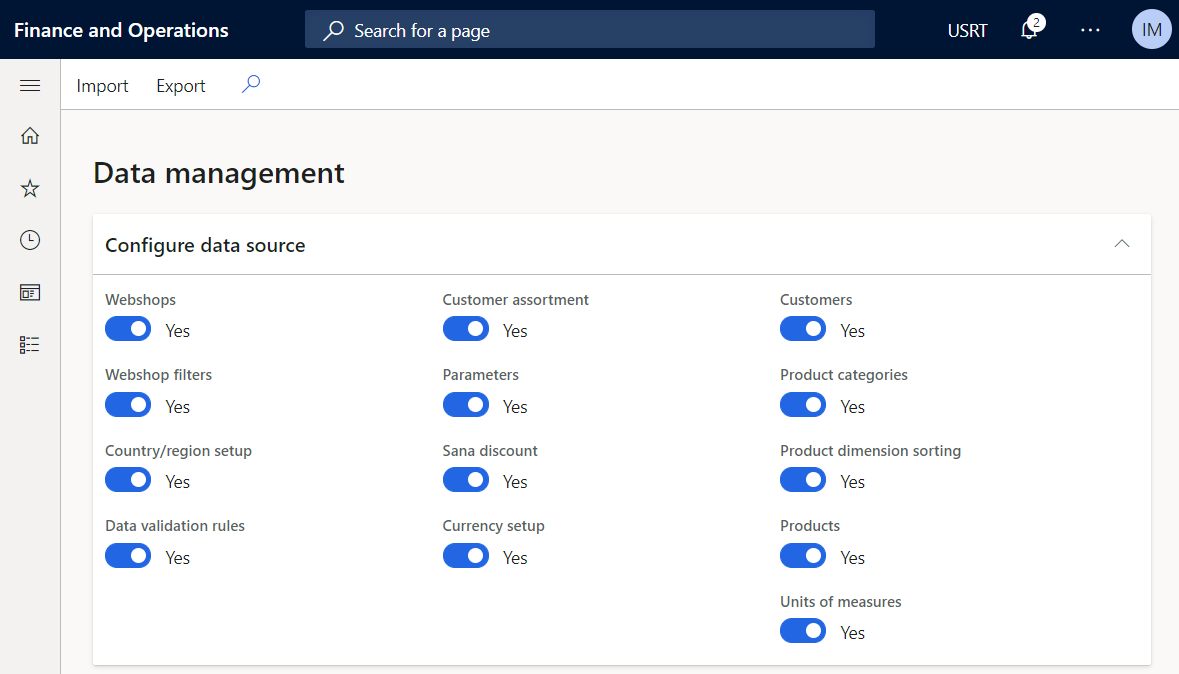
Moreover, using Sana’s Data management you can export and import Sana specific data between different versions of Microsoft Dynamics 365 for Finance and Operations. This is useful if you upgrade from one Microsoft Dynamics 365 for Finance and Operations version to another or even from Microsoft Dynamics AX to Microsoft Dynamics 365 for Finance and Operations. So, there is no need to re-enter all Sana specific data manually which saves a lot of time.
You cannot export and import Data Validation Rules between different versions because of the differences in the database. If you export Sana specific data from Microsoft Dynamics AX and import into Microsoft Dynamics 365 for Finance and Operations, you must re-create Data Validation Rules manually, if necessary.
When you export data from Microsoft Dynamics 365 for Finance and Operations, it is saved to the XML file.
Using either the standard Microsoft Dynamics 365 for Finance and Operations Data management framework or the Sana tool Data management there is no need to re-create already existing data on a new database or company. You can simply export any data from one database or company to another.
Archive with Dataverse Long-Term Retention
Microsoft Dynamics 365 for Finance and Operations has a standard feature that allows archiving and long-term retention of data. Starting with Sana Commerce Cloud 10.0.135 in Microsoft Dynamics 365 for Finance and Operations, we have improved the Archive with Dataverse Long-Term Retention feature to ensure that Sana Commerce Cloud data is fully supported during archiving and restoration. This means that Sana Commerce Cloud fields and values are properly archived and restored, maintaining data consistency and integrity across your system. Before Sana Commerce Cloud 10.0.135, Sana-related data, such as changes to sales orders, products, and customer records, was not included in the archiving process.


